


Ever heard of Instagram jail? You heard right. Instagram jail is a metaphor for an Instagram ban or a blocked Instagram account. And, as it seems, it can be disastrous for business accounts in particular. Not only do they risk losing followers and credibility, but it could also cost them thousands of dollars.
So, you’re probably wondering, how an account ends up banned on Instagram, and can you do anything about it? Let’s delve into the answers in this blog.
What is an Instagram ban?
An Instagram ban refers to a permanent or temporary restriction by Instagram on your Instagram account. It usually happens when you break Instagram community guidelines or terms of service.
When you get banned by Instagram, you may lose access to some features or even have your account suspended.
What Happens When you get banned on Instagram?
Once your account gets banned from Instagram, you might see a few changes. Here’s a breakdown of what may happen.
- You probably lose access to certain actions like liking, commenting, following, and posting. This means you can’t engage with other users and grow your followers.
- Your posts might not show up in hashtag searches or on the Explore page. And sadly, this is not good news for your content either-it won’t be visible to others.
- Instagram ban can decrease your engagement metrics like comments, shares, and likes drop significantly.
- And the worst part is permanent bans-when Instagram takes away everything on your profile including your posts and followers.
- But here comes the real trouble: Instagram IP ban. In this case, Instagram will limit access to its platform from certain IP addresses or a range of them.
- Overall, when you get banned, your online credibility takes a hit, and bringing it back among users becomes a tough task.
5 types of Instagram bans
Let’s dive into the different ways Instagram can give you the boot!
Instagram action blocks
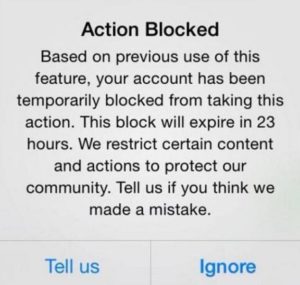
An Instagram action block is a temporary ban that keeps you from liking, commenting, following, or posting. This type of ban typically happens when you do an unsafe Instagram mass unfollow or go overboard with liking and commenting.
source: Jarvee
What do you know about Instagram follow unfollow limit? follow the link to find out.
How To Know if You Are Action Blocked
It is simple to figure out whether you are facing a temporary block on Instagram or not. You will receive an Instagram action blocked warning, saying that your account is temporarily blocked because Instagram restricts certain activities to protect the community.
How Long Does Instagram Ban Last?
Instagram action blocks come in three types:
Temporary Action Blocked
These types of action blocks last from a few hours up to 24 hours. Solutions work pretty well for this one.
Action Blocked With A Certain Expiration Date
In this type of action block, Instagram will inform you of the time that they will ban your account. Unfortunately, solutions don’t work with this type of Instagram banned account, and you have to wait until the indicated time is over.
Action Blocked With No Expiration Date
This one is the worst because your account might be banned for a few hours up to two weeks, but on the bright side, solutions might work for this one.
How To Fix The Instagram Ban Issue?
To fix Instagram action blocked try these methods:
Method 1: Report It To Instagram
When you see the error telling you that Instagram action blocked you, click on “tell us” and do it not just once but if you have not been unbanned, do it again.
There is a 50% chance that you will be unbanned because when you report this problem to Instagram, you indicate that you are not a bot, so there would be a chance that Instagram banned account restriction will be lifted.
Method 2: Uninstall And Reinstall The App
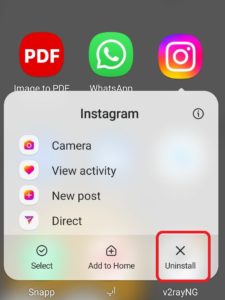
Uninstall and reinstall your Instagram app and delete all your unreliable third-party apps for Instagram.
Method 3: Enable Two-Factor Authentication
Enable two-factor authentication for your account. This is another way to show Instagram that you are not a bot.

Method 4: Remove The Link In Your Bio
If you have a link in your BIO, remove it.
Method 5: Change Your Internet Connection
Try using Instagram with your mobile data instead of your home Internet connection.
Instagram shadowban
By Instagram shadow ban, your content won’t show up on others’ feeds, Explore, or hashtags pages. However, Instagram doesn’t notify you when this happens. This Instagram ban may get triggered by using inappropriate content or banned hashtags.
And what is inappropriate content on Instagram?
- Nudity and sexual content
- Hate speech
- Harassment and bullying
- Illegal activities
- Copyright infringement
Why may Instagram shadowban me?
Let’s see the possible reasons why Instagram could shadowban your account.
- You are using bots or automated Instagram growth tools to attract new followers. And yes, sometimes Instagram growth tools can get you banned.
- You’re using the wrong hashtags. It happens when a trending hashtag gets mentioned with inappropriate content. So, you better know how to use hashtags for Instagram growth.
- You’re overboard with liking, commenting, and following people. You know the Instagram limits, right?
- You’ve been reported many times.
How to know if I am shadowbanned on Instagram?
Badly, Instagram is not going to notify you’ve been shadowbanned. Plus, there’s no real Instagram shadowban test. Forget about the apps that claim to do magic as they’re mostly unsafe. Instead, let’s explore the following methods:
- Your engagement rate suddenly dropped. Check your Instagram insight and the most important metric, accounts reached weren’t following you.
- Check the hashtag pages. If you happen to visit the pages of hashtags that you frequently use and notice a notification indicating that posts have been hidden, there’s a chance you might be under an Instagram ban for utilizing those hashtags.
How to remove Shadowban on Instagram?
Trapped in shadowbanned and looking to how to reactivate Instagram account? Here are the solutions.
- Remove bot accounts from your following list. There are more organic ways to get 1000 followers in 5 minutes! We recommend using AiGrow to improve your Instagram presence.
- Stay away from banned hashtags.
- If you think your Instagram account suspended for no reason, just take a break for around 48 hours.
- Stick to the Instagram guidelines when sharing content, like avoiding false information or inappropriate content.
- Sometimes, posting sensitive content without a heads-up can up the risk of getting your account banned.
Instagram hashtag ban
If you use banned hashtags, Instagram might play hard to get with your content by not showing it in search results. It’s worth mentioning that Instagram bans a hashtag when users report it.
Besides, most of the banned hashtags are posted by fake accounts (bots).
How can I avoid banned hashtags?
Although Instagram doesn’t provide an official list of blocked hashtags, you can take some precautions to avoid them.
Research and Stay Updated: Regularly research and keep yourself informed about the list of banned hashtags. Instagram’s policies and guidelines can change, so staying updated is crucial.
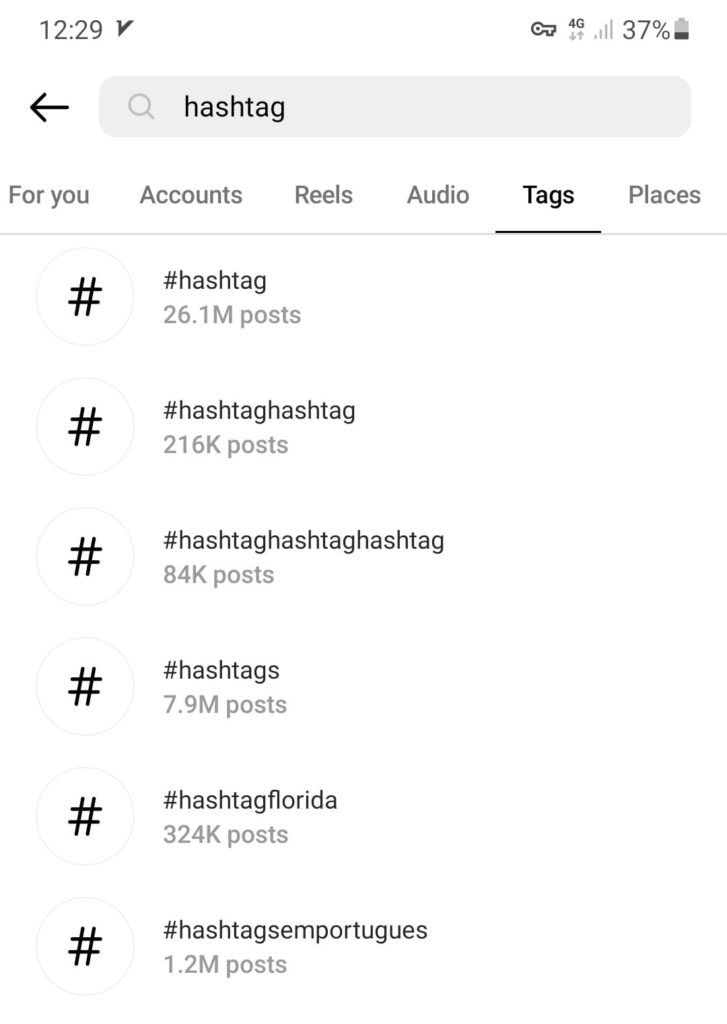
Check Manually: Before using a hashtag, search for it on Instagram to see if recent posts appear. If no recent posts show up, it might be a banned hashtag.
Mind the Context: Some hashtags may be banned in specific contexts or industries. Ensure the hashtags you use are relevant to your content and aren’t associated with prohibited activities.
Avoid Generic Hashtags: Some widely used hashtags can be misused and banned. Instead, opt for more specific and niche hashtags that are less likely to be banned.
Report Mistakes: If you inadvertently use a banned hashtag, promptly remove it from your post. Instagram may not penalize you if it’s a genuine mistake.
Instagram IP ban
Sometimes, breaking Instagram rules costs your IP! In this case, Instagram will block you from accessing the app from a specific IP address on your mobile or computer.
It’s mostly because you may have gone overboard with the maximum number of likes, comments, or follows. If Instagram spots you as a bot- and not a real human- it will immediately ban your IP.
Here’s a pro tip: learn how to use follow unfollow on Instagram.
How to check if my Instagram IP gets banned?
If you want to make sure that your IP address is banned, follow these quick steps:
- clear the cookies in your web browser. Clearing the cookies will log you out of your account, enabling you to access Instagram as a guest use,
- If this doesn’t work, try to connect through a web browser that you haven’t used before to access Instagram,
- you’re still unable to log in? Then, there’s a possibility of an IP ban. Occasionally, Instagram might display a notification indicating that you’ve been blacklisted.
Check out how to prevent the Instagram IP ban
Let’s explore how you can prevent your IP from getting banned by Instagram.
- Use proxies or VPNs.
- Keep engaging to show Instagram that you’re a real person, not a bot.
- Don’t go overboard with liking, commenting, following, and unfollowing.
Instagram permanent ban
And if you keep breaking Instagram rules, you will lose your account forever. Once you get permanently banned, you can’t log into your account anymore or create a new account with the same information (phone number and email address).
10 main Reasons to get banned on Instagram
The most important Instagram ban reasons include:
#1. Spammy behaviors
Using automation tools to mass follow and unfollow, like, and comment can trigger Instagram an Instagram ban. This is the same if you buy fake followers or engagement.
A simple fix? Use Aigrow to gain organic followers!
#2. Fake information
Providing false or misleading information when creating an account can violate Instagram’s terms and lead to suspension.
#3. Harassment and bullying
One of the other reasons Instagram will ban you is to engage in online harassment, bullying, or hate speech.
#4. Posting inappropriate content
We already discussed that Sharing explicit, violent, or graphic content that goes against Instagram’s content policies can result in a ban.
#5. Using banned hashtags
Using banned or blocked hashtags is another reason why Instagram bans an account. However, this type of ban can lead to your content being hidden from search results.
#6. Impersonation
Wondering why my Instagram account was suspended. You may pretend to be someone else, specifically a public figure, and use their identity without permission.
#7. Sharing sensitive information
Instagram doesn’t allow you to publish the personal information of others without their consent and if you do that, be ready for the consequences that come with it!
#8. Self-promotion
It’s important to note that Instagram doesn’t support the idea of setting up multiple accounts solely to get followers.
Also, if you’re considering promoting third-party apps, be cautious as this could lead to your account being blocked by Instagram.
#9. Spam comments and DMs
Keep in mind that sending out comments or direct messages in large quantities can result in your account being banned.
This is true even if you’re sending unsolicited messages to users to promote a product or service that invades their privacy.
#10. Purchasing another account
According to Instagram’s terms of service, selling, buying, or licensing its accounts is prohibited.
What to do if my Instagram account suspended for no reason?
“Instagram disabled my account for 30 days, but it was by mistake. What should I do?”
This is a situation people may go through on Instagram. Unfortunately, innocent users sometimes face bans even when they haven’t violated any rules. In such cases, the solution is to send an Instagram appeal form.
How to send an Instagram account disabled appeal?
To submit the form, you can use the Instagram app. Follow these steps:
- Tap the ‘Disagree with Decision’ button on the Instagram disabled account notification.
- Now, log into your Instagram account,
- Follow the on-screen instructions and complete the appeal form with the necessary details,
- After filling out the form, submit it to Instagram.
Note that Typically, Instagram reviews appeals within about 24 hours. However, the time frame can vary based on the complexity of your case and the number of appeals they’re dealing with.
Pro Tip: Say goodbye to manual Instagram actions and the risks of fake followers and bots. Embrace AiGrow, a premium Instagram growth agency with a team of experts and AI technology that fuels organic growth and engagement. Elevate your Instagram game with ease!
Instagram ban FAQs
Here are the most frequently asked questions about getting banned from Instagram.
Q1. Can Instagram permanently ban you?
Yes, Instagram can permanently ban you for serious violations of its Community Guidelines and Terms of Use. This can result in a permanent loss of access to your account and its associated content.
Q2. How Many Reports Make Your Account Get Banned On Instagram?
Instagram doesn’t publicly specify the exact number of reports needed to ban an account. It’s more about the frequency and seriousness of the reported violations. So, just play by the rules to keep your account safe and sound!
Q3. Will Instagram notify me if I get shadowbanned?
No, Instagram does not typically notify users if they have been shadowbanned. It’s up to users to recognize the signs and take appropriate actions to address the issue.
Q4. How can you see banned Instagram accounts?
Curious about how to see banned Instagram accounts? sadly, there’s no straightforward way to check it. Still, you can view Instagram blocked accounts within your profile.
Simply, go to your profile and tap the three-line icon at the top.
Select Setting and Privacy and browse down to “Blocked”. Once you tap it, you’ll see your blocked account list.
Q5. Can I get a new IP address if the last one is banned on Instagram?
Yes, you can change your IP by setting up a VPN. However, it’s not going to help you get around an Instagram ban. If you violate Instagram regulations, it will detect it sooner or later, and your account will be banned again.
Q6. What are Other Ways To Get Yourself Banned On Instagram?
Besides the actions we’ve already covered, engaging in the following activities can also land you in trouble:
- Buying fake followers and fake likes.
- Spamming another account by mentioning them under posts.
- Using lots of @ and # in one comment.
- Using several bots to increase your engagement rate.
