

If you have an online business, you should be growing it using social media, the most famous ones are TikTok and Instagram. In most cases, Instagram is the best platform to start an online business on. Currently, Instagram has more active users than tiktok, Instagram has 2 billion monthly active users, while TikTok has 1 billion.
So, there are several ways in order to grow your business on Instagram and use its power. We all know them, following IG’s algorithm, posting reels, etc. But what if I told you you could be growing your IG using other platforms?
Pinterest is also another powerful platform with almost half a billion active users monthly. And guess what? You can actually grow your Instagram with pinterest! Stay with me throughout this blog to find out how to use pinterest to grow your instagram. Let’s go.
How to use pinterest to grow your instagram
Pinterest can really help you grow your Instagram followers organically if you use it well. It can send more people to your Instagram, make them like and comment more, and even get you more followers there. So, let’s see how to do it:
Claim your Instagram on Pinterest
Claiming your Instagram account on Pinterest is a feature that lets you connect your Instagram content with your Pinterest profile. Here are some of benefits to claim your IG and Pinterest:
Attribution: When you connect your Instagram to Pinterest, any Pins made from your Instagram stuff will show that it’s yours. Your profile picture and a follow button will pop up with these Pins. So, if someone clicks on the Pin, they’ll go straight to your Instagram. And if they like what they see, they might just hit that follow button and help you get followers on Instagram without follow and unfollowing people.
Performance Check: Hooking up your Instagram lets you see how well your stuff is doing on Pinterest. This helps you understand what people like and what they don’t. Then, you can make even better stuff and get more people to check out your Instagram.
Cross-Posting: You can instantly share your Instagram posts on Pinterest.
Let me give you an explanation. If you are an active business owner, then you probably know how often you should post on Instagram, 3 times a week. That means that your posts on IG have a short life span.
When you claim your account on Instagram and more of your pins get saved, more people will see your pinterest posts and click-through to your Instagram account. The more people scroll through your Instagram, the more followers you’ll get.
If you want to claim your Instagram account on Pinterest, follow these steps:
- Click the directional chevron down icon at the top-right of the screen to open your menu.
- Select Settings.
- From the side menu, choose Claimed accounts.
- Click Claim next to Instagram.
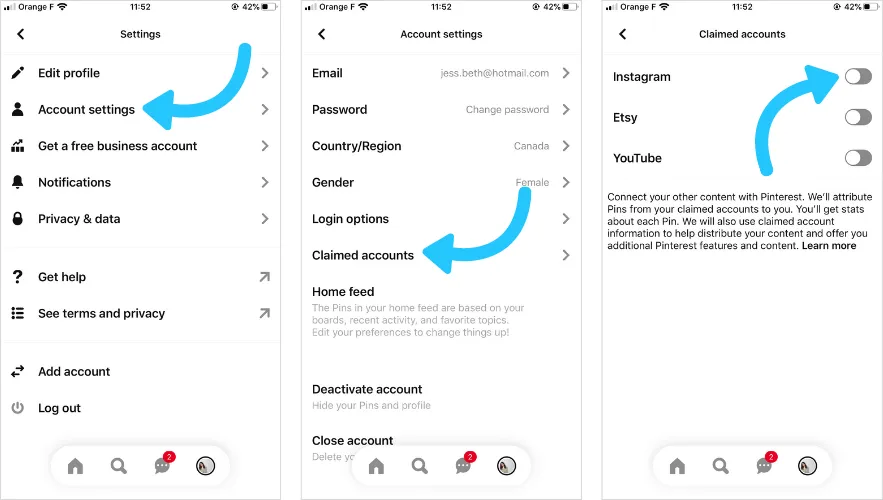
- In the pop-up window, log in to your Instagram account and grant permissions for both Profile information and Media.
- After claiming your account, you’ll have the option to set up auto-publishing for your Instagram posts to Pinterest.
2- Publish on Instagram first, then pin to Pinterest
Publish posts on Instagram first, and then pin them to Pinterest on relevant boards. Try to write a catching caption.
Let’s talk about some easy ways to use your Instagram posts on Pinterest to help you get more followers on Instagram!
Share Your Instagram Posts Again
The easiest thing to do is just repost your Instagram pictures on Pinterest. You can put up the whole post or just pick out your favorite photos.
If you’ve got lots of pictures in one post, put them together in a collage using Canva before you share them on Pinterest.
Turn Instagram Pictures into Pinterest Pins
Whenever you put up a new picture on Instagram, save it and put it on Pinterest too. Write a description for your pin that has words people might search for.
Don’t forget to put a link back to your website or blog. Choose a board on Pinterest that matches your pin and add it there.
Make Pins with Canva
Another cool idea is to make special pins for Pinterest using Canva. Canva has lots of templates that are perfect for Pinterest. You can make your pictures look super cool and eye-catching.
3- Optimize Pinterest SEO
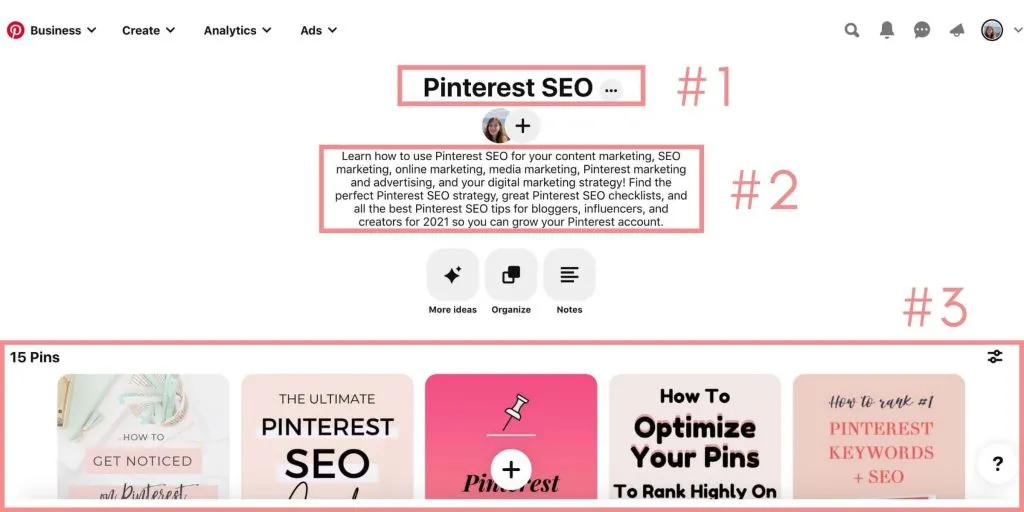
Pinterest SEO means making your profile and content (pins) easy to find when users search for certain words. It works just like website SEO. let’s check out and see how can you improve your Pinterest SEO:
Keyword Research and Use
Use tools like Pinterest Trends or keyword research tools to see what words your audience uses. Use your chosen keywords in your profile name, board titles, pin titles, and descriptions. But don’t overdo it (in other words, don’t use keyword stuffing) make sure it still reads well.
Profile Setup
Claim your website, This shows Pinterest that you’re legit and gives you access to analytics.
Write a good bio, Make it short and clear, explaining what you’re all about. Use keywords here too.
Optimize board titles and descriptions, Use clear titles and descriptions with keywords to show what your boards are about.

Pin Improvement
People love nice visuals, so use clear, high-quality images or videos, and since most people use Pinterest on their phones, use tall images for better visibility.
Make sure your titles and descriptions are clear, short, and interesting. Include keywords and a call to action.
Try Rich Pins, These show extra info like product details or recipe ingredients, which can attract more clicks.
Engagement and Consistency
Pin regularly and Keep your profile active by pinning new stuff often. Like and comment on other people’s pins, join relevant groups, and maybe even run contests with Instagram giveaway pickers. Use Pinterest Analytics to see what’s working and what’s not, so you can make improvements.
When you have a strong Pinterest SEO, your pins will be discovered by more people.
When your pins are discovered by more people, your Instagram account will have more viewers and you’re more likely to gain new followers!
4- Share IGtv and Stories to your Pinterest
Stories and IGtvs and also help you reach more audience on Pinterest and Instagram. Although there is one thing you should know, you can only post up to 15 minutes on Pinterest. So if your IGTV is long you need to cut it shorter.
5- Work with pinterest Influencers
Influencer marketing is always a good idea and one of the best ways to help you grow fast. Utilize Pinterest influencers, especially those known for their beautiful boards and pins. They can help spread the word about your brand and bring more people to it. If they do a great job, you can keep working with them.
Make sure the influencer’s style fits with your brand. Share some content from your Instagram with them and let them take charge of some of your boards. They can also make their own stuff for you.
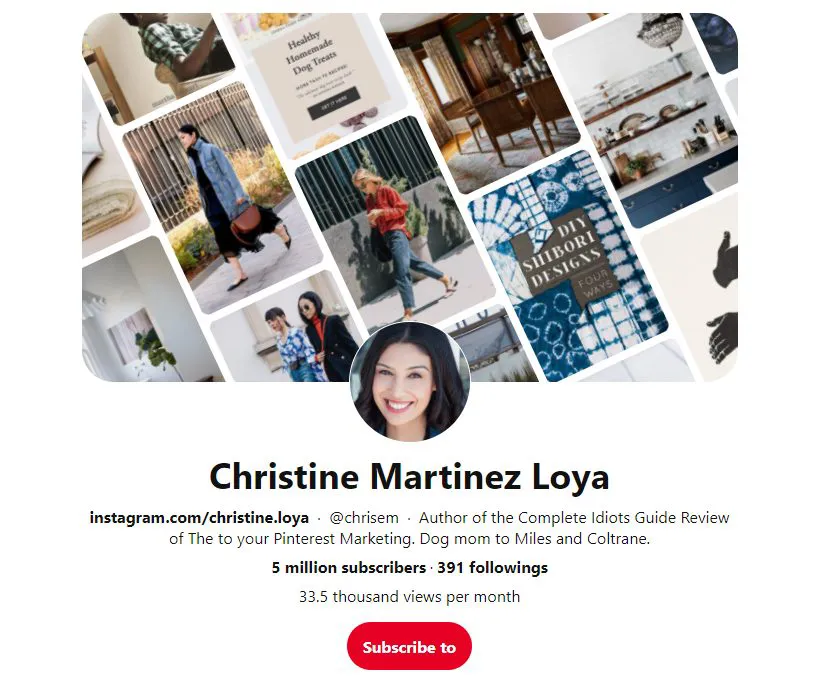
Let them design the boards however they want. Since they know what your audience likes, you’ll probably see more likes and visits on your boards.
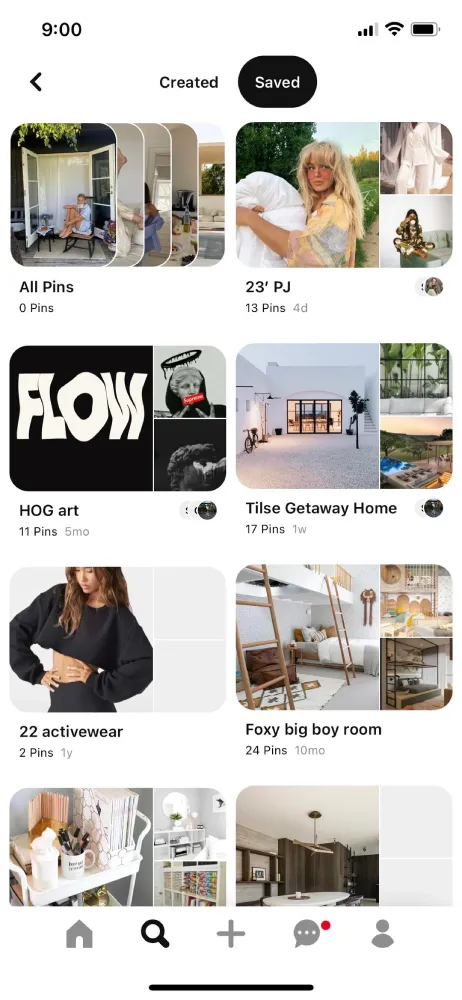
6- Organized Instagram Themed Boards
Pinterest is a bit different from other websites because users create boards to neatly organize their Pins. With Boards, you can sort your Pins into collections based on your interests, ideas, or just what looks nice together! However you decide to organize them, make sure the content fits the vibe of your board.
For instance, you can create a special board just for Instagram-style posts. Boards can be a treasure trove of helpful info and inspiration, like recipes, demos, tips, and tutorials.
If you want to grow your Instagram following, it’s a great idea to make a specific board just for your Instagram posts.
You can split it into sections based on different topics or styles. When you get it right, your board can really catch your audience’s eye and even get them to click on your posts more often!
7- Use User Generated Content
According to Sprout Social, stuff made by regular people is easier to remember and trust than other stuff.
This means it’s smart to include user-made content in your Instagram and Pinterest plans.
To do this, make a group board where your followers can share how they use your stuff.
For example, Gap has a board called Styl’d by You, where fashion fans can show how they wear Gap clothes.
When someone shares your stuff, their friends see it. If they like it, they might share it too, and it keeps going like that. So, lots of people get to know your brand from just one post by a regular person.
Starting a hashtag or making a board for followers to share on are easy ways to get user generated content. You can also show off the most creative posts on your Instagram to get more people involved. Just remember to ask before using someone else’s stuff to avoid problems.
Conclusion
Well, that’s it. I hope I’ve helped you to figure out how to use pinterest to grow your instagram. Follow these 7 tips, stay consistent and don’t give up. Going viral and reaching a lot of followers takes time!
FAQs
Now let’s answer some frequently asked questions:
how to connect pinterest to instagram
- Sign in to your Pinterest business account.
- Under Pinterest profile Settings, click Claim in the menu on the left side of the page.
- Under Claim other accounts, click the red Claim button next to Instagram.
- An Instagram sign-in screen will appear. Authorize the connection.
can you link your pinterest to instagram
You can’t do this right now, but you can repurpose your instagram stories for pinterest by sharing it as a pin.
how to share pinterest to instagram story
If you’ve created an Idea Pin on Pinterest, you can share it on other platforms. Click the share icon on your Idea Pin and choose either “FB Stories” or “IG Stories”. This will initiate a download and take you to the Facebook or Instagram app, where you can edit and upload your content.
