


Scheduling Instagram posts brings fantastic benefits like time-saving, optimized posting, and content preview for businesses and influencers. When looking for the best tools, prioritize those with special features such as a user-friendly interface, multi-account management, and a content calendar. Also, make sure they support scheduling various content types like stories, Reels, and carousels.
In this blog, we’ll explore the best Instagram post schedulers that excel in these features and more. Discover what makes them stand out and hear from their customers. Let’s dive into the best tools to schedule Instagram posts!
Unlock the power of combined content creation and scheduling with AiGrow! Join us today and seize the opportunity to do more with less!
The Best tools to schedule Instagram posts
| Scheduler | Post types | Pricing | Rating | Special options |
| AiGrow | All | $129-549 | 4.2 | 14-day money-back Cancel anytime |
| Sendible | All | $25 | 4.5 | 14-day free trial |
| SocialPilot | All | $25 | 4.5 | Free trial Cancel anytime |
| Buffer | All | 0-120$ | 4.4 | Free plan14-day free trial |
| PromoRepublic | All | 49-99$ | 4.6 | 14-day free trial |
| Tailwind | All | 0-99.99$ | 4.3 | Free plan |
| Agorapulse | All | 0-149$ | 4.5 | Free plan30-day free trial |
| later | All | 20.83-80$ | 4.5 | 14-day free trial Cancel anytime |
| Sprout Social | All | 249-499$ | 4.4 | Free trial |
| Socialbee | All | 24-99$ | 4.8 | 14-day free trial 30-day money-back guarantee Cancel anytime |
#1. AiGrow
Rating on Trustpilot: 4.2/5
AiGrow is an Instagram management tool that goes beyond scheduling and planning posts; it also facilitates post creation. It’s a versatile tool suitable for both beginners and advanced e-commerce brands, influencers and creators, and businesses.
The key features
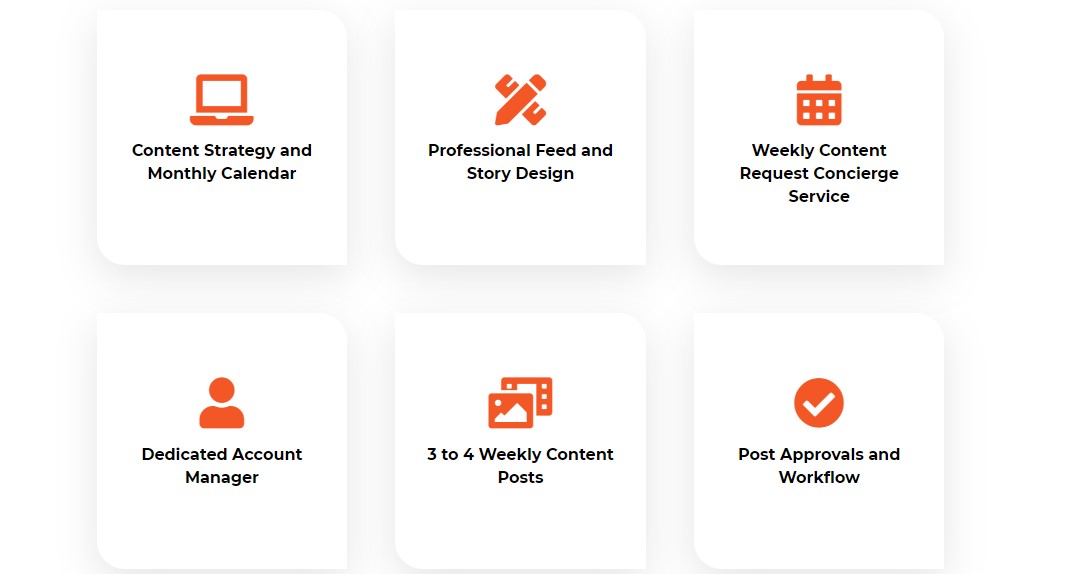
- Dedicated content team (strategists and designers)
- Multiple accounts
- Create, schedule, and publish 10-30 monthly posts
- Post Instagram stories, Reels, and carousels
- Post at optimal times to get the most engagement
- Hashtag research
- Full analytics
- Caption writing
- WhatsApp and email support
AiGrow pricing
AiGrow has a 14-day money-back guarantee for their plans, and you have the freedom to cancel at any time. Plans start at $129 per month.
AiGrow customer reviews
Let’s see what our users think about us:

#2. Sendible

- Rating on G2: 4.5/5
- Rating on Capterra: 4.6/5
- Rating on Trustradius: 8.9/10
Sendible is a social media management and automation tool for individuals, agencies, and large and small businesses.
The key features
- Scheduling and posting:
- Autopost Instagram stories, images, Reels, and carousels
- Plan and schedule reminders
- Bulk scheduler for campaigns
- Daily posting limit: 100-500 per day
- Adding geotags to IG posts
- Multiple accounts from 6-300
- Analytics: Quick reports including Google Analytics, save & share in PDF, auto-emailed reports
- Post preview
- Calendar view
- Social media platforms: Instagram, Facebook, TikTok, LinkedIn, YouTube, X (former Twitter), Google My Business, WordPress
- Integrated with: Google Drive, Dropbox, and Canva
- Custom approval workflow and permission groups
- Android and iOS apps
- Custom support including live chat, email, and webinar, and a dedicated customer manager
Sendible pricing
The plans are monthly and yearly starting at $25 per month. However, it offers a 14-day Free trial and you can cancel anytime.
Pros & Cons
To weigh the advantages and disadvantages, let’s take a look at what customers are saying on G2:
Lisa, a PR manager says:
“Sendible is easy to use, and I love the flexibility of having so many services to add to my social media scheduling! For a couple of clients that I’m courting, they have 2-3 Facebook groups as well as their own business page – it’s a huge benefit to have multiple choices with my plan!
Also, I love the fact I can now upload Stories! As long as you don’t need to add anything like music or a tapable link – it’s just an image or YouTube Short – it’s good to go! BOO-YA!
Customer support is awesome! If I have a question, their support team gets back to me quickly. I also have access to their knowledebase to find the answers myself. Perfect!
From a previous review I had remarked about images not staying in my client’s media libraries vs. having to re-upload; Sendible read it and fixed it! Wondering when Sendible might connect to Threads?”
Amber, another user says:
“If you have a digital marketing agency and your employees are still posting things manually for a number of clients, get Sendible, for the love of god. For your poor employees’ sanity. The costs can offset the time you’re already paying someone to spend on the tasks you could be automating, so your employee can focus more on quality.”
Want to learn how to create a content calendar? click here!
#3. SocialPilot

- Rating on G2: 4.5/5
- Rating on Capterra: 4.4/ 5
- Rating on Trustradius: 7.3/10
SocialPilot is undoubtedly one of the best Instagram schedulers for 2023. It provides all you need to publish and schedule an Instagram post. Here are the features:
The key features
- Multiple Instagram accounts 10-50
- Scheduling posts (carousels), Reels, and stories
- Bulk scheduling up to 500 posts
- Integrated with Dropbox, Box, Canva, Zapier, Slack, Unsplash, Browser
- Social media platforms like Instagram, Facebook, X, Pinterest, LinkedIn, YouTube, TikTok, and Google Business
- Caption generator
- Access for all team members
- Post preview
- Auto-add hashtags
- Detailed analytics including follower growth, engagement rate, reach, and more presented in PDF reports
- Calendar view
- Replying to posts, comments, messages, reviews, and stories
- Both Android and iOS
- 24/5 customer support
SocialPilot pricing
This tool provides flexible pricing options, ranging from $30 to $200 (monthly) and $25 to $170 (yearly). What’s even better is that you have the freedom to cancel at any time, explore a free trial, and switch your plan whenever you need to.
Pros & Cons
Here, you’ll discover some pros and cons highlighted by customers:

And this is another one:

You may also like to know about top content creation services.
#4. Later

- Rating on G2: 4.5/5
- Rating on Capterra: 4.4/ 5
- Rating on Trustradius: 8.3/10
Later is not just an app to schedule Instagram posts, it’s a social media management tool suitable for Creators, Freelancers, Marketers, Agencies, and small businesses.
The key features
- Create, edit, schedule, and auto-publish your Instagram posts, stories, reels, and carousels
- Multiple accounts
- Bulk scheduling
- Visual planner
- Best time to post (scheduling suggestions)
- Auto hashtag suggestion
- Post preview
- Social media like Instagram, Facebook, TikTok, LinkedIn, Pinterest, X
- Access groups
- Caption writer
- Detailed analytics
- Android, iOS, and desktop
- Customer support (Live chat)
Later pricing
Curious if you can use one of the best Instagram schedulers for free? Absolutely! While the plans (monthly and yearly) are priced from $20.83 to $80, the good news is they all come with a generous 14-day free trial. And if you ever feel unsatisfied, you have the flexibility to cancel at any time.
Pros & Cons
Let’s dive into what Later’s customers have to say about its pros and cons on Capterra:

Here are more benefits and disadvantages:

#5. Buffer

- Rating on G2: 4.3/5
- Rating on Capterra: 4.5/5
- Rating on Trustradius: 8.1/ 10
Buffer is another great Instagram scheduler for multiple accounts. It goes beyond Instagram, extending its reach to other social media platforms like Facebook, Google Business, LinkedIn, YouTube, Shopify, Pinterest, TikTok, X, and Mastodon.
The key features
- Schedule and auto-publish posts, stories, reels, and carousels on Instagram
- Multiple accounts
- The best time to post
- Draft post ideas
- Post preview
- Hashtag manager
- Tags and mentions
- In-depth analytics
- Approval workflow
- Custom access and permission
- Integrated with Zapier, Mailchimp, and more.
- Android, iOS, and PC
- Email and social media support
Buffer pricing
Buffer has some great news for those seeking a free Instagram post planner. They have a free plan that lets you schedule 10 monthly posts. If you like it, you can explore other plans, starting at just $6 per channel per month, and the best part is, they all come with a generous 14-day free trial.
Pros & Cons
Here are a few advantages and drawbacks of Buffer, as reported by its users:

See what others like and dislike about Buffer:

#6. Socialbee

- Rating on G2: 4.8/5
- Rating on Trustradius: 9.8/ 1
Absolutely, SocialBee is a top-notch tool to schedule Instagram posts that’s not just for Instagram; it also works seamlessly with Facebook, TikTok, X, LinkedIn, Pinterest, YouTube, and Google Business.
SocialBee is a fantastic fit for authors, coaches, solopreneurs, startups, small businesses, freelancers, and agencies.
The key features
- Create, schedule, and publish Instagram single images, videos, stories, carousels, and Reels,
- Multiple accounts
- Customize your posting schedule
- Set time-sensitive content
- Instagram first comment
- Post previews
- Tags and mentions
- Bulk editing and scheduling
- Page and post analytics
- Optimize hashtags
- Video thumbnails
Socialbee pricing
In terms of pricing, Socialbee offers many advantages. In addition to a 14-day free trial, there’s a 30-day money-back guarantee and you can cancel anytime you feel unhappy. The plans start at $24 per month and can go up to $99 monthly.
Pros & Cons
Here’s what customers love (and some things they wish were better) about SocialBee:

This user is hoping for a more user-friendly mobile version.

#7. PromoRepublic

- Rating on G2 and Capterra: 4.6/5
- Rating on Trustradius: 8.5/ 10
PromoRepublic offers solutions tailored for marketing agencies, small businesses, and multi-location businesses. Their capabilities extend beyond Instagram to cover Facebook, LinkedIn, Pinterest, X, and Google Business.
The key features
- Multiple accounts and users
- Smart posting time
- Optimal posting frequency
- Post recycling
- Schedule and post images, stories, Reels, and carousels
- Custom permissions and workflows
- Brand kit
- 24/5 support and dedicated manager
- Full analytics
- Android, iOS, and desktop
PromoRepublic pricing
With a 14-day free trial, PromoRepublic’s plans start at $49 per month and go up to $79 and more for Agency and Multi-location plans.
Pros & Cons
Let’s take a look at the customers’ likes and dislikes about this Instagram post automation tool.

Here’s another one:

#8. Sprout Social

- Rating on G2: 4.4/ 5
- Rating on Trustradius: 8.0/ 10
Sproutsocial is a good choice for larger businesses and influencers who want to plan and schedule content on Instagram, Facebook, LinkedIn, YouTube, X, Pinterest, TikTok, and Google Business.
The key features
- Multiple accounts
- Content calendar
- Post preview
- Optimal send time
- Content plan
- Campaign planner
- Integrated with Canva, Dropbox, Woo, Shopify, WhatsApp, and more
- Android, iOS, and desktop
- Detailed analytics
Sprout social pricing
Sprout Social offers pricing that begins at $249 per month, and the good news is they provide a free trial for all their plans.
Pros & Cons
To get a sense of the pros and cons, here are some customer reviews:

Many folks seem to find the pricing a bit of a sticking point with Sprout Social:

#9. Tailwind

- Rating on G2: 4.3/ 5
- Rating on Trustradius: 9.1/ 10
Tailwind is one of the best Instagram scheduler apps for multiple accounts, offering a free option. It’s also compatible with Pinterest and Facebook, making it perfect for small businesses and creators.
The key features
- Auto-post Instagram stories, reels, and carousels
- Smart scheduling
- Post preview
- Caption template
- Advanced analytics
- Bulk scheduling (20-1000 posts per month)
Tailwind pricing
Tailwind has a free forever plan, and if you choose to upgrade, the paid options start at just $14 and can go up to $99.99.
Pros & Cons
Let’s take a look at the good and not-so-good feedback from Tailwind users:

Check out this one too:

#10. Agorapulse

- Rating on G2: 4.5/5
- Rating on Capterra: 4.6/5
- Rating on Trustradius: 7.4/ 10
Agorapulse is more than just an Instagram post scheduler; it offers options for various social media platforms, including Facebook, LinkedIn, YouTube, X, Google Business, and TikTok. It’s a smart choice, particularly for mid-sized businesses and brands.
The key features
- Bulk publishing
- Social inbox
- Content calendar
- Integrated with Google Analytics, and Canva
- Advanced reports
- Dedicated account manager
- First comment
- Android, and iOS
- Google Chrome extension
- Team workflow
Agorapulse pricing
Fees are a highlight with Agorapulse. They have a free monthly plan, and the paid options offer a 30-day free trial, with prices ranging from $49 to $149 per month.
Pros & Cons
Customers have different opinions about Agorapulse, as you can see below:

Check this one too:

FAQs
Here are a few common questions people often ask about Instagram post schedulers:
What are the best Instagram planners for 2023?
AiGrow, SocialPilot, Agorapulse, Sendible, Tailwind, CoSchedule, Planonly, SocialBee, PromoRepublic, Later, Buffer, and Sprout Social are the best tools to schedule Instagram posts on desktop and phone.
Does Instagram allow me to schedule my posts?
Yes, Instagram allows you to use software and tools for scheduling your posts in advance.
What are the benefits of using Instagram schedulers for multiple accounts?
Using an Instagram post scheduler saves time and ensures a consistent posting schedule, enhancing engagement and reach for your business or personal account.
Can I schedule an Instagram post for free?
Yes, you can schedule Instagram posts with or without third-party apps. In addition to Instagram’s built-in feature for scheduling posts on professional accounts, many of the apps and tools mentioned above offer free trials, and some even provide free plans.
