


Your last campaign went to a few thousand addresses, and the email address is all you know about those people. Without names, interests or purchase history, every send is a guess. Learning how to collect customers data for email marketing is what lets you segment, personalize and send fewer, better emails.
Before the how, it helps to see why you should collect customers data for email marketing at all. A list you own keeps working when a platform changes its rules, which is the argument behind owned channels outperforming rented social reach. Collecting data from people who already follow you covers your warm, opted-in contacts. To reach new prospects who have not opted in, outbound runs on dedicated cold email software built for warmup, sending limits, and deliverability.
The plan is simple: ask for little, say why, record the source and use what you learn. Each step below follows that plan, starting with the fields worth asking for and ending with the habits that keep the list clean.
Key Takeaways
- To collect customers data for email marketing, start with an email address and one more detail, then ask for the rest over time.
- Zero-party data (what people tell you) and first-party data (what you observe) cover almost every field you need.
- Seven routes work: signup forms, checkout checkboxes, lead magnets, welcome emails, social profiles, QR codes and your own purchase data.
- CAN-SPAM allows penalties of up to $53,088 per violating email, and UK rules require specific consent for marketing to individuals.
- Tag each contact with its source and opt-in date, so you can segment, prove consent and clean the list.
Why Customer Data Makes Email Pay Off
Email can pay back well, but only when subscribers get messages they want. The chart below shows how 100 surveyed marketers rated their email return in Litmus’s State of Email 2025 report. Each dot stands for one marketer, grouped by the return per $1 spent that they reported.
Figure 1. Email return per $1 spent, as reported by surveyed marketers in the Litmus State of Email 2025 report.
Seven in 10 reported at least $10 back for every $1, while 21 do not measure the return at all. The survey covers nearly 500 people and the figures are self-reported, so read them as a ceiling and not a promise.
The survey does not prove that data caused those returns. It does show what is at stake. A list that holds only addresses can send one message to everyone, while a list that also knows names, interests and purchases can send the right message to each group.
What Customer Data to Collect for Email Marketing
Start with the smallest set of fields that lets you send a useful email, then add more only when a field earns its place. The table lists nine data points, what each one lets you do and the best moment to ask.
| Data Point | What It Lets You Do | Best Moment to Ask |
|---|---|---|
| Email address | Send every campaign and automation | At signup |
| First name | Personalize greetings and subject lines | At signup or in the welcome email |
| Signup source | Compare which channel brings engaged readers | Recorded automatically at signup |
| Topic or product interest | Segment by what people want to read or buy | Welcome email or preference center |
| Purchase history | Trigger post-purchase, restock and win-back emails | Recorded at checkout, never asked |
| Birthday month | Send a birthday offer without storing the full date | After a first purchase or in a preference center |
| City or ZIP code | Send local offers and time sends by time zone | Only if location changes the offer |
| Email frequency | Let people set how often you email them | Preference center |
| Job role and company size | Tailor messages in business-to-business lists | Welcome email or gated download |
Only the first row is needed on day one, and purchase history is never asked at all, because your store records it at checkout.
Two terms explain where these fields come from. Zero-party data is what people tell you on purpose, such as a topic they pick in a quiz or a preference center. First-party data is what you observe on your own channels, such as clicks, orders and signup sources. Using both gives a fuller profile than either one alone.
Skip any field you will not use. Each one adds friction at signup and risk in storage. Buying a list adds a bigger problem, because those people never opted in, and the complaints that follow damage your sender reputation.
How to Collect Customers Data for Email Marketing
If you are wondering how to collect customer data without a big tech stack, start small. Seven routes cover most businesses, and each one trades a small ask for something useful. Pick the two that match where your customers already spend time, then add the others as the list grows.
1. A Short Email Signup Form
Put the form where readers already pay attention: the header, the end of each post and an exit pop-up. Ask for an email address and, at most, a first name, because every extra field gives people another reason to walk away. Say what they will receive and how often, for example “One tip a week, unsubscribe any time.”
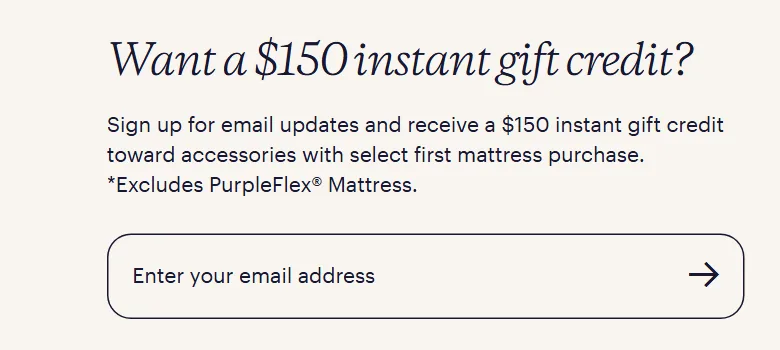
The footer form on Purple’s site shows the pattern: one field for the email address, with the reward named right above it.
2. A Checkout Opt-In Checkbox
Customers who just bought are your warmest audience, so add a marketing checkbox at checkout. Shopify, for example, lets a store show this box at checkout and sign-in and choose by region whether it starts ticked.
Stores can also turn on double opt-in, which is required by law in some countries. If you sell to the UK or EU, leave the box unticked, because consent there must be a clear, specific choice.
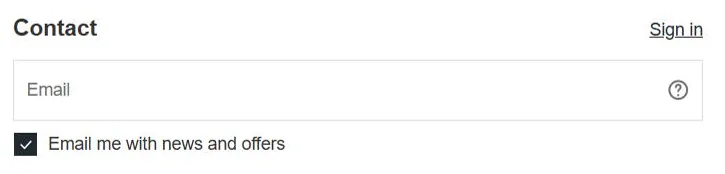
Allbirds’ checkout page shows the box in practice. It sits under the email field, and on the US page the email box arrives ticked.
3. Lead Magnets and Quizzes
A lead magnet trades something useful for an address, which is how most Instagram lead generation starts. The best ones solve one small problem in ten minutes: a checklist, a discount code, a template or a short email course. A quiz works the same way and also records zero-party data, because every answer tells you what the person wants.
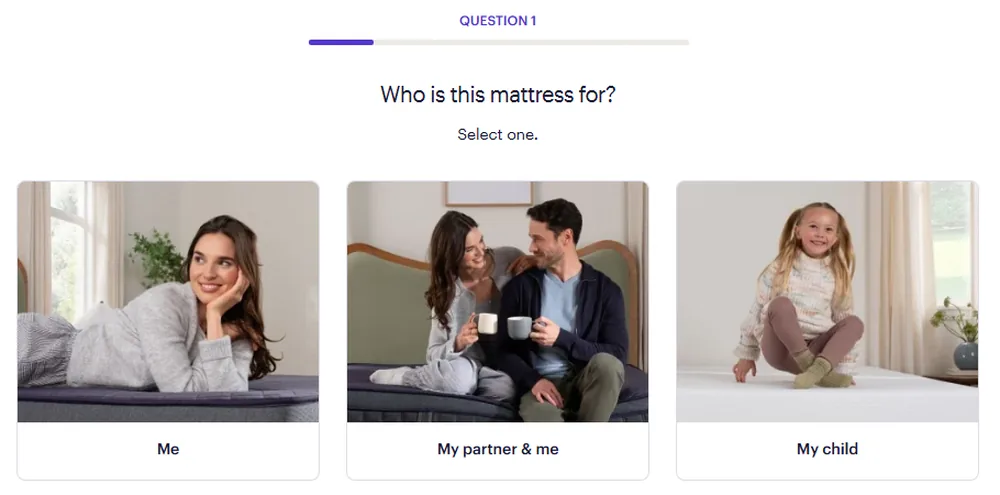
Purple’s mattress quiz keeps it light: one easy question per screen, with a progress bar showing how little is left.
Giveaways bring signups fast, but many entrants want only the prize. A tested Instagram giveaway template saves setup time, and a prize that only your ideal customer wants keeps the list useful.
4. A Welcome Email That Asks One Question
The welcome email gets read, so use it to ask. Send it within minutes of signup, deliver the promised reward and add one question, such as which topic the person wants most. Make the answer a button or a one-line reply. In a DM thread, an Instagram chatbot can ask the same question.
A preference center extends the idea. It lets subscribers pick topics and frequency themselves, which feeds your segments with zero-party data and gives people an alternative to unsubscribing. Progressive forms swap a field you already know for the next question you need, so nobody types the same detail twice.
5. Social Media Profiles and DMs
Followers are easy first subscribers. Your bio holds one clickable link, and a free AiGrow bio link can host a signup form with a reward button, so the offer sits one tap from your profile.
A comment keyword adds a conversation step. Followers comment a word, and a tool replies by direct message with the reward and a request for their address. Setting up Instagram comment to DM automation takes a trigger word, a reply and a form link. Ask for the address in the DM, never in the public comment.
6. QR Codes at the Counter and at Events
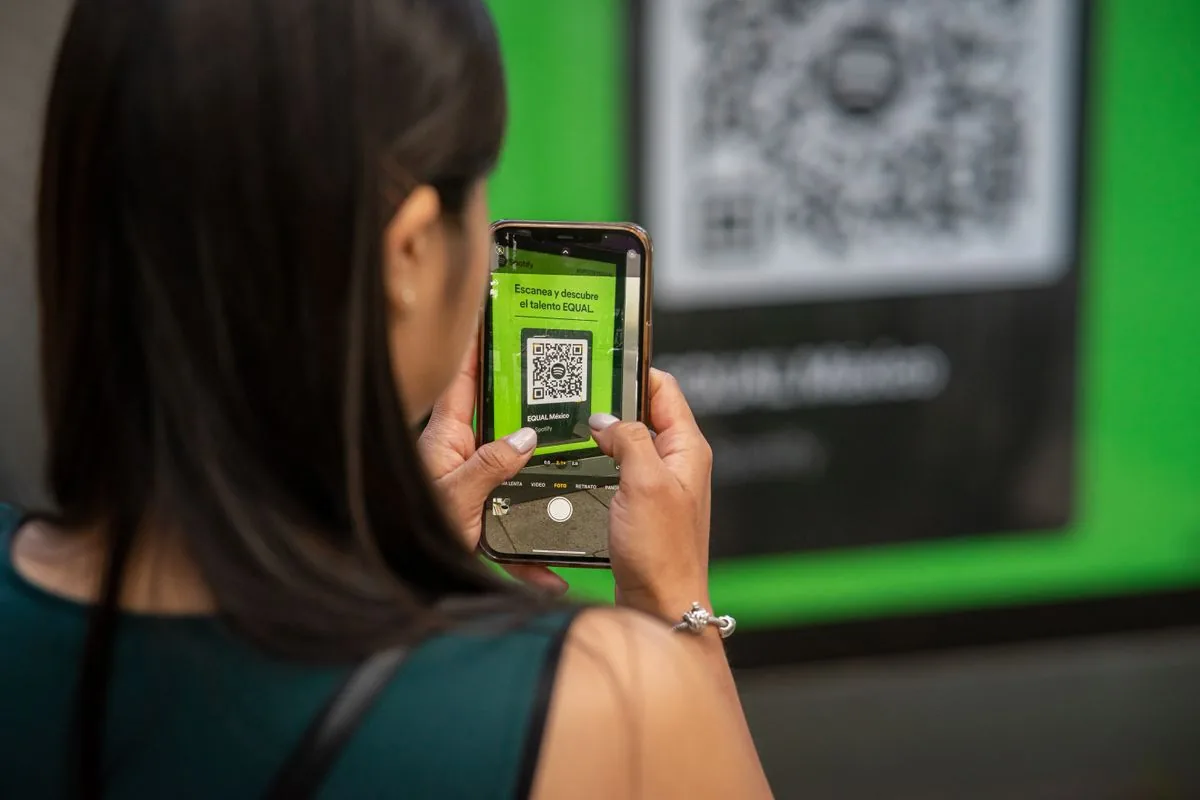
Offline customers can join too. Print a QR code that opens your signup form on receipts, packaging, table cards and event signs, and add a short line that names the reward. For paper sheets, print the consent sentence above the signature line and enter the details within a day.
The habit you want is simple: a shopper points a phone at a printed code and lands on your signup page.
7. Behavior and Purchase Data You Already Hold
Your store and email platform already record orders, clicks and signup sources. That is first-party data you did not have to ask for. Build segments on clicks and purchases rather than opens, because Apple’s Mail Privacy Protection hides subscribers’ IP addresses and makes opens an unreliable signal. Pull orders into the same contact record as the email address.
A Worked Example for a Small Online Shop
Picture a candle shop that wants to collect customers data for email marketing. The site form asks only for an email address, and a welcome code is the reward. The welcome email asks one question: which scents do you like most?
After the first order, the shop moves the buyer into a customer segment and asks for a birthday month in a short follow-up. Twice a year, a one-question survey checks what is missing. That is four small asks, each tied to a clear benefit, and none needs a long form.
Consent and Legal Rules to Follow Before You Send
Any plan to collect customers data for email marketing starts with the rules where your subscribers live. In the US, the FTC’s CAN-SPAM guide covers all commercial email, including messages to business contacts, with penalties of up to $53,088 for each violating email. Messages need honest headers, your postal address and an opt-out honored within 10 business days.
In the UK, the ICO says marketing emails to individuals need specific consent, apart from a soft opt-in for past customers, and EU rules generally follow the same principle. Double opt-in, a confirmation click from the new subscriber, gives you proof of that consent. Gmail adds its own bar: since February 1, 2024, senders of more than 5,000 messages a day need SPF, DKIM, DMARC, one-click unsubscribe and a spam rate below 0.30%. This is general information, not legal advice.
How to Store, Segment and Clean Your Email Data
Email marketing data collection pays off only when the data is organized. Give every contact three tags on day one: the signup source, the opt-in date and the first interest they chose. Those tags let you prove consent, compare channels and start email segmentation without extra work.
Build three starter segments before you build clever ones:
- New subscribers in their first 30 days, who get the welcome series.
- Customers, who get post-purchase and restock emails.
- Interest groups, built from the topics people picked and the links they clicked.
Keep everything in one place. A setup that stores Instagram DM contacts in a CRM holds each tag beside the conversation, so nobody matches spreadsheets by hand.
Clean the list twice a year. Remove hard bounces at once, send inactive subscribers one re-engagement email and remove the ones who stay silent. Delete any contact who asks, and drop fields you stopped using. A smaller list of real readers protects the deliverability you worked to earn.
Mistakes to Avoid While Collecting Customers Data
Most data problems start at the signup form, long before the first campaign goes out. The sketch below marks four mistakes on one form and adds a fifth that no form can fix.
Figure 2. A typical signup form with four fixable mistakes marked, plus a fifth that happens before any form: buying a list.
Fixing the form takes minutes. Cut it to an email address and, at most, a first name, leave the consent box unticked, add one line naming the reward and the email frequency, and save the source and a timestamp with every signup.
Bought lists need a different fix: do not use them. Nobody on them opted in, so spam complaints and bounces climb, and every complaint counts against your sender reputation.
Final Thoughts
Good email data comes from permission, not from volume. Pick one or two of the seven routes this week, ask for an address and one detail, and write down where each contact came from. That is the simplest way to collect customers data for email marketing and keep the list healthy.
As the list grows, add a welcome question and a preference center, check the consent rules for each region you sell in and clean the list twice a year. A list of people who chose to hear from you usually serves you better than a bigger list of strangers.
