


Ever come across the idea of creating fake Instagram chats? I’d heard about it being a fun thing people do, but I never gave it a shot until recently. It struck me as pretty cool (you know, just for some fun), so I thought, why not try it out?
I delved into various apps and online tools designed for both Android and iPhone. After trying them all, I’m here to share my personal journey through it all in a blog. Stick around, and let’s dive into how to make fake Instagram DMs together!
Free Fake Instagram Chat Apps for Android and iPhone
There’s no shortage of fake Insta chat makers on both the Google Play Store and App Store, all claiming to fake Instagram messages with anyone, even celebrities or those with verified symbols. But let’s be real—not all of them live up to the hype.
After a bit of research, I delved into app ratings and reviews, cherry-picking the ones that caught my eye. Now, let’s explore these apps together!
Suggested post: 4 Instagram blue tick hacks+ alternatives
Fake Instagram DM apps for Android
Here are the apps highly rated by users on the Google Play Store.
#1. Funsta (fake Instagram DM with verified symbol)

- Rating: 4.7 (431K reviews)+ 10M+ downloads.
- Free but pro version with No Ads, Advanced auto-reply, All themes and stickers.
Funsta lets you make fake conversation screens and tweak every detail. Capture screenshots or use the Share feature to send these fake DMs to your pals. Plus, it’s loaded with emojis, and supports images and videos—total creative freedom!
Want to up the ante? Create a contact with a custom username and photo, throw in a Meta Verified badge, and even switch to Dark mode.
My review: Too many ads while creating fake DMs, Watermark
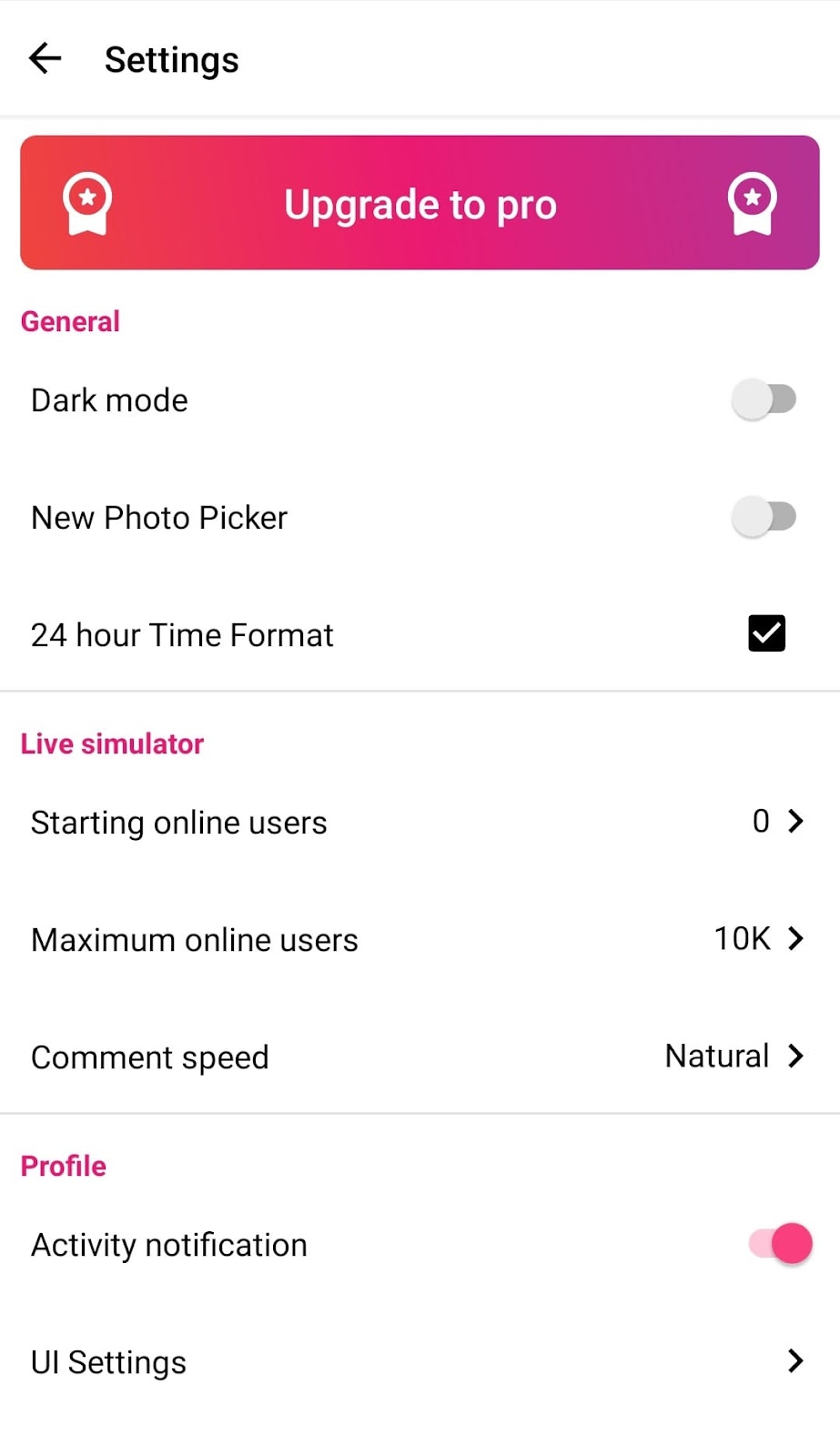
#2. Fake Chat Conversation-prank (fake Instagram DM with dark mode)

- Rating: 4.3 (243K reviews)+ 10M+ downloads
- Free
This app asks for permission to record audio and access your contacts, photos, and media. Once you pick a contact from your device, you can set a picture for them, decide if you’re sending or receiving messages, share images and audio, even video chat.
Plus, you get to tweak the chat settings—like Online Status, chat color, Dark Mode, and adding date and time.
My review:
- The chat environment might not mimic the real deal perfectly
- It has watermark
- No Ad to annoy
- No Meta Verified feature

#3. Fake Chat Messanger Prank Chat

- Rating: 4.6 (23K reviews)+ 100K+ downloads
- Free with the pro version
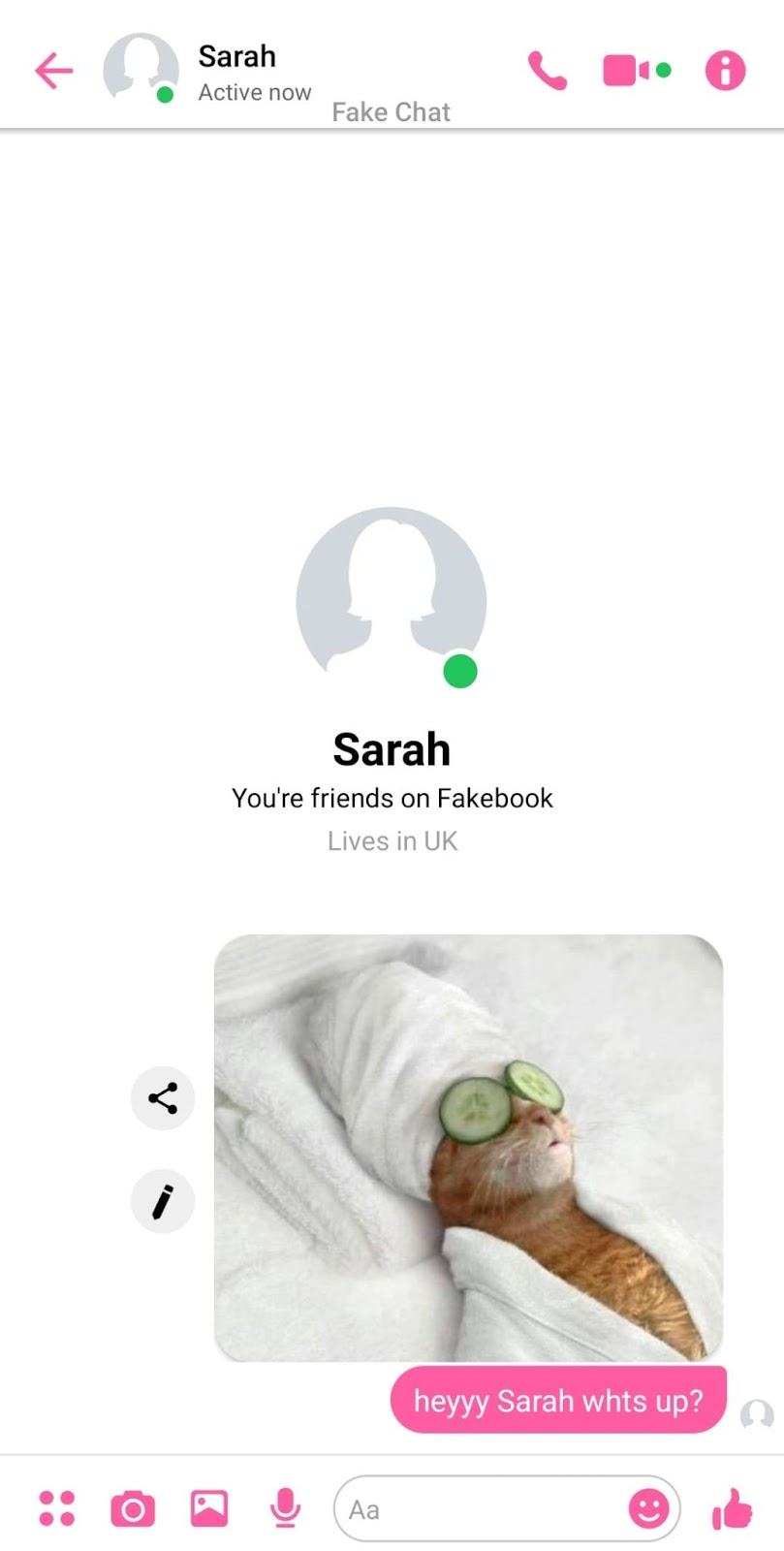
Another free fake Instagram DM app for Android is Fake Chat Messenger. This app gains access to your contacts, photos, and media right from the start. You get to create a contact with details like username, gender, activity status, custom status, Dark Mode, About, and theme color.
While you can share screens by automating screenshots, keep in mind: No Meta verified feature.
Also, read: How to see old messages on Instagram
My review:
- Many Ads
- Watermark
#4. Fake Messanger-Fake Chat

- Rating: 4.0 (18K reviews)+ 1M+ downloads
- Free with the premium version (No ads, all themes and emojis)
This app lets you craft a contact with a custom profile picture, avatar, gender, and online status. You can also tweak the theme color, throw in emojis, stickers, and even engage in audio, image, or video calls, along with group chats. It’s got a dark mode too!
Just a heads up, though – it doesn’t offer the Meta Verified and Share option. So, you have to take screenshots to share it with your friends.

My review:
- The chat screen here’s got that Instagram vibe down better than the other apps
- No annoying Ads
- No watermark
Wondering if Instagram messages are deleted forever? Let’s see!
Fake Instagram DM apps for iPone
Compared to Android, there aren’t as many Insta fake chat makers on the App Store. Unfortunately, I don’t have iOS to test them on my phone, but based on reviews, I’ve singled out only one. Let’s take a look at it.
Fake All- Call, Chat, Message

- Rating: 4.5 (25.5K reviews)
This free iOS app lets you pull off fake calls and chats. You can even switch up the background picture, change people’s roles, save screenshots, and throw in some fake notifications for good measure. Let’s take a look at what users say about it:

Note: There’s another app called Faker 2 – Fake Messages, but it has a less-than-impressive 3.1 rating based on 436 customer reviews. It’s not free (costs $0.99), and recent reviews don’t seem too positive. Given the feedback, it might not be the most reliable choice.
Online tools for fake Instagram messages
Unlike apps, there are loads of online tools that let you whip up fake Instagram messages for free, and the best part? No installations needed. I’ve checked out a couple that are all secure with that fancy HTTPS certification. Here you can see how to make fake Instagram DMs using them.
#1. Fakedetail
This fake Instagram chat generator gives you the whole shebang—mobile, tablet, and desktop views. Plus, you can snag the final message as an image. Here is what it looks like on Fakedetail.com. Just a heads up, though, it’s missing the meta-verified and dark mode features.
Note: No dark mode, Meta-verified, Emoji

#2. Fakeinfo
Well, fakeinfo.net is basically a clone of Fakedetails, with the same features and user interface. You can tweak things like hiding or showing the footer or header, setting the date and battery percentage, adjusting the status (online or story), and playing around with the chat look.
Note: No dark mode, Meta-verified, Emoji!

#3. Zeoob.com
Zeoob has a slight edge over the two previous tools by allowing you to add emojis. However, it falls short on some features like dark mode and the ability to add a meta-verified badge to profiles. Another limitation is offering only one preview, but you can save and download it as an image.

#4. Generatestatus
Generatestatus lets you set profiles’ names, Online Status, Message Theme (blue or light), and Seen Status. You have the option to show or hide the footer or header.
However, it doesn’t bring anything new compared to the tools mentioned earlier—no dark mode, meta-verified, emojis, video call, or group chat. Honestly, the user interface didn’t really win me over.

Note: I also explored other tools such as Prankshit, MyToolz, and Wofox. Frankly, they all seem quite similar, offering the same features.
However, they fall short when compared to apps, lacking some functionalities like dark mode, meta-verified badges, video calls, and group chats. These online tools appear to keep things simple and consistent.
Want to convert DMs into money? Sign up with AiGrow to join our Managed DM service!
How to make a fake celebrity Instagram DM?
Warning: Making fake chats with celebs and using them isn’t cool. It’s not legal, and it goes against Instagram’s rules. Doing this could get you into trouble, so let’s keep it legit and respect the platform’s terms of service.
If you’re just in it for some fun (and nothing more), you can give an app like Funsta a whirl.
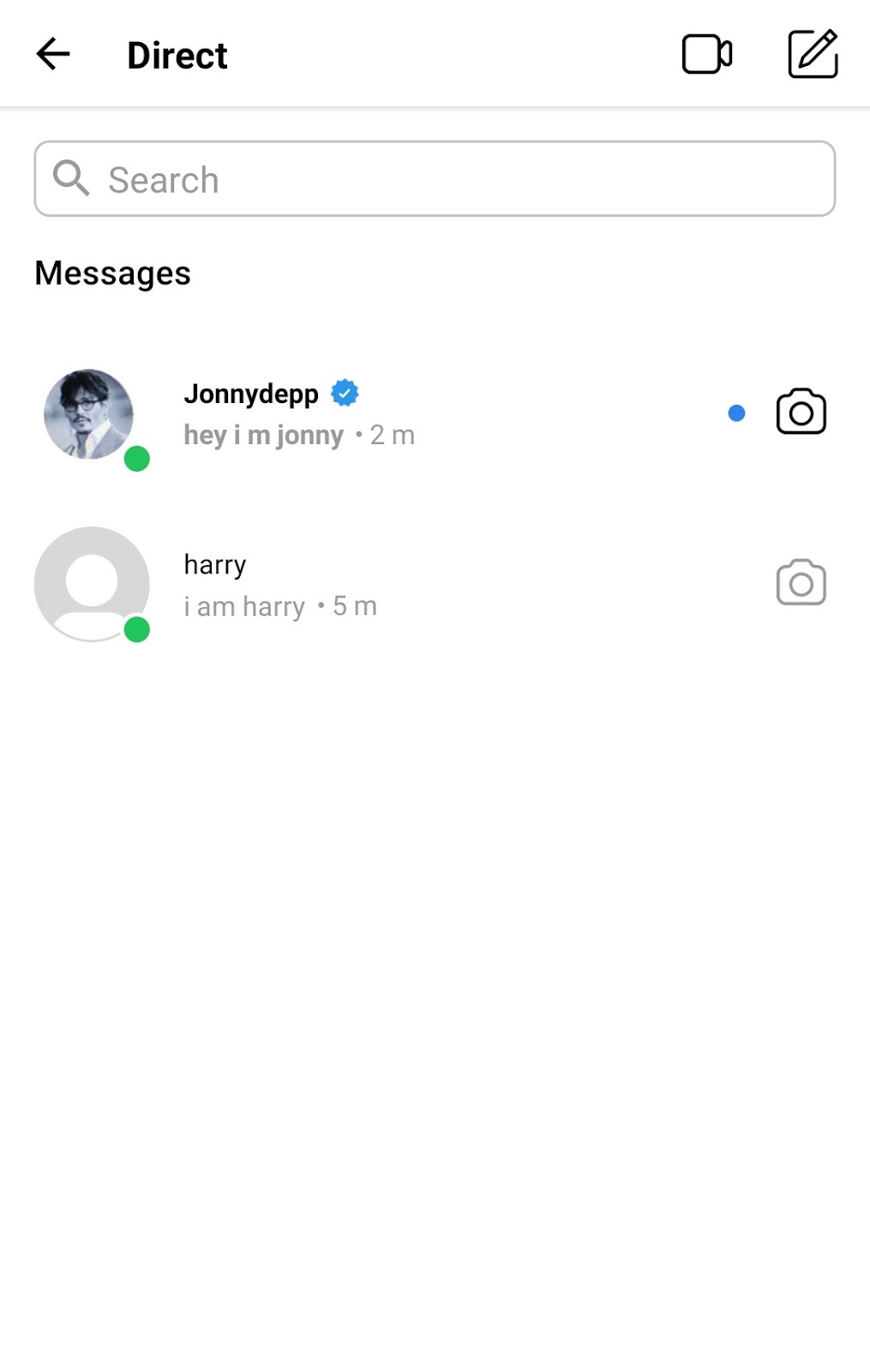
It lets you craft the profile you want to chat with — add a username, name, profile picture, bio, and even tweak the number of posts, followers, and followings. And the cherry on top? You can flip on the Meta-verified feature (Like pulling a prank with a Johnny Depp profile!)
FAQs
Let’s see what people might ask about fake Instagram messages.
Can I get in trouble for creating fake Instagram chats for fun?
While it might seem harmless, creating fake Instagram chats could violate the platform’s terms of service. Depending on the nature and intent, it might lead to consequences like account suspension or legal issues.
Are fake Instagram DM generators safe?
Not all apps and tools are unsafe, but it’s crucial to check the privacy policy of the tool before downloading it.
Can You Make A Fake Instagram DM With A Verified Symbol?
Yes, by using third-party apps and tools you can fake any direct message with anyone. But it’s important to note that some of the fake Instagram dm generators lack this feature.
