


Note: Not interested in the details and want to know which Instagram growth tool is better? Click here to find out.
Keeping with our series comparing Instagram automation tools from around the web, today we’re looking at Instagrowth.
What’s Instagrowth? According to their website,
“Instagrowth easily automates everything such as your liking, commenting and following activities based on specific hashtags, as well as unfollow users from different sources.”
Instagrowth is right in our neighborhood of Instagram marketing, so we decided to test it against our Instagram marketing tool, AiGrow.
Here are the topics that we are going to look at:
- Setup
- Connecting Instagram account(s)
- Features
- Maintenance and Support
- Price
- Conclusion
Set up – Instagrowth vs. AiGrow
Instagrowth
Start by going to Instagrowth’s website and clicking on “START 7 DAYS FREE”.

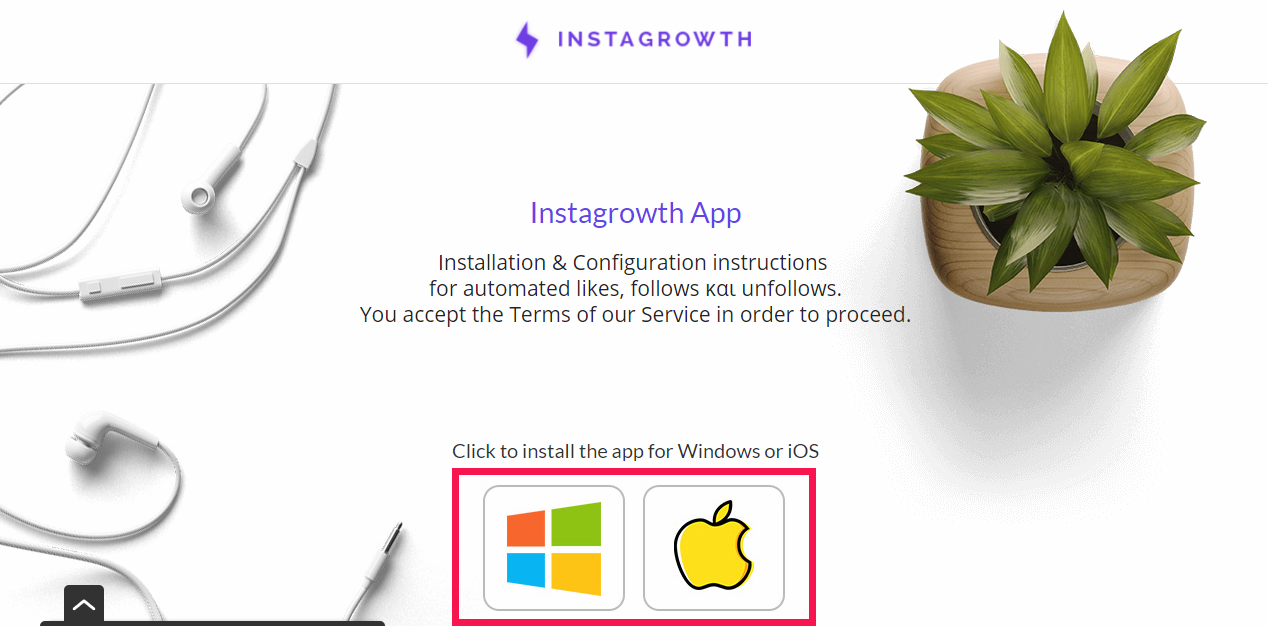
Then, you will be brought to the Instagrowth App-Guide page. Now, depending on your operating system, Windows or iOS, click on the Windows or Apple icon to install the app.
If you see the icon below, you’ve installed the extension successfully.

AiGrow
Once on aigrow.me, click on “FREE TRIAL” in the top right corner of our homepage.
Or, to make things easier, click on the “FREE TRIAL” button in the top right corner of the page you’re currently reading.
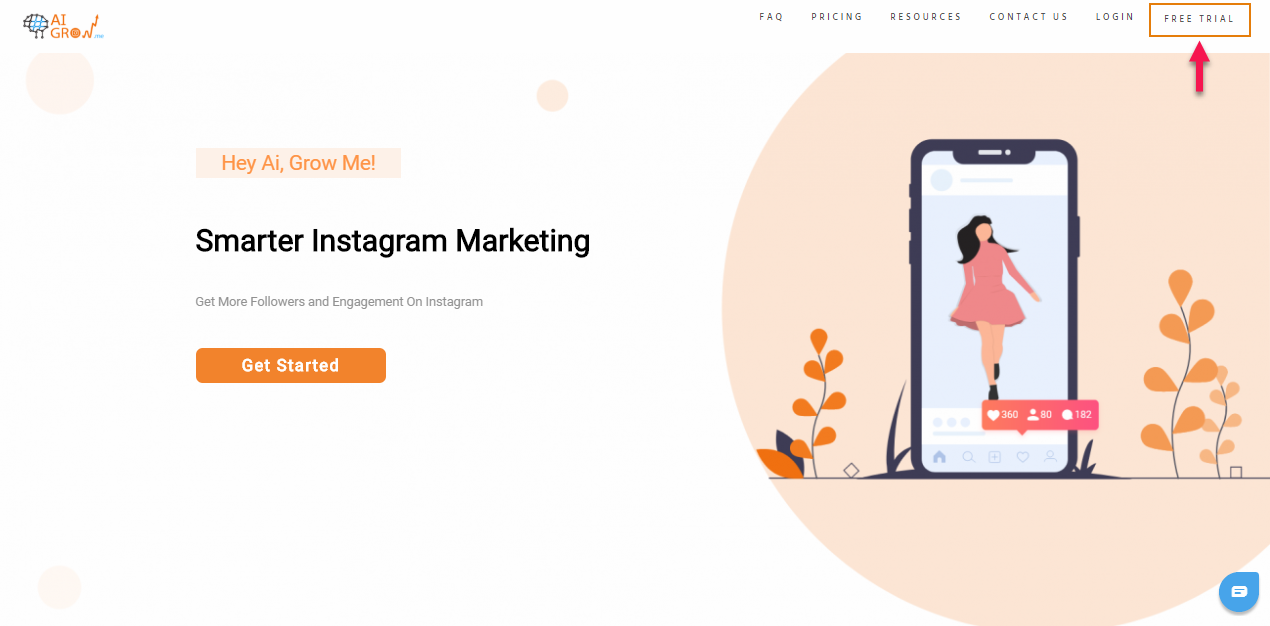
Then provide your name, email, and desired password.
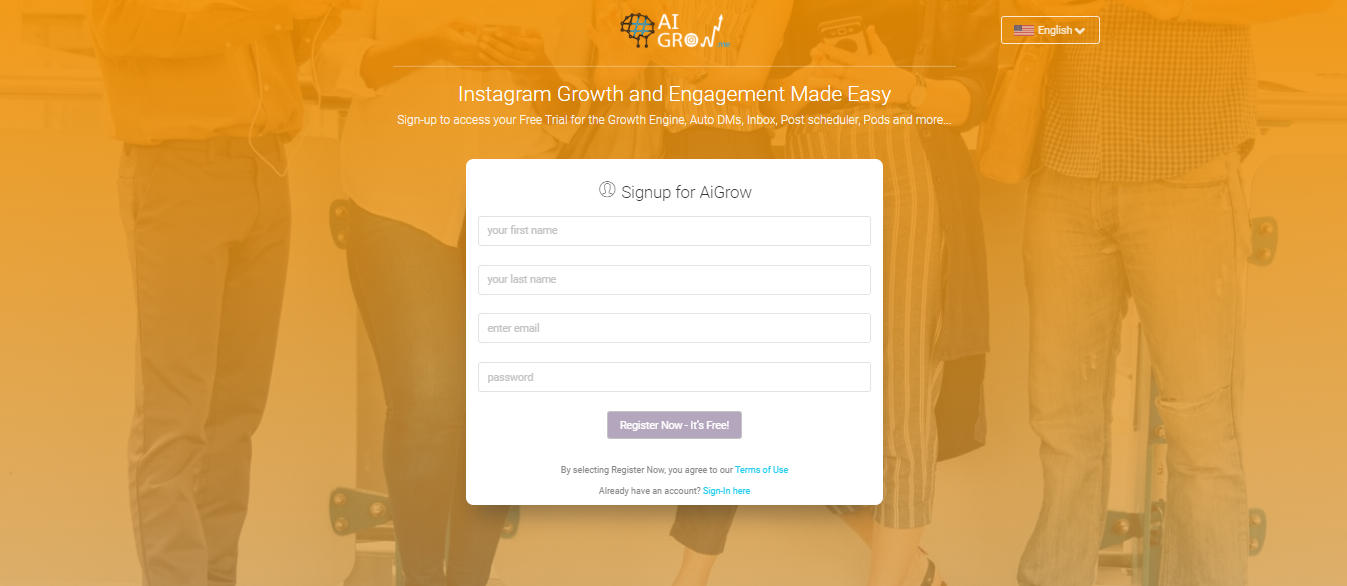
That’s all. No download is required.
With AiGrow, you don’t need verification via email or download. Moreover, AiGrow’s platform is available in five languages: English, Spanish, French, Arabic, and Persian.
Connecting Instagram Accounts
Instagrowth
To connect your Instagram account on Instagrowth, provide your login information like you would if you were logging into your Instagram on your phone.

Keep in mind that Instagram and Instagrowth app tabs must remain opened and connected to the internet simultaneously.
AiGrow
When you are done with the setup, you then need to connect your IG account.
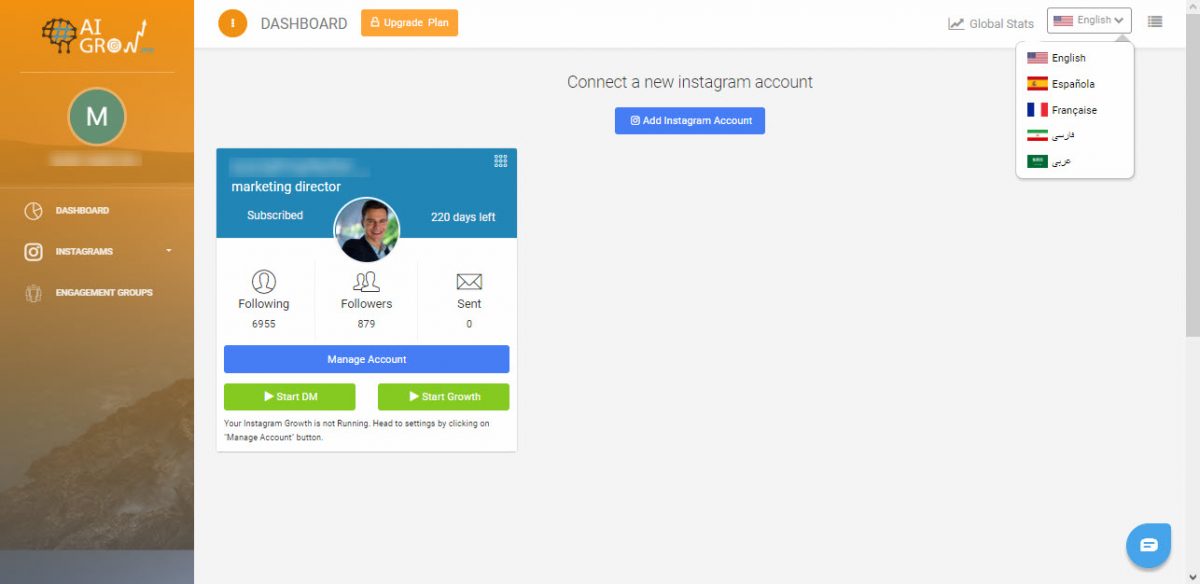
To do so, on your dashboard, click on “Add Instagram Account” and enter your IG username and password. For some accounts, Instagram may send a 6-digit code that AiGrow will ask for.
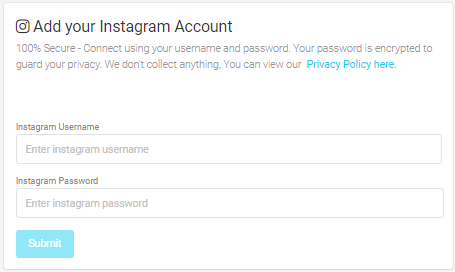
When you are finished with the connecting step, you can see your account on the dashboard. With AiGrow, you also have the ability to add multiple Instagram accounts.
Features
Instagrowth
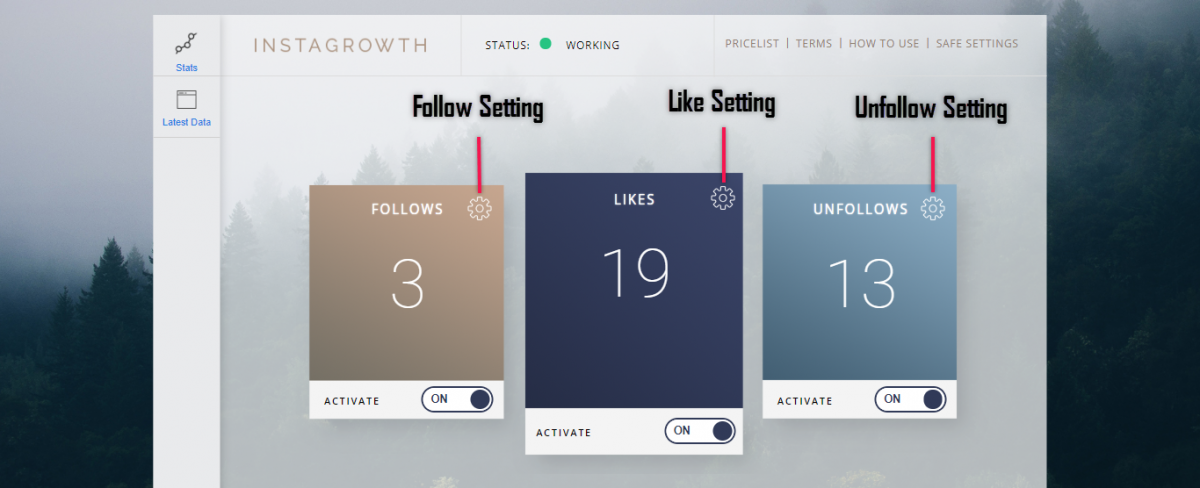
Basically, Instagragrowth works based on Follow/Unfollow, Follow for Follow, and Like for Like strategies by automating your Follows, Likes, and Unfollows.
FOLLOWS
Hashtags
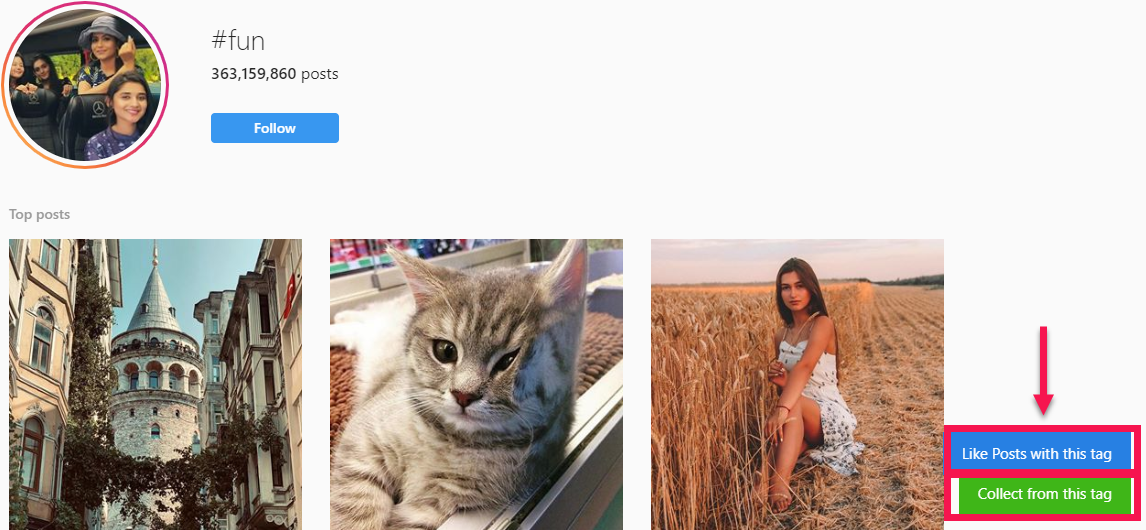
Also, you have the ability to target your Follows based on Hashtags simply by going to Instagram and searching for a hashtag. Then, click the buttons “Like Posts with this tag” and “Collect from this tag” and click save.
Users
You can also automatically follow users based on if they are followers of a specific Instagram user. Once on the user’s page, click the button “Collect Followers” and then click “Save.” Make sure the “Activate” button on the Follows box is set to ON.
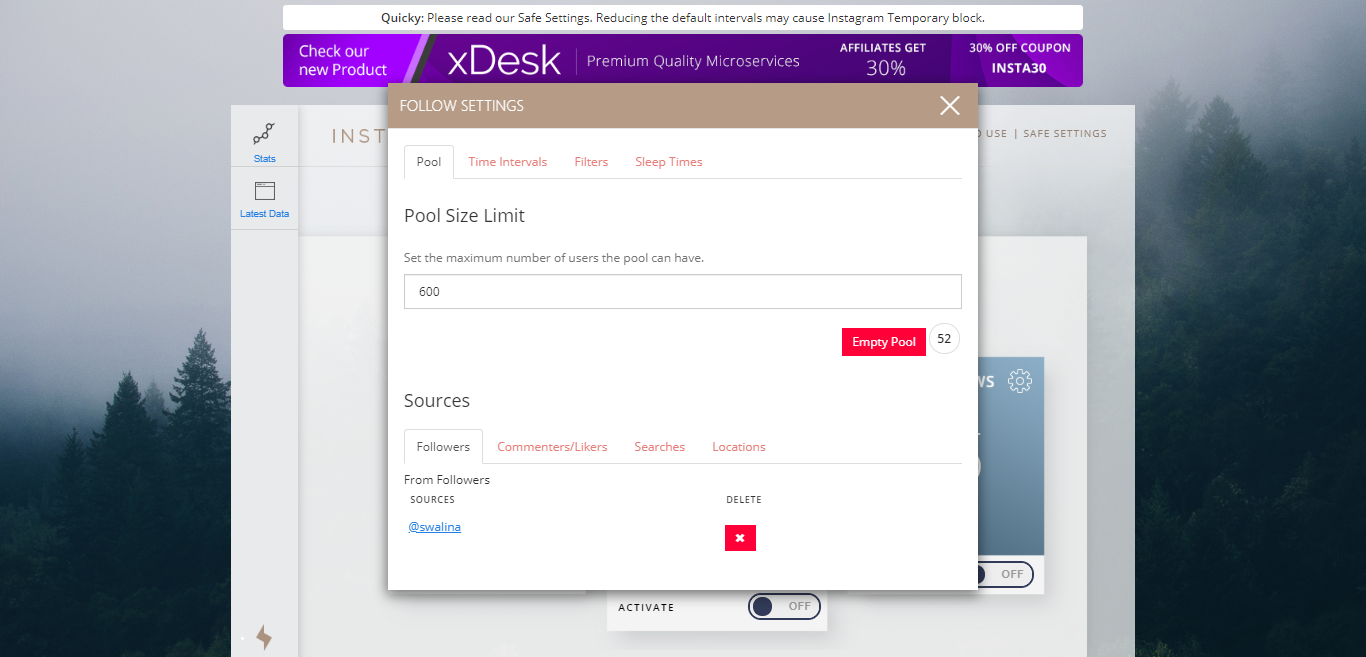
Here are the configurations of Follows:
- You may set the Pool option, which is basically the Queue of users.
Users stay in Queue, so they are followed later.
- You may check or remove Users, Tags, Locations on this screen.
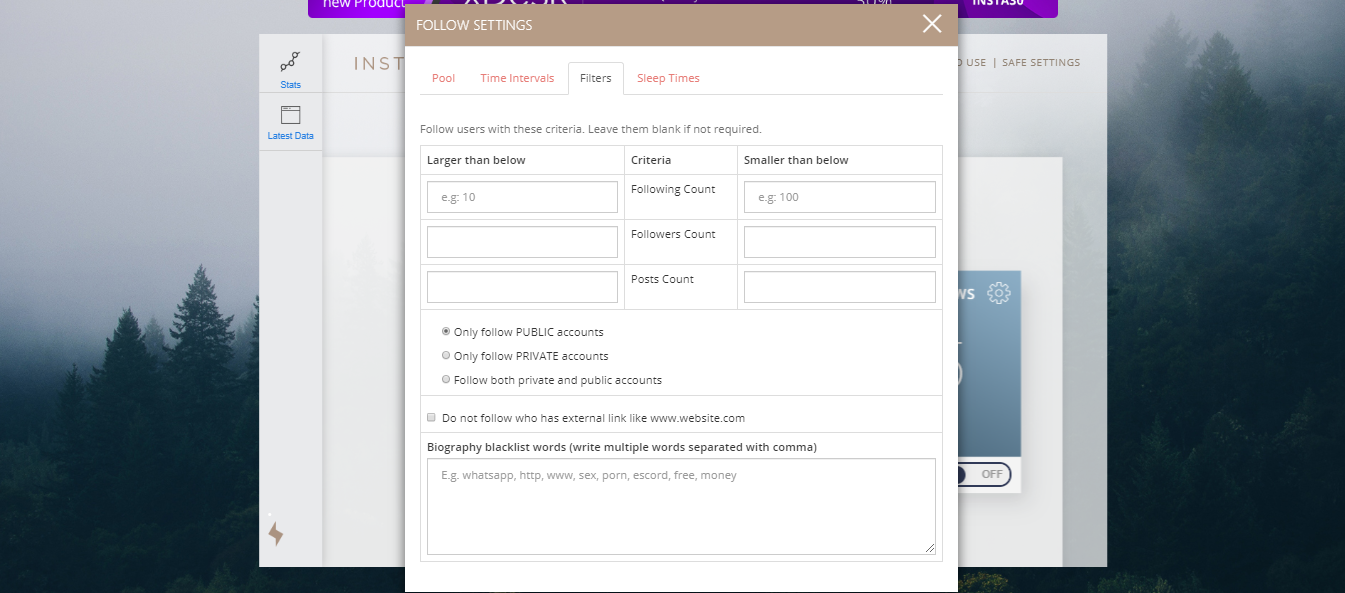
Here are the Filters of Follows:
- You may select the minimum and the maximum of Followers, Following, and Posts for better targeting.
- You may select to target Private or Public accounts.
- Also, you may exclude accounts with specific keywords in their bio.
UNFOLLOWS
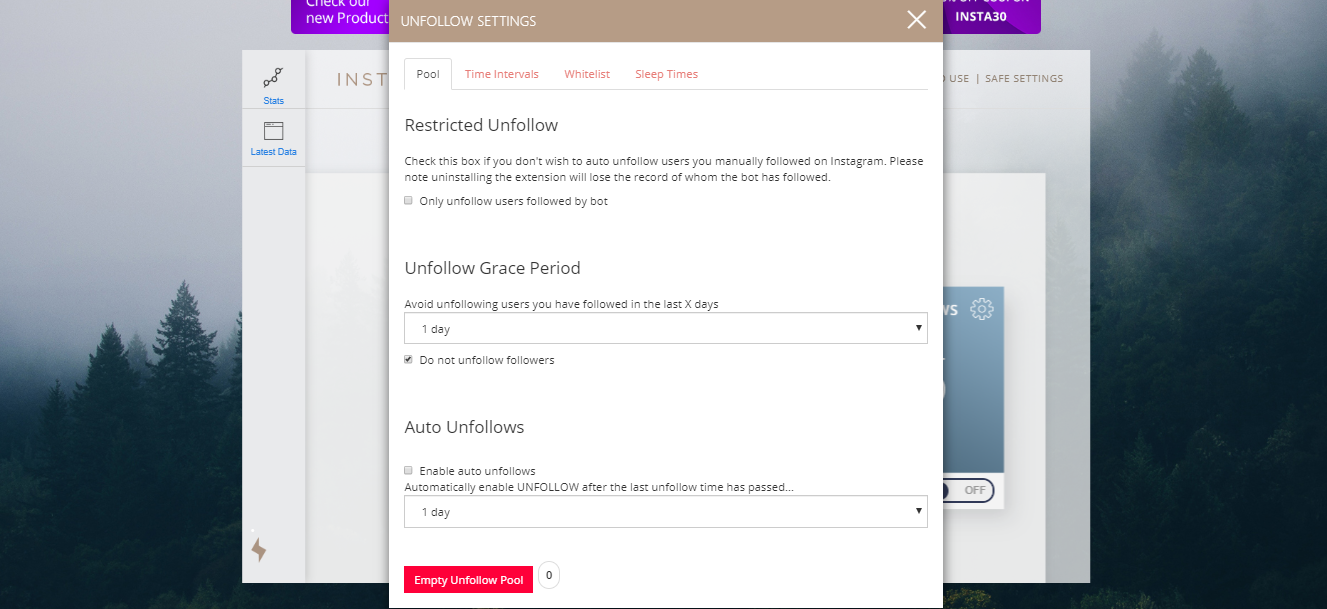
Here are the configurations of Unfollows:
- Check ‘Enable auto unfollows’ to unfollow new followed users. It’s recommended that you always have this option checked.
- Uncheck ‘Do not UnFollow followers’ if you want to unfollow users that are following you.
LIKES
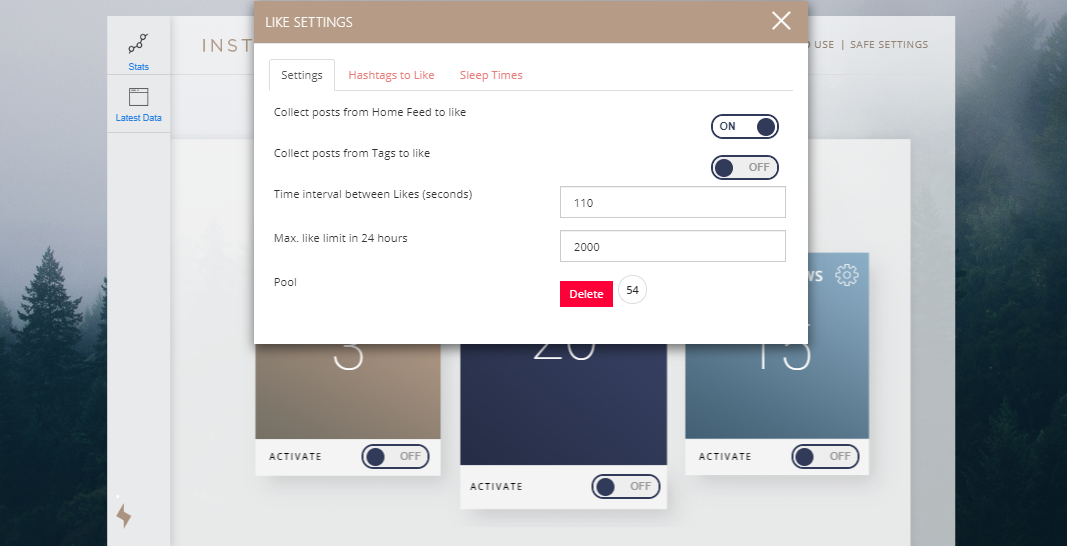
Here you may see the configurations for Likes:
- By default, the “Collect Posts from Home Feed to like” is enabled. It likes any post on your feed.
- If you activate “Collect Posts from Tags to Like,” visit a hashtag page on Insta and then click the button “Like Posts with this tag.”
- Set “Time interval between Likes (seconds)” to at least 60 seconds or check the Recommended Settings.
Also read: Hublaagram vs. AiGrow – which app is best for free Instagram followers?
AiGrow
AiGrow users have access to multiple features of this platform.
This includes:
- Auto DMs and Growth Engine (auto Likes, follows, unfollows, and comments)
- Scheduling Posts and Stories
- Engagement Groups
- Desktop Inbox
Let’s talk about each one by one.
AiGrow’s Growth Engine
AiGrow automates your Likes, comments, follows, unfollows, and DMs.
You can also target your automated actions based on:
- hashtag
- location
- follower of username
- list of usernames
Update, October 2021
AiGrow has recently added the Content Creation service (PostMate) which is all you need to get custom content and design plans, plus a personal PostMate delivering weekly content creation and scheduling to keep your Instagram page fresh and relevant.
For example, if you provide AiGrow with the hashtag #fitness, you will automatically engage with only users on Instagram using #fitness.
You can target up to 30 hashtags, 20 locations, and 10 accounts.
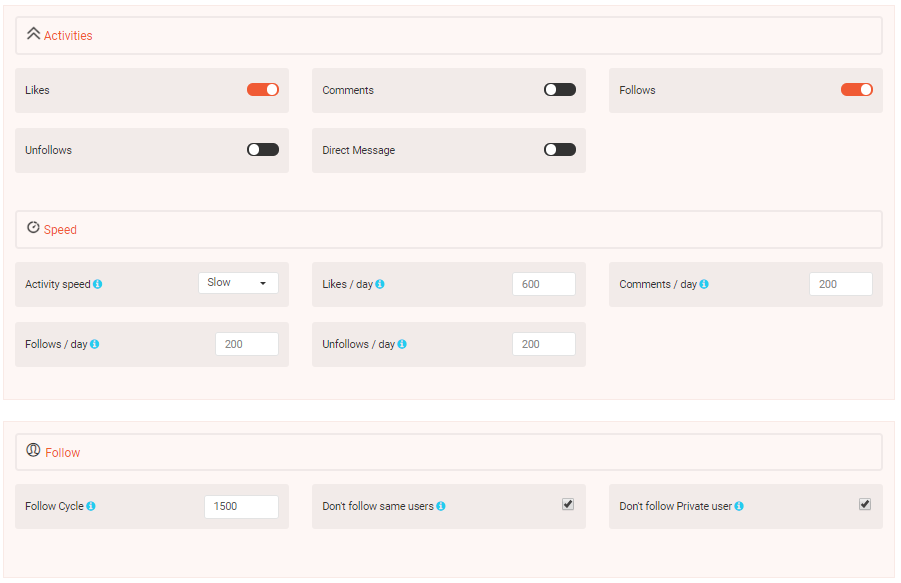
You can even customize how quickly your account performs the actions and how many Likes, Follows, Unfollows, Comments, and DMs you want to perform daily.
As you begin engaging with your target audience, people will visit your profile in response, engage with your posts, and ultimately follow your page.
This way, you generate real followers who are interested in your page, unlike a bulk purchase service like Social proof. When you use services like Socialproof, you get Likes and Views from random people and untargeted followers.
Note: AiGrow has safeguards so that you never exceed Instagram’s daily limitations.
After setting up your targeting options, hit “Start Growth.” AiGrow will then run until you tell it to stop.
Even after you close your browser and turn your computer off, AiGrow will continue to run.
AiGrow’s Schedules your Posts and Stories
Instagram still doesn’t have an official way to upload and/or schedule your posts from your desktop.
Fortunately, AiGrow provides a completely free desktop Instagram scheduler.
To access it, go to your AiGrow dashboard and click the tab called “Schedule Posts.”

From here, write your caption, search and add the right hashtags, choose a date and time, select the accounts you want to upload to (you can upload the same post to multiple accounts) and finish by clicking “Schedule.”
As mentioned above, AiGrow even offers a hashtag research tool right inside the tool.
If you want to find the most popular hashtags related to your post, search for a keyword related to your post, and AiGrow will display the most popular hashtags related to your keyword in descending order.
You can then easily add these hashtags to your post with one click.
AiGrow’s Engagement Groups
Engagement groups are groups of people on Instagram that agree to Like and comment on every post uploaded by another group member.
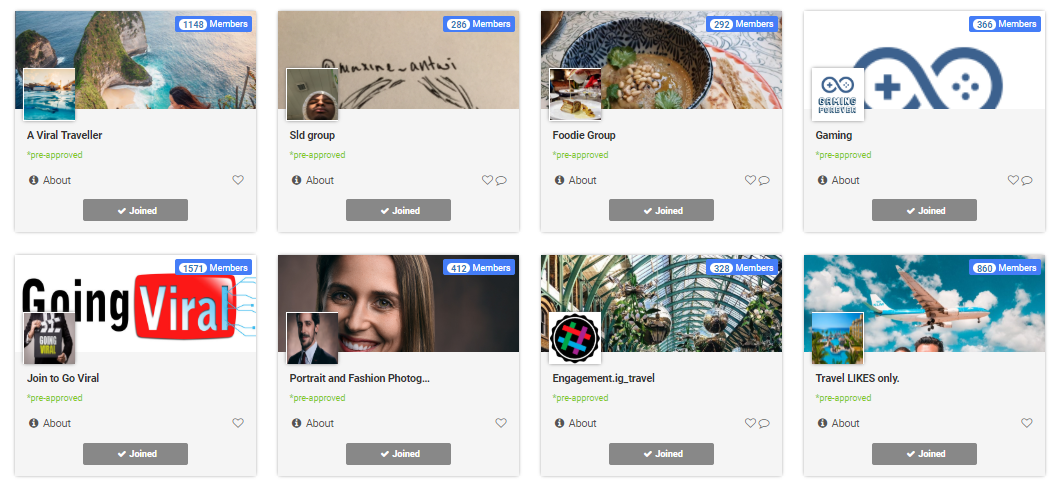
So if you are part of a Likes-only engagement group with 100 members, then when you upload a new post, you will get 100 guaranteed Likes. This is on top of all of the Likes you get from Instagram users, not in your engagement groups.
Whereas engagement groups outside of AiGrow are usually manual and require a fair amount of work on your part, AiGrow’s engagement groups are completely automated.
This means that all you need to do to get the likes and comments from your engagement groups is upload your posts with AiGrow’s scheduler. That’s it!
Once your post goes live, all members in your engagement groups (you can be part of multiple groups simultaneously) will automatically Like and comment on your post.
And because engagement groups are specific to the kind of Instagram page you have (photography, business, fitness, fashion, pets, etc.), all the engagement you get from your engagement groups comes from real people in your Instagram community.
Joining engagement groups is as easy as finding the right group (you can search or scroll through the pages) and clicking “Join Group.”
AiGrow currently offers over 300 active, niche-based engagement groups catering to virtually any kind of Instagram account.
Desktop Inbox
With AiGrow, you can also send automated DMs to targeted groups of people on Instagram.
You can send DMs to people based on:
- Hashtags
- Username lists
- Connection to competitors
- Current followers
- New followers
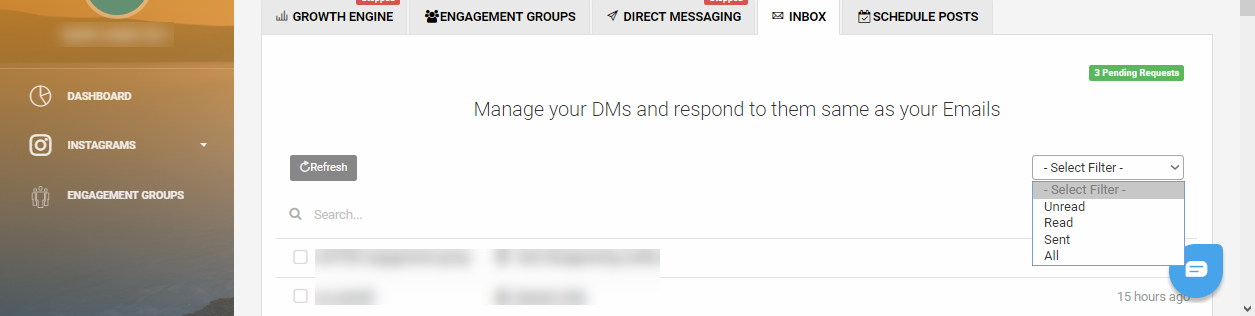
You can also manage your DM inbox from your desktop.
This means you can filter DMs based on reading, unread, sent, and all. It also means you can search for DMs from specific people and reply to DMs on a one-to-one basis from your desktop.
Maintenance and Support
Instagrowth
Instagrowth has a “Troubleshoot – Errors – Help,” which describes all the issues that may arise.
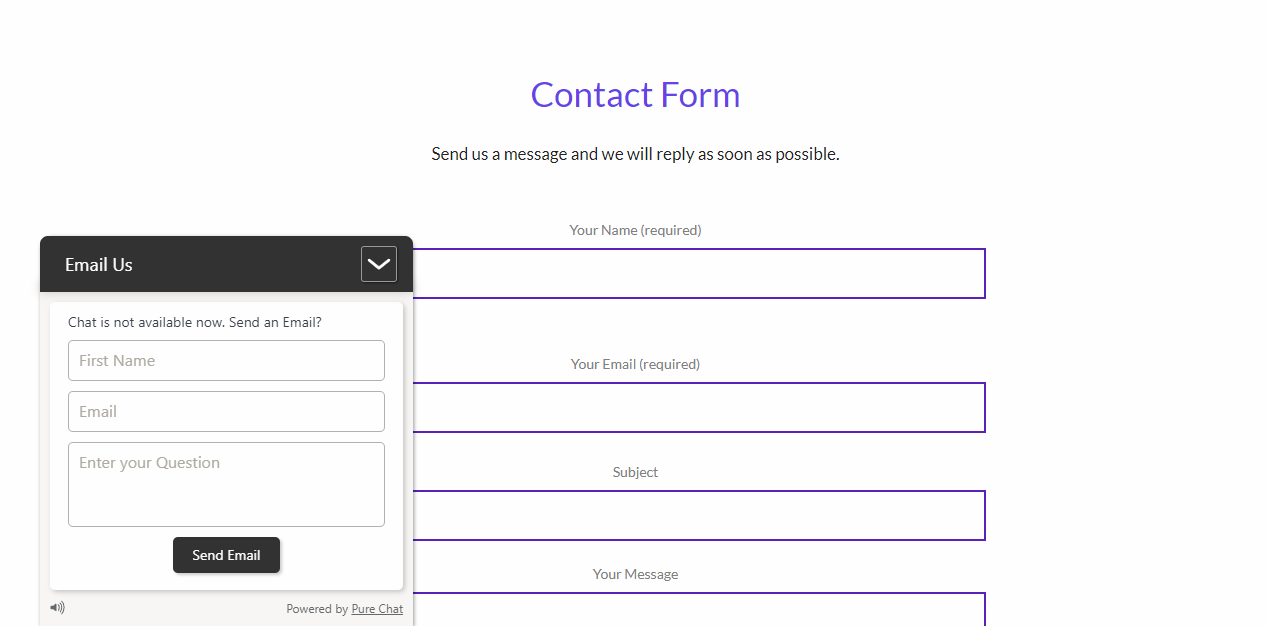
But If you stumble upon any other problem, you can send them a message via Email because their chat is not available right now. They will reply as soon as possible.
AiGrow
If for whatever reason, something forces your growth to stop, AiGrow’s team will automatically let you know through email and provide possible solutions, as shown in the example below:
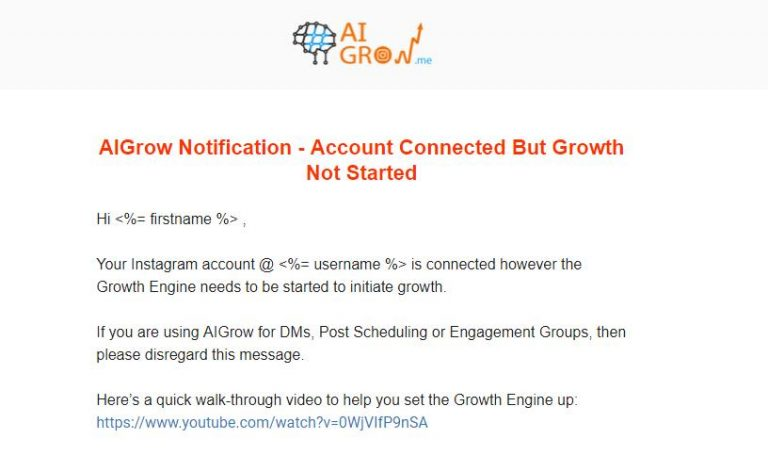
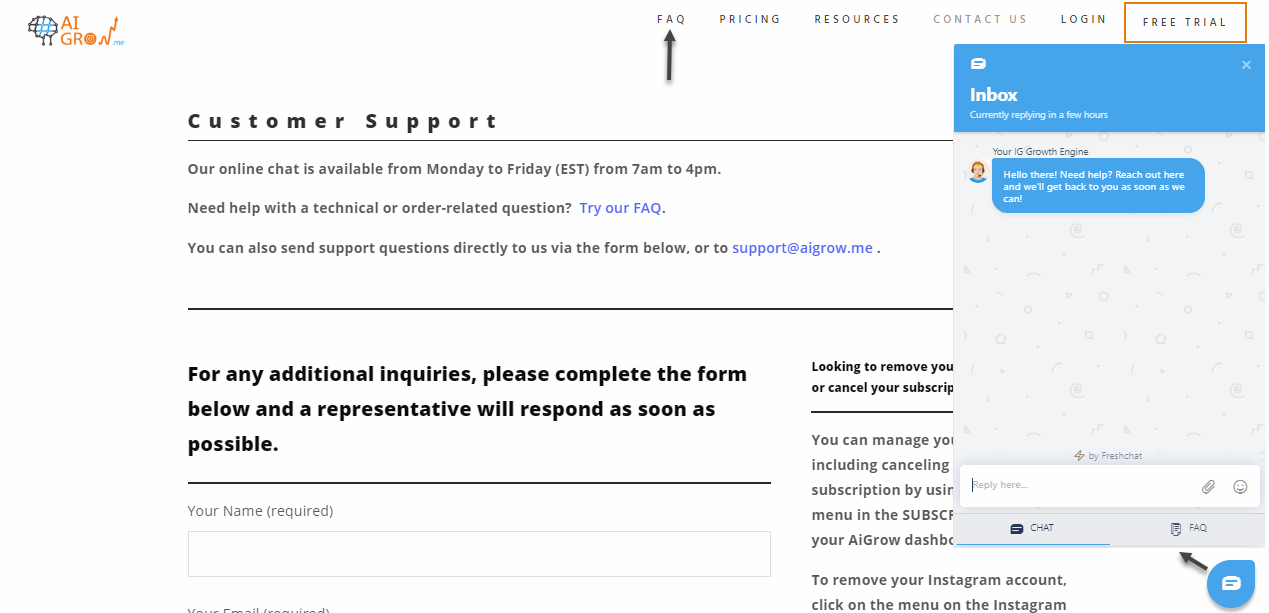
If you experience an issue, you can likely find an answer on AiGrow’s FAQ page. AiGrow also offers free one-on-one appointments to help set up your account, and they also have a dedicated support email. AiGrow also offers a live chatbot for anyone with questions.
Also read: Top Instagram Followers Generators in 2023 [Free & Paid]
Price
Instagrowth
Instagrowth prices for one account can be found below:
AiGrow
AiGrow provides you with a five-day free trial offering absolutely full functionality with no limit for the number of followers, likes, or views you can receive.
After this 5-day trial, you can continue using the scheduler, auto DMs, and the DM inbox for free.
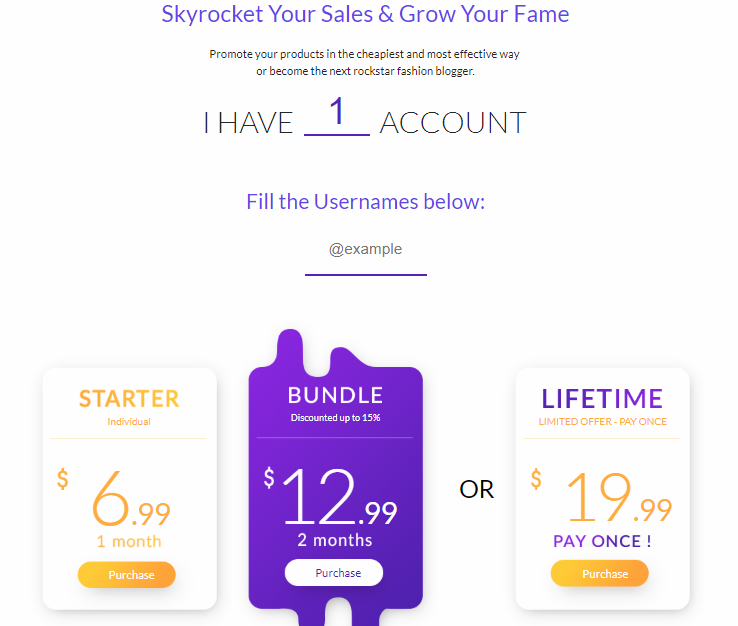
To use all of the AiGrow features after your free trial, you can see AiGrow’s prices below:

Conclusion
Instagrowth is an effective tool that can get you good results. It guarantees that the followers or likes you get through the service are genuine because you are the only one to control who you will Follow, Like, and Unfollow.
AiGrow is a complete Instagram growth platform with plenty of features for organically getting more Instagram Followers, Likes, comments, and Views.
With AiGrow, you also can automatically unfollow those who don’t follow you back to help you maintain a natural-looking Follow-to-Unfollow ratio as you grow.
Plus, AiGrow gives you access to a desktop DM inbox, a desktop Scheduler, and over 300 engagement groups to guarantee you more Likes and comments every time you post.
Want to try AiGrow for free? Click here to sign up.
If you are interested in Instagrowth, you can visit their website.
