


You have come to the proper place if you are seeking the greatest Instagram tools for visual storytelling. We discuss five of the Instagram resources we now employ in this post to produce eye-catching visuals. Prepare to produce captivating photos, films, stop-motion, and more!
It is never easy to present favorite Instagram tools for anything, let alone for visual storytelling. We constantly strive to share newly released or improved tools that few people have used to leave a lasting impression on Instagram because we consider it our mission. the following tools we’ll be talking about have already gotten good feedback, so we decided to emphasize them.
We guarantee you will like utilizing these Instagram tools for visual storytelling and designing stunning images for your company (or even for private purposes).
Ready? Let us go for it!
Top 5 Tools for Visual Storytelling
These Instagram tools are all fantastic for people who are not pro designers, and the majority of them can be used for… well, about anything at all.
Users can use these tools to get new followers. Businesses can also promote their Instagram accounts and increase their brand awareness.
Let’s delve right in!
# 1 Headliner
The first Instagram tool for visual storytelling we’re gonna introduce is Headliner. you can convert any audio file to video with the help of this fantastic program. Here is a sample of just a few of the types of videos you can make using it:
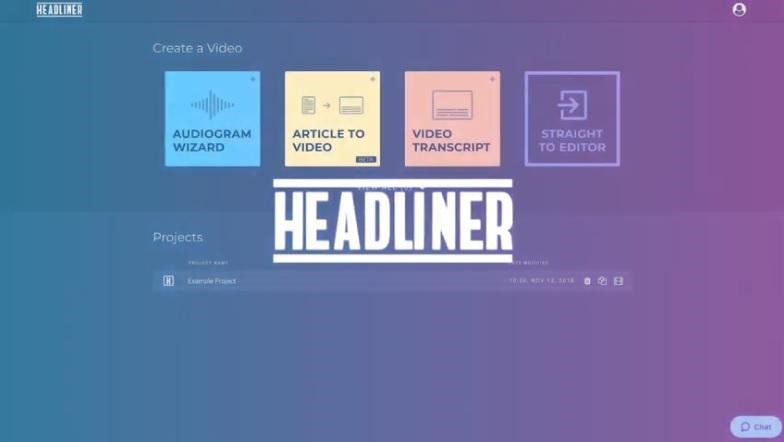
- You can upload a video to this service to automatically transcribe (“Video Transcript”) the audio and add editable captions.
- Using the “Audiogram Wizard”, you can turn a single audio clip into an audiogram that is no more than ten minutes long.
- Make a “Full Episode of Video” coming from a longer audio episode (maximum two hours) and upload it to YouTube!
- You can pre-fill a video with photos and videos that are taken from the entertainment, sports media, or latest news by using the “Find my Content” feature.
How Does Headliner Work
As you can see, this has become one of our favorite Instagram tools for visual storytelling because there are so many alternatives! Headliner works by, among other things, auto-cropping, discovering the relevant photos, detecting the relevant keywords, and automatically transcribing your media.
An audiogram is simple to make. You can add an MP3 file, upload a background image, and then use the color selector to match the audiogram’s color to your image.
You have a great option with Headliner to create a video without throwing in a great deal of work if you are a person who dislikes being on a camera, is not an advocate of editing videos, or is not very tech-savvy.
With Headliner, turning your audio content into video is quite simple. It is a great tool to have in your toolbox for Instagram. The fact that you can create up to 10 videos each month on the free version (without a watermark!) is the most intriguing feature.
So, getting started with Headliner is simple!
# 2 In-Instagram Tools for Visual Storytelling
Before we get into the remainder of the third-party Instagram tools for visual storytelling we planned to show you, let us say this: do not overlook Instagram’s own In-Instagram tools.
Nothing is more effective than combining Instagram with your smartphone. It is a device for producing visual stuff! Why? Because Instagram is a toolbox full of tools!
There are hundreds of ways to develop, design, illustrate, record, and adorn your content for Instagram feeds and Stories on Instagram such that it grabs attention.
We would go even far enough to refer to it as a “Tardis”! Like the “Tardis” from “Doctor Who”, Instagram’s toolbox has a lot more within than you might think if you take a look.
You will find lots of resources you could employ, including drawing tools, video clips, GIFs, Boomerang, Hyperlapse, stickers (including poll and question stickers as well as geolocation stickers, emoji stickers, and countdown timers), and more.
With only the tools on Instagram, it is practically possible to make incredible visual storytelling.
Of course, we will also share more third-party Instagram tools for visual storytelling with you in the following paragraphs so you may use Instagram to make stunning images. These are (apart from Headliner):
# 3 Giphy
Even if you are not aware of it, Giphy is the best friend for people who are not designers as well as one of the most used Instagram tools for visual storytelling.

Giphy’s integrations with platforms like Twitter, Facebook, Snapchat, and Instagram enable millions of users each day to share amusing looping videos with one another. You can exchange stickers on Instagram Stories, and that is where the real fun begins!
Giphy offers three options for sharing GIFs. A person can:
- Make their own GIFs — You can make GIFs to use in emails, purpose-built websites (which are recommended-created via Wix using its promotional pricing plans that typically provide significant savings for new subscribers), and on social networks (for posts, comments, and messaging).
Create a Regular Giphy Channel to submit your GIFs and make them available for anybody to share by link or website embed. Using a link created on your Giphy account, you can post it with just a few clicks.
Anyone with a Giphy Account is able to add their GIFs. Making an account is free, and it greatly simplifies the process of storing, accessing, and sharing GIFs.
- Share GIFs created by others — Giphy makes it simple to share GIFs made by other users. Through Instagram, Twitter, Snapchat, and Facebook, you have a plethora of options.
One of our absolute favorite features is the ability to share sticker GIFs inside Instagram Stories. Simply perform a search to find a plethora of GIFs on virtually any subject. GIFs give your Instagram Stories personality.
- Establish a Giphy Branded Channel — if you can afford it, this is the highest degree of Giphy use. You can access more opportunities if your Giphy Channel is accepted as a “branded channel” for a company, artist, or brand.
Examples
Giphy channels feature stickers that clever marketers have created so their audience may utilize them to express themselves. You have to pay attention when brands like GE and NASA have their own GIF channel. A few more:
⮚ Fans of “Target” are die-hard supporters. They wish to express their admiration for “Target”. By providing children with amusing stickers to incorporate into their stories, “Target” assists with this. Everything from amusing “love” stickers to communicate their target affection to “trip-o-meters” to track how many excursions they made to their target this week. Visit their profile!
⮚ “Jameson Irish Whiskey” is a creative brand that elevates its GIFs by combining them with popular hashtags from its audience, such as #lovethyneighbor and #lovethybar.
⮚ For individuals who wish to share funny anecdotes after a blow dry, “Dry Bar” has entertaining stickers!
Even while you will get a LOT more GIF views with a branded channel, consider other factors as well. Instead, consider how you might provide your audience with the means to express themselves.
You can win their love for your brand by doing that. You are giving them the means to express their sense of community and belonging.
# 4 Easil
Among the Instagram tools for visual storytelling, we adore the following Easil features:
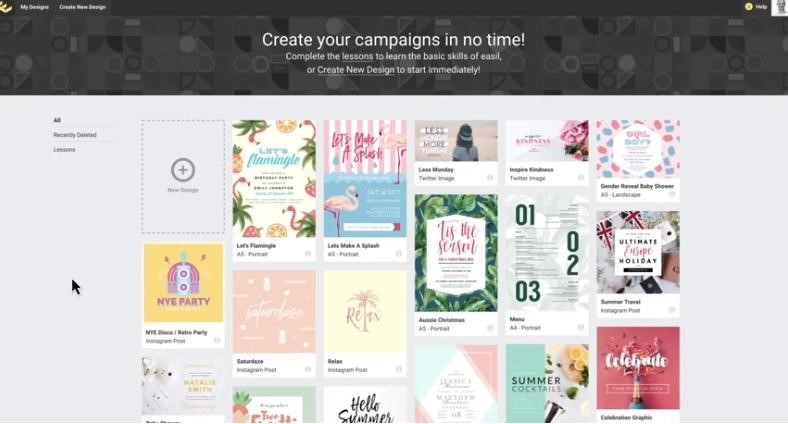
- By tapping on an image or a text box, the “Action Bar” with the necessary editing tools will appear, which makes it easy to locate the tool you need. It is entertaining and simple to use!
- The templates come in literally every print and social media size you could possibly need and are of professional quality. Sincerely speaking, it was this that initially made us aware of Easil. Since we were tired of the available template possibilities, these definitely attracted our attention on social media.
How to Design Using Multiple-Page Instagram Story Templates
Designing using multiple-page Instagram Story Templates can be done as follows:
- The text effect elements are excellent for elevating your graphics. Text can be enhanced with photos, drop shadows, light effects, and more (text masking).
- We frequently use the GIF creator to build GIFs that do not simply contain text but also animated graphics and icons.
- You may now upload your brand’s fonts, colors, and logos in addition to brand images using the “Brand Kit”. If you have brand imagery that has been approved by your larger team, “Brand Images” is extremely beneficial as most other programs just let you upload the first three (fonts, colors, and logos). Adding your company’s fonts; just click a text box, and your font choices will appear in the action bar. From the drop-down menu, select the body or copy typefaces (among other options).
- The “Color Palette” Generator is a useful and entertaining tool used in this. This has become one of our most cherished features, along with the “Brand Kit” coloring. Additionally, you may easily add brand visuals and logos.
- The rest of the features include the ability to combine designs, use folders for a fantastic organization, pick colors utilizing their “Color Palette Generator”, and even use layers (a combination of Photoshop and Canva).
The Reason We Now Adore Easil so Much
The answer is easy: Exciting New Features for Teams’ DIY Design on Easil! Here is what they recently unveiled, which is revolutionary for all teams (large and small):
- If you are not already enthused about “Brand Locking and Restrictions”, you soon will be. In Easil, you may now “load and lock” your designs. As a result, your designer or brand manager can build a design in Easil and restrict which design elements can be changed and by whom on your team.
Designers will appreciate being able to safeguard their creations and store them as templates. It is also great for non-designers who don’t have to “think” about which components to update and cannot mess up templates. The team has all of it in place.
- “Brand Templates”: With layering and locks, you can simply turn your designs into templates for your entire team and restrict how each member of that team will utilize them. Your team can access all of the templates you develop and store them in your template library.
- “Team Functionality”: All of this naturally leads to having the choice of adding collaborators who have various levels of permission and clearance. The “Brand Restrictions”, “Brand Kit”, and team features have been added to Easil’s already-existing capabilities, so DIY design has truly advanced, and we love it.
Imagine it as a whole digital asset management system, ideal for small to large businesses looking to organize DIY design so that everyone on the team can view, modify, and share designs… without compromising the integrity of brands, trademarks, or emblems. Everything is at one location!
# 5 Wave.Video
We adore Wave.Video so much! It has been mentioned frequently on many blogs as one of many people’s primary Instagram tools for visual storytelling. But we are particularly pleased about their most recent upgrades.
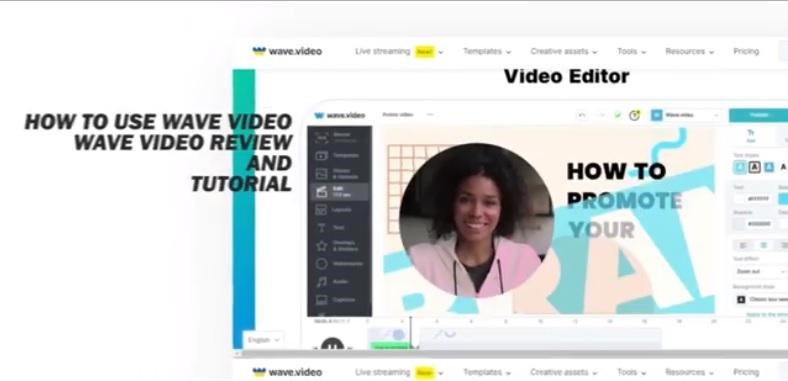
Additionally, Wave allows you to edit a variety of videos on Instagram, including Instagram Stories and IGTV, making it the ideal complement to this list of Instagram tools.
Wave.Video Features
The editor has undergone significant improvement, among the smallest of which are functions like:
- tens of thousands of great audio clips, photo stock photos, and video clips, all of which are available for free, for a small fee, or for purchase as a premium material.
- When altering text or video, an easy editor will “pop-up” with the tools you require.
- a broad range of text-editing features, including fonts, transitions, animations, brand colors, and color.
- superb video editing tools and simple resizing to over 30 video formats are both available.
With only a single click and very little editing, you can change an Instagram feed image from square to Instagram Stories size. Wave is one of our favorite Instagram tools because of this.
- You can include transitions, stickers, filters, and more. To pick one among millions of stickers, use Giphy to search or add Wave’s stickers! You could, for instance, include a “margarita” sticker in your taco-related video.
- You have various options for adding text to videos with moveable text. You can freestyle your text and position it in any location at any angle OR lock it into place, group it and move it around. We have not been able to find this feature in other DIY video programs, so we are extremely happy to have it now!
The Reason We Adore Wave.Video So Much
Wave.Video offers hundreds of simply modifiable templates that let you make videos quickly and easily without any design experience. Select from categories including real estate, sports, business, travel/holidays, and more.
Another feature we adore about Wave is its amazing content calendar, which gives you access to video ideas for every day of the year, as well as video templates, hashtags, and content suggestions.
The first step is to create a FREE account. Wave happens to be one of the handfuls of applications we are cognizant of that enables the free making of movies without watermarks.
However, their entry-level plans, which begin at $9 per month, are also very reasonable. After their latest price modifications, even agency plans are suddenly incredibly reasonable. It is the ideal addition to your arsenal of Instagram tools!
That Is a Wrap for Instagram Tools for Visual Storytelling
Thrilled with these tools? We sincerely hope you are because you will surely like “playing” with them.
Let’s share a fun fact: Reliable sources reveal that most CEOs and teams behind Instagram tools for visual storytelling, like LifeLapse, Slider, and more (except for Headliner and Giphy, which we could not get the info about them), are genuinely caring individuals.
These individuals have a sincere passion for creating tools that empower non-designers. Their mission is to enable people to effortlessly produce captivating visual content.
By bridging the gap between non-designers and stunning visuals, these CEOs and teams aim to facilitate the creation and sharing of remarkable visual material. That matters, in our opinion, and we assume you agree.
