


In today’s digital age, social media has become an essential aspect of our lives, and Instagram is one of the most popular social media platforms worldwide. With over one billion active users, Instagram has become a vital tool for personal and business branding, marketing, and communication. However, managing an Instagram account can be overwhelming, especially for those new to the platform. This article aims to provide a comprehensive guide on how to manage Instagram accounts effectively, covering various aspects such as creating high-quality content, growing your following, and staying safe on the platform.
Whether you are managing an account for personal or business use, this article will provide you with tips and tricks to help you master Instagram in 2024.
Do you want a steady flow of organic followers? click here.
How To Manage Instagram Accounts – Tips & Tricks
Instagram has become one of the most popular social media platforms in recent years, with over 1 billion monthly active users.
For businesses, managing an Instagram account has become an essential part of their social media strategy. In this section, we will discuss some tips and tricks for how to manage more than five Instagram accounts.
1. Create High-Quality Content
Let’s start our tip on how to manage 3 Instagram accounts (or more) with your content. Creating high-quality content is crucial for attracting and retaining followers on Instagram. Your content should be visually appealing and engaging to your target audience. Here are some tips to help you create high-quality content:
- Use high-quality images and videos that are visually appealing
- Edit your photos and videos to enhance their quality
- Follow a consistent theme or aesthetic for your account
- Use captions to tell a story or provide context for your content
- Use relevant hashtags to increase your reach and visibility
Sharing eye-catching and high-quality content can help you increase your followers count and growth rate over time. But what if you don’t have enough time to create content?
With AiGrow’s post mate feature, a team of content creators and designers create unique and high-quality posts/stories for your page.
2. Grow Your Instagram Following
Growing your Instagram following is essential to the success of your account. Here are some strategies for increasing your Instagram following:
- Use engagement tactics like liking, commenting, and following other users in your niche
- Utilize Instagram Stories, Reels, and IGTV for greater engagement
- Collaborate with other Instagram users in your niche
- Run Instagram contests and giveaways
- Use paid advertising to promote your account (Instagram and Facebook ads)
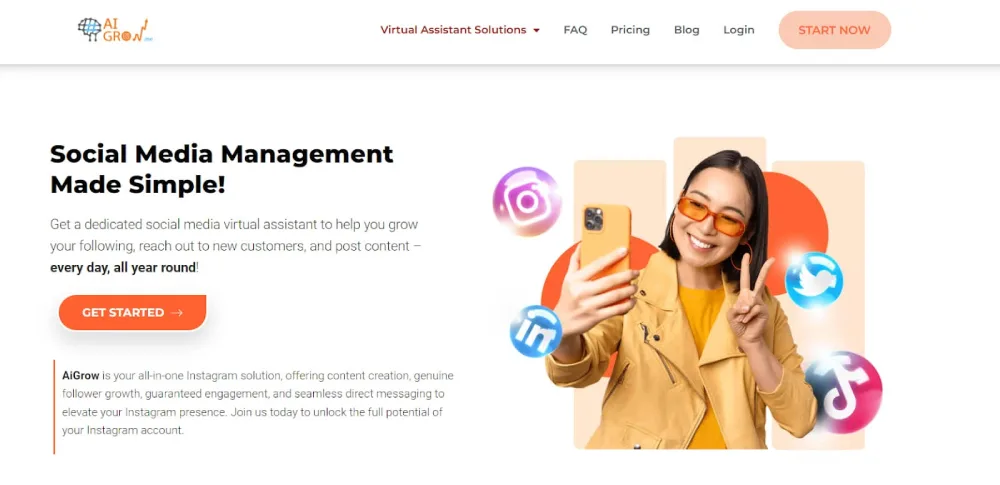
- Try AiGrow’s growth plans: With AiGrow, you can target audiences by hashtags, locations, and competitors’ accounts. After that, your dedicated manager will perform daily follow/unfollow actions on your behalf safely and without passing Instagram limits.
3. Define Your Goals
Before you start posting content on Instagram, it’s essential to define your goals. What do you want to achieve with your Instagram account? Do you want to increase brand awareness, drive website traffic, or generate leads? Once you have defined your goals, you can create a content strategy that aligns with those goals.
4. Plan Your Content In Advance
Planning your content in advance can save you time and ensure that your content is consistent and on-brand. Use a content calendar to plan your posts in advance, and consider using a scheduling tool like AiGrow to manage your posting schedule.
5. Manage Responding To Comments & DMs
Responding to comments and direct messages (DMs) is essential to building a strong relationship with your followers. It’s important to respond promptly and professionally to any comments or DMs you receive. Here are some tips for managing your comments and DMs:
- Set aside time each day to respond to comments and DMs
- Use Instagram’s built-in tools to manage and organize your comments and DMs
- Respond to negative comments and DMs with empathy and professionalism
- Use pre-written responses to save time and ensure consistency in your responses
- Try AiGrow’s DM Tool: Your dedicated manager will send manual mass DMs to targeted users to increase your engagement and sales.
6. Monitor & Analyze Your Account’s Performance
Monitoring and analyzing your account’s performance is essential to understanding your audience and the effectiveness of your social media strategy. Here are some tools and metrics you can use to monitor and analyze your account’s performance:
- Instagram Insights – Instagram’s built-in analytics tool that provides information on your account’s reach, impressions, engagement, and more.

- Third-party analytics tools like Hootsuite, Sprout Social, and AgoraPulse
- Metrics like follower growth, engagement rate, reach, and impressions
7. Stay Safe On Instagram
Like any social media platform, Instagram has some security risks that users should be aware of. Here are some tips for staying safe on Instagram:
- Use strong passwords and two-factor authentication to protect your account
- Be cautious of phishing scams and suspicious links
- Report any harassment, bullying, or hate speech you encounter
- Keep your personal information private and avoid oversharing
8. Engage With Your Audience
Engagement is key to building a loyal following on Instagram. Respond to comments and direct messages promptly, and consider running Instagram contests and giveaways to encourage engagement.
How To Manage Instagram Accounts For Business?
To manage an Instagram account, you must first create one. Follow these steps to create an Instagram account and know how to manage Instagram accounts
1. Download the Instagram app from the App Store or Google Play Store.
2. Sign up using your email address or phone number.
3. Choose a username and password.
4. Set up your profile by adding a profile picture, bio, and website link (if applicable).

How To Switch To An Instagram Business Account?
If you’re using Instagram for business purposes, it’s essential to switch to a business account. Instagram business accounts provide additional features and insights that can help you grow your business on the platform. Here’s how to switch to an Instagram business account:
- Open your Instagram profile and click on ‘Edit profile.’
- Next, tap on ‘Switch to a professional account.’
- Complete the required information.

The benefits of an Instagram business account include access to Instagram Insights, the ability to run ads on the platform, and the ability to add links to your Instagram Stories.
Also read: How to switch business account to personal account on Instagram
Tools And Apps For Managing An Instagram Account
There are many tools and apps available that can help you manage your Instagram account more efficiently. Here are some of the best tools and apps for how to manage accounts on Instagram in 2023:
1.AiGrow
AiGrow is an all-in-one Instagram management service that allows you to arrange your Instagram activities, including manual DMs, comment tracking, and more.
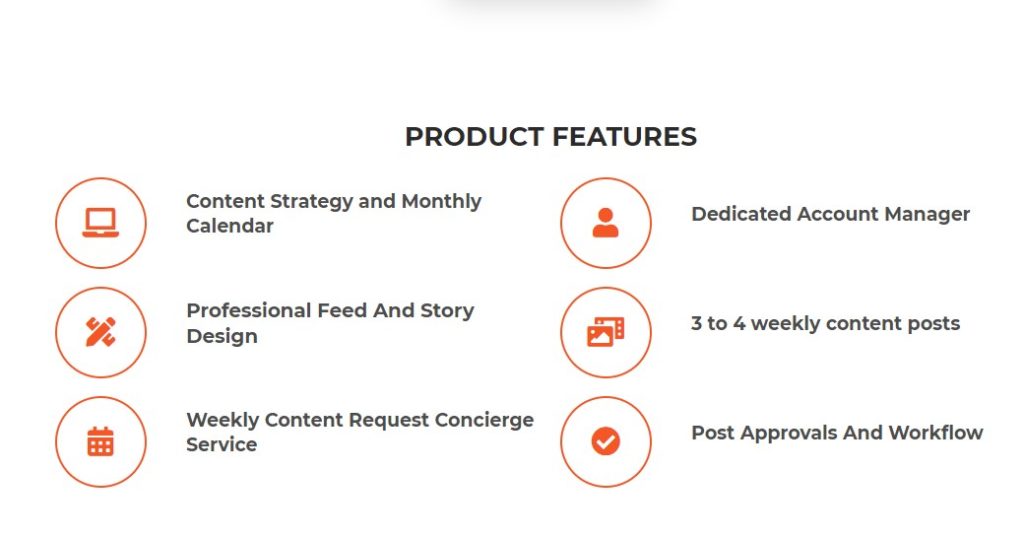
With AiGrow, you can save time and grow your Instagram following more efficiently. This Instagram management tool connects you to your dedicated Instagram account manager who will perform actions on your behalf to grow your audience. So you don’t need to be worried about your account’s safety.
2. Later
Later is a popular Instagram scheduling tool that allows you to plan and schedule your Instagram posts in advance.
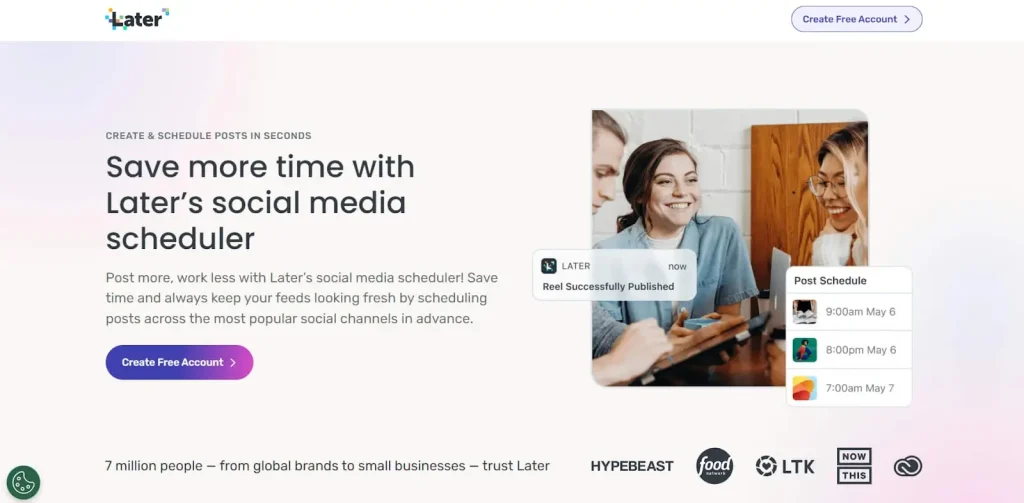
This platform also offers a range of features, including Instagram analytics, user-generated content curation, and Instagram Stories scheduling.
3. Canva
Canva is a graphic design tool that allows you to create stunning visuals for your Instagram account.
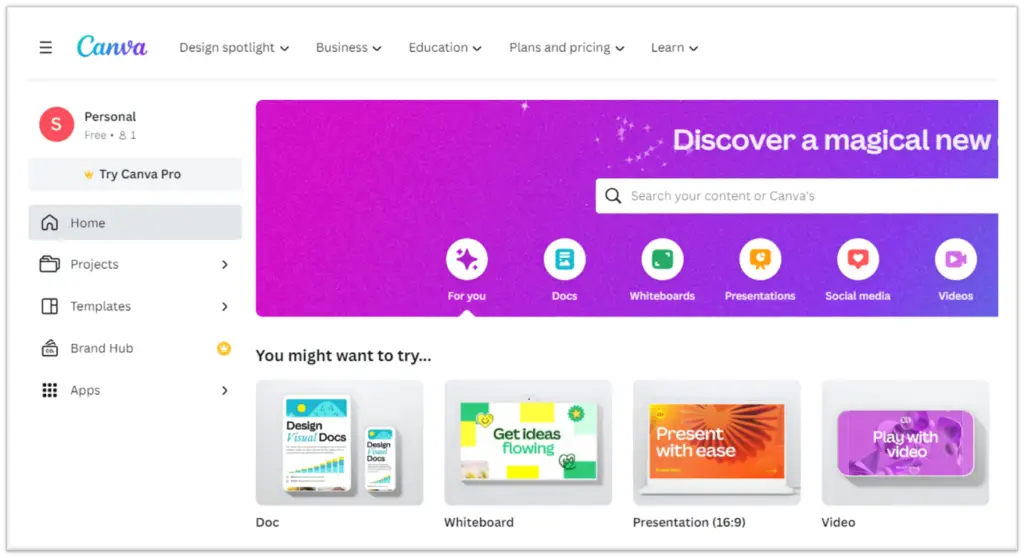
With Canva, you can create custom graphics, Instagram Stories, and even Instagram highlight covers.
How To Manage An Instagram Account On A Desktop Computer?
Instagram’s mobile app is convenient, but it can be challenging to manage your account on a small screen. Fortunately, several tools allow you to manage your Instagram account on your desktop computer. Here are some of the best tools for managing an Instagram account on a desktop computer:
AiGrow: AiGrow is a web-based platform that allows you to manage multiple Instagram pages on your desktop. You can access full features for scheduling posts, growing your audience, DM marketing, mass following, and unfollowing safely, and more in one place.
Creator Studio: Creator Studio is a tool developed by Facebook that allows you to manage your Instagram account from your desktop computer.
Also read: Maximize Your Business Impact with Instagram Creator Studio
Hopper HQ: Hopper HQ is an Instagram scheduling tool that allows you to plan and schedule your content from your desktop computer.
Grum: Grum is an Instagram scheduling tool that allows you to post content to Instagram from your desktop computer.
How To Manage Multiple Instagram Accounts?
Managing multiple Instagram accounts can be a big challenge, but it’s essential for businesses, influencers, and even personal users who want to keep separate accounts for different interests or personas.
In this section, we’ll cover some tips and tricks for managing multiple Instagram accounts, as well as specific instructions for managing two or more accounts on different devices.
Tips And Tricks For Managing Multiple Instagram Accounts
Here are some tips to consider for how to manage multiple Instagram accounts easily:
1. Use a third-party app: There are several apps available, such as AiGrow, that allow you to manage multiple Instagram accounts in one place. You can manage 80 different accounts in your AiGrow dashboard.
2. Keep a content calendar: Create a content calendar to plan and schedule posts for each of your accounts in advance. This will save you time and ensure that you have a consistent posting schedule across all your accounts.
3. Use Instagram’s built-in features: Instagram allows you to switch between multiple accounts within the app, so make sure you’re taking advantage of this feature. You can also use the “saved” feature to save and organize content for different accounts. However, keep in mind that you can only manage 5 accounts using the Instagram app.
4. Use different email addresses: If you have multiple Instagram accounts, make sure each account is associated with a unique email address. This will make it easier to reset passwords and keep your accounts secure.
Also read: Instagram account handling charges
How To Manage Three Or More Instagram Accounts?
The process for managing three or more Instagram accounts is the same as managing two accounts. Simply repeat the steps above for each additional account you want to add.
How to Add Multiple Instagram Accounts?
To add multiple Instagram accounts, you can follow these steps:
1. Start by going to your profile and tap on the hamburger menu, then select ‘Settings and privacy.’
2. Scroll down the menu and locate ‘Add account’ under the ‘Login’ section.
3. At this point, you have the choice between ‘Log into an existing account’ or ‘Create a new account,’ depending on your requirements.
If you already have another account, choose the first option and enter the username and password for it. Alternatively, if you need to create a new account, select the second option and follow the account creation process.
How to Switch Between Instagram Accounts?
To switch between accounts on Instagram, you can use one of these methods:
1. Go to your profile and tap on the down arrow next to your username. From the list that appears, select another account you want to switch to.
2. Alternatively, you can quickly switch between accounts by simply double-tapping on your profile icon located at the bottom right corner of the screen. This will allow you to easily switch between your linked accounts.
How to Manage Multiple Instagram Accounts’ Notifications?
To manage notifications for multiple Instagram accounts, follow these steps:
1. Go to your profile and tap on the hamburger menu located at the top right of the screen.
2. Select ‘Settings and privacy’ from the options.
3. Under the ‘How you use Instagram’ section, tap on ‘Notifications.’
4. Here, you can customize your notification preferences. You can choose to receive or not receive notifications for various activities and interactions on Instagram. Adjust the settings according to your preferences for each of your accounts.
How To Manage Instagram Accounts For Clients?
If you’re an Instagram manager or agency, you may be tasked with managing multiple Instagram accounts for clients. In this section, we’ll cover some tips for efficiently managing these accounts. Here’s how to manage multiple Instagram accounts for clients
1. Use a social media management tool: There are many tools available that can help you manage multiple Instagram accounts at once. Try AiGrow to manage multiple accounts, monitor comments and messages, and track analytics.
2. Set up a content calendar: Creating a content calendar can help you stay organized and ensure that you’re posting consistently on all of your clients’ accounts. Use a tool like Google Sheets or Trello to create a calendar that includes post ideas, captions, and hashtags.
3. Utilize Instagram’s multi-account feature: Instagram allows you to manage up to five accounts at once within the app. Make sure you’re taking advantage of this feature to easily switch between your clients’ accounts.
4. Communicate with your clients: Regular communication with your clients is key to successfully managing their Instagram accounts. Make sure you’re keeping them up-to-date on their account’s performance and discussing any new ideas or campaigns.
How To Manage Instagram Accounts From A Mac?
While Instagram’s mobile app is great for posting on the go, managing accounts from a desktop computer can be more efficient sometimes. Want to know how to manage Instagram accounts on a desktop computer?
Here are some tips for how to manage Instagram accounts from Mac:
1. Use Instagram’s web version: Instagram has a web version that allows you to view and manage your account from a desktop computer. You can view your feed, post photos, and reply to comments and messages.
2. Use a social media management tool: Many social media management tools also have desktop versions that allow you to manage your Instagram accounts from a Mac. Look for a tool that allows you to schedule posts, track analytics, and manage comments and messages.
3. Use an emulator: If you prefer to use the mobile app, you can use an emulator like BlueStacks or NoxPlayer to run the Android version of the Instagram app on your Mac.
Conclusion
Managing Instagram accounts can be a fun and rewarding experience, whether it’s for personal use or business. By following the tips and tricks outlined in this article, now you how to manage Instagram accounts, create high-quality content, grow your following, and stay safe on the platform.
Remember to always focus on creating visually appealing content that will engage your followers. Use hashtags to increase visibility and consider utilizing Instagram Stories, Reels, and IGTV for greater engagement. Responding to comments and DMs promptly is also essential for building a loyal following.
Additionally, monitoring and analyzing your account’s performance can help you identify areas for improvement and refine your strategy. And don’t forget to stay safe on Instagram by protecting your account and dealing with any negativity or cyberbullying that may arise.
Whether you’re managing one or multiple Instagram accounts, these tips and tricks can help you make the most of your experience on the platform. So go ahead, get creative, and have fun mastering Instagram in 2023.
FAQs
Now that you know how to manage Instagram accounts, it’s time for some related frequently asked questions.
1. How Often Should I Post On Instagram?
There’s no one-size-fits-all answer to this question as it ultimately depends on your goals and audience. However, it’s generally recommended to post at least once a day to keep your account active and engage your followers.
2. What Is The Ideal Instagram Caption Length?
Instagram allows for up to 2,200 characters in captions, but studies have shown that shorter captions tend to perform better. Aim for 125 characters or less to capture your audience’s attention and convey your message succinctly.
3. How Do I Measure My Instagram Account’s Success?
There are several metrics to consider when measuring your Instagram account’s success, including follower count, engagement rate, reach, and impressions. Use Instagram’s built-in analytics tool or third-party apps to track these metrics and adjust your strategy accordingly.
4. How Do I Know If My Instagram Account Has Been Hacked?
If you suspect your Instagram account has been hacked, check for any unauthorized changes to your profile, including changes to your username, email address, or password.
You may also notice unusual activity on your account, such as new followers or posts you didn’t make. If you believe your account has been compromised, change your password immediately and contact Instagram support for further assistance.
5. What Are The Best Ways To Increase My Instagram Engagement?
Engagement can be increased by creating high-quality content, using relevant hashtags, posting at optimal times, and responding to comments and DMs promptly. Consider using Instagram’s features such as Stories, Reels, and IGTV to diversify your content and keep your audience engaged.
6. How Many Instagram Accounts Can I Have?
Instagram allows users to have up to 5 accounts, and you can switch between them without having to log out and log back in. This feature is designed to make it easier for users to manage multiple Instagram accounts.
7. How to Remove Accounts on Instagram?
Here’s how to delete a second Instagram account in a few steps:
1. Tap your profile picture located in the bottom right corner to access your profile.
2. Tap on the hamburger menu positioned in the top right, and then select ‘Settings and privacy.’
3. Scroll down to find and tap on ‘Add account’ under the ‘Login’ section.
4. Choose ‘Log into an existing account.’
5. You’ll see a list of all the accounts on your device. To remove an Instagram account from the login list, simply tap on the three vertical dots next to ‘Log in’ and then tap on ‘Remove.’
8. How to Add or Remove an Account from the Instagram Accounts Center?
To add or remove an account from the Accounts Center on Instagram, follow these steps:
1. Go to your profile and tap on the hamburger menu located at the top right of the screen, then select ‘Settings and privacy.’
2. From there, choose ‘Accounts Center’ and go to the ‘Accounts’ option.
3. To add another account, select the ‘Add accounts’ option.
4. If you need to remove an account that is already added to Accounts Center, choose the ‘Remove’ option next to the account name and complete the removal process.
9. How To Manage Location-Specific Instagram Accounts?
If you have a business with multiple locations or operate in different regions, it may make sense to create location-specific Instagram accounts. In this section, we’ll cover some tips for managing these accounts.
1. Use location tags: Make sure you’re tagging each post with the appropriate location. This will help your posts show up in local search results and make it easier for people in the area to find your account.

2. Create unique content: To make your location-specific accounts stand out, create unique content that highlights the specific area. This could include photos of local landmarks, events, or products that are specific to the region.
3. Collaborate with local influencers: Partnering with local influencers can help you reach a wider audience and build relationships in the community. Look for influencers who have a following in the area and who align with your brand values.
4. Utilize Instagram’s built-in features: Use Instagram’s “Explore” feature to find and engage with users in the area. You can also use Instagram’s story feature to share real-time updates and behind-the-scenes content from your location.
With these tips, you can manage as many accounts as you need. So for example, if you need to know how to manage 40 location-specific Instagram accounts, here is your answer!
10. How To Manage Kids’ Instagram Accounts?
If your child is interested in using Instagram, it’s important to set some guidelines and manage their account to ensure their safety and privacy. Here are some tips for how to manage Instagram accounts for your kids:
1. Set up the account together: if you are asking how to manage my kids Instagram accounts, you need to set the account together. Before your child starts using Instagram, set up the account together and make sure you have access to their login information. This will allow you to monitor their activity and ensure their safety.
2. Set privacy settings: Make sure your child’s account is set to private, so only approved followers can see their posts. You can also limit who can send them direct messages and turn off comments on their posts.
3. Monitor their activity: Keep an eye on your child’s activity on Instagram, including who they follow and interact with. You can also use third-party apps to monitor their messages and activity more closely.
4. Have open and honest conversations: Talk to your child about appropriate online behavior and set guidelines for what they can and can’t share on their Instagram account. Encourage them to come to you if they see or experience anything that makes them uncomfortable.
