


Threads is taking off after its eventful launch, and everyone is looking for ways to make their mark on this new platform.
Many are buzzing with questions like How to increase Threads followers, or what’s the secret to engaging people effectively. The answer is not clear enough, since Threads still has many surprises in store.
However, there are clues and hints that can give an insight into how to make the most of this new platform. In this blog, we’ll dive into those clues. Keep reading!
10 Powerful Tips to Increase Threads Followers
If you’re wondering how to increase followers on Threads, take some time and do as followings:
#1. Make your profile public

To increase the visibility of your content, you need to have a public profile. Posts from private accounts can’t be reposted, limiting your reach. So, if your account is still private, here’s what you can do:
- Go to your profile and tap on the “Edit Profile” button.

- Look for the “Private Account” option and make sure it’s turned off.

- Once you switch to a public profile, more people can discover and engage with your content.
#2. Set up a captivating profile
When it comes to social media, including Instagram or Threads, making a strong first impression is key. And what can do better than setting up an attractive and optimized profile?
So, base your Threads growth strategy on building a professional profile. To have a great bio, you can read our post: explore 16 Threads bio examples to get inspired. But in brief, consider these points:
- Start engaging your potential followers from your bio. Add call-to-actions, like asking them to follow you, visit your website, or even sign up for your newsletter.
- To gain Threads followers, keep your bio short, concise, and descriptive. Tell them what they will get free in your account.
- Use the tone which fits your niche most and reflects your brand’s personality.
Also, read 250+ Instagram bio ideas and trends for 2023
- As of now, the Threads app doesn’t support hashtags in bios, but they might introduce this feature soon. If this happens, consider adding relevant hashtags to your bio.
- Don’t forget to include a link to your bio. It could be your main website or other social media platforms.
Note1: It’s better not to copy your Instagram bio over here. Even a little change will go a long way.
#3. Import your Instagram followers to Threads
Instagram has made it really convenient for users to set up their Threads profile directly from their Instagram account. This is especially important for business accounts and influencers because it saves them from starting everything from scratch.
This feature becomes even more significant to increase followers on Threads. The more followers you have on Instagram, the greater the chances of growing your followers on Threads as well.

How to get followers on Threads through other media platforms?
Thankfully, you can invite your friends to join your Threads via other media platforms. If you want to expand your network, just do as follows:
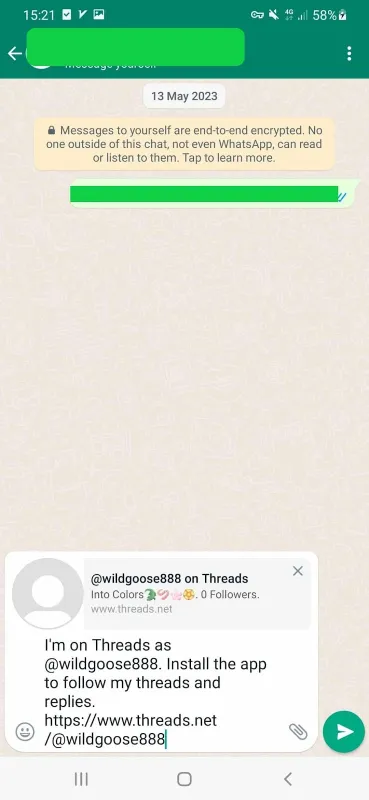
- Tap “Invite friends by WhatsApp”, select the one you want to invite, and share the link.
- Click “Invite friends by email” and send the link to your friends;

- To invite via SMS, tap “Invite friends by SMS”, choose the contact, and send the message containing the link.

- Another way to inform your followers is to send mass DMs to them. This is not certainly possible manually and will take a long. Rather, you can use a mass DM service such as AiGrow to send hundreds of messages in a shorter time.
Sign up on AiGrow and take advantage of the mass DM service.
#4. Post consistently to increase Threads followers
Before we dive into the types of content you should post on Threads, it’s important to remember the first secret to success: consistency.
Threads doesn’t have timelines, lists, or segments. Here, everyone sees each other’s content (Like TikTok).
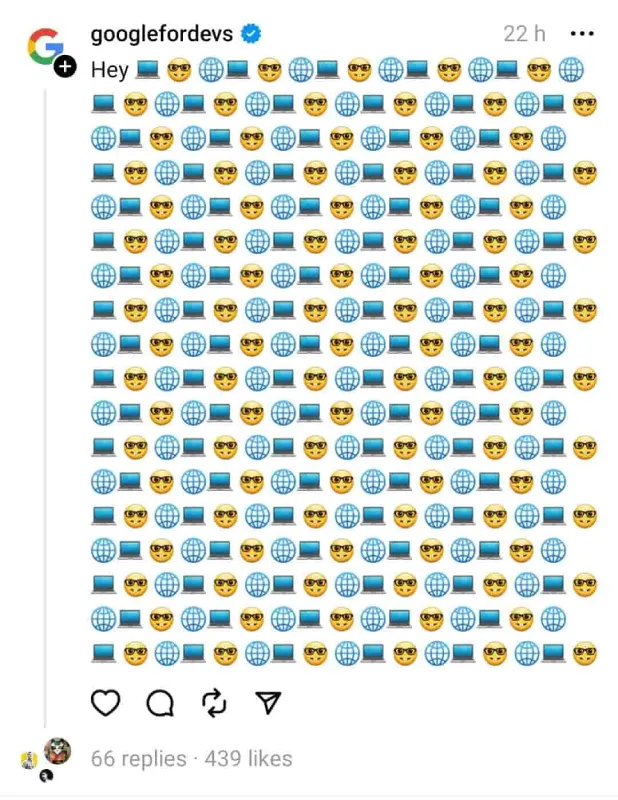
If you want your voice to be heard, you need to make a habit of posting regularly. We’re not suggesting you sacrifice quality for quantity, but it’s crucial to care as much about consistency as you do about the content itself.
- Repurpose or rephrase the content you’ve already shared on Instagram and post it on Threads. This allows you to maximize the value of your existing content and reach a new audience.

- Running short on topic ideas? Turn to the trending topics. These popular discussions can serve as a source of inspiration for your content.
So, jump into these conversations and create engaging discussions that captivate your audience. By doing so, you not only generate valuable content but also build meaningful engagement with your followers.
#5. Use an all-in-one tool like AiGrow
Instagram Threads is new, but that doesn’t mean that we are behind the game! As long as Threads is linked to Instagram, you can leverage your Threads using it.
And how AiGrow can help you on this journey?

AiGrow is a top-notch Instagram management tool with a wide range of services to help you grow your Instagram presence. As Instagram and Threads are integrated, If you could boost your Instagram account, you’re more likely to attract followers on Threads.
- It allows you to grow your followers count organically, without using any bots or fake followers;
- Since your followers are real, the engagement rate will be real, too. This goal will be achieved by running different plans;
- Once you get started with AiGrow, a dedicated account manager will be assigned to manage your account;
- If you’re unhappy with your services, you’re free to cancel anytime. Plus, there is a 14-day money-back guarantee;
- AiGrow also provides you with concise and detailed reports of your account. This gives you a deep insight into your improvement areas and pain points.
Want to increase Threads followers with AiGrow?
To get started with AiGrow, you can sign up free on AiGrow and follow the below steps:

- When you’re in, connect your Instagram account, add hashtags, competitors, and locations, and tap Save & Continue;

- Choose the plan you find right and call for a live meeting with your dedicated manager;

- The manager will discuss further details with you. Note that they won’t start any action until you don’t agree with the whole plan.
Give AiGrow a try to grow your followers on Threads!
#6. Post different styles of content
One of the most effective Threads growth hacks is to focus on creating valuable content. Since Threads is a new platform, everyone is still experimenting and figuring out what works best. So, don’t be afraid to try different content styles such as:
- Images (in any aspect ratio/single or carousel)
- Videos
- Short or long posts
- Quotes
- Gifs
- Memes
By posting diverse content, you’ll get a better understanding of how the Threads algorithms work and what your audience will like most. On the other hand, Threads algorithms will detect valuable content and start showing them to more users.
Note 1: Add a visual to any post you share to increase Threads followers in a short time.
Note 2: Always use your keywords in your posts. For instance, if you want to grow within the business space, you should add keywords like marketing, social media, Instagram marketing, and more to your posts.
Note 3: Tag or mention bigger accounts of your market to make your content more visible.

How to get followers on Threads? Follow what works
It’s so simple. People like what they like, whether it’s posted by a notable account or not. Thus, if you share something and it gets feedback, keep it on.
Note: Inspiring, Informing, and Entertaining content will attract more followers on Threads.
#7. To increase Threads followers, find creators in your niche
Creating high-quality content is not enough to get Threads followers. You need to turn your profile into an effective hub in your niche or field.
Although you can’t make use of hashtags to search for relative accounts, there are alternatives. Go to your Instagram followers, for example, find the main creators, and follow them. Or head over to the search bar, Threads will immediately offer related accounts.
#8. Engage with your followers and other users
Wondering how to grow your Threads account to a further level? Engage with your followers and everyone who makes first like or comment on your post. You can also go to major accounts with large followers and,
- repost their posts,
- reply to their posts,
- click “Quote” and share your perspectives.
In addition, it’s helpful to go to others’ followers who are similar to your niche and interact with them in any possible way.
Another way to trigger engagement is to leave quick and thoughtful comments. These types of content encourage others to follow you as an influential account in a specific field or niche.
#9. Cross-promote your content on Instagram

Threads provides numerous hints and opportunities to share your content and boost your visibility. You can easily cross-promote your content using buttons like “Share to story” and “Post to feed.” This simple feature allows you to expand your reach and potentially go viral. (Hey! Do you know how to go viral on Instagram?)
Another thing is to share your Threads profile on your Instagram account. This way your followers will get informed you’re on Threads and find you there.
#10. Get verified on Threads
Just like on Instagram, having that blue badge on Threads can actually boost your credibility and attract more engaged followers.
FAQs about Increase Threads Followers
Let’s look at some of the frequently asked questions on this topic:
Q1: How often can I post on Threads?
It’s recommended to post several times a day on Threads, especially in the first month of launching it. After you build your network and get familiar with the environment, the frequency will possibly change.
Q2. Can I share an Instagram post on Threads?
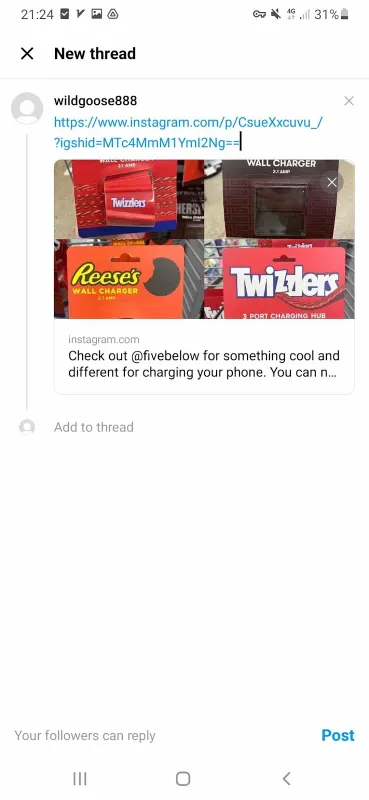
Yes, you can share Instagram content on Threads and vice versa. To reshare a post on Threads:
- select the post you’d like to share and tap the direct message icon;
- Next, go to the bottom of the screen and select “share”;

- choose “Threads” and tap “Post”.
Q3: Does the number of followers matter on Threads?
Threads is still pretty new, so it’s hard to say for sure how its algorithms will work. But there are a couple of things that suggest Threads is all about engagement and building real connections, rather than just chasing numbers.
First off, you won’t find any video counts on Threads. It’s not about how many videos you’ve posted, but rather the quality of the interactions and conversations happening around them.
And another interesting twist is that you can’t see how many accounts someone follows on Threads. Simply put, the follower-following ratio might not be as important as it is on Instagram.

Q4: Can I hide the Threads badge on my Instagram profile?
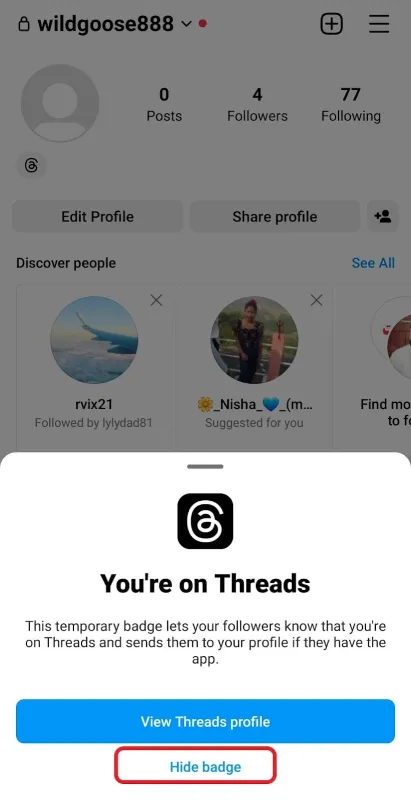
Yes, to hide your Threads number on your Instagram profile, open your Instagram profile, tap the Threads badge, and choose the Hide badge option.
Q5: If I block someone on Instagram, will they also be blocked on Threads?
No, blocking someone on Instagram doesn’t automatically block them on Threads. This is also the same for other privacy settings.
Q6: How to get verified on Threads?
In order to get verified on Threads, first you need to have an Instagram account. Because the verification process is only possible via this platform. Once you have created your Threads profile, follow these quick steps:
- Go to your Instagram profile and tap the three-line icon at the top right corner;
- Scroll down the menu and tap the Meta verified;

Source: digitaltrends.com
- Now, tap the Subscribe button;
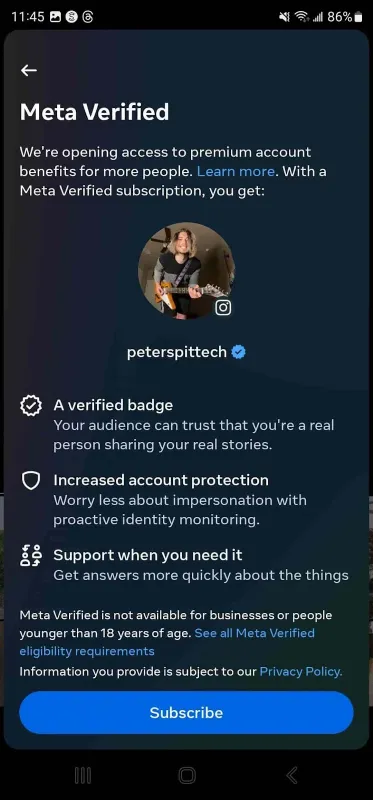
- Confirm the profile you want to get verified and choose Sign up;

- Then, read the payment information and if you agree, select Pay Now, and finally tap Subscribe button.

Q7: How can I engage with other users on Threads?
You can see the posts of people who don’t even follow in your feed. This allows you to have more opportunities to get engaged with different communities.
Like, reply, repost, and quote the posts of your followers, and notable accounts in your field. Moreover, actively respond to your followers’ actions, tag and mention significant accounts, and leave thoughtful and meaningful replies.
Q8: What type of content is more popular on Threads?
While it’s too early to define what content can attract more people on Threads, visual posts turn out to be more engaging. Gifs, memes, short videos, single images, or carousels are more likely to get Threads followers.
Q9: Can I buy Instagram Threads followers?
Buying fake followers is a simple but unreliable solution to gain Threads followers. Moreover, Threads is still evolving, and it’s not how much it will value the number of followers.
Instead, it’s recommended to invest in building deep and strong connections on Threads rather than increasing your followers count.
