


Are you searching for a reliable TikTok video downloader with no watermark? TikTok has a built-in Save video option, but it adds a TikTok watermark with the creator’s username, and it only appears when the creator allows downloads (see TikTok’s own download page). That is why people turn to a TikTok saver: to get a clean copy as an MP4, pull the audio as an MP3, or save a video the creator has not opened for downloads.
Prefer step-by-step instructions? See how to download TikTok videos without a watermark for the four methods, including saving your own videos.
This guide covers six free online TikTok video downloaders: SnapTik, SSSTik, SaveTT, Tmate, LoveTik and TTDown. For each one you will find how it works and what it offers according to its own site, checked in October 2026. We also explain how to save TikTok as MP4 or MP3, how app versions compare with web tools, and what to watch out for.
Which TikTok Downloader Should You Use?
- Just a clean MP4: any of the six works. SnapTik and SSSTik are the simplest to start with.
- Audio only: SSSTik, SaveTT, Tmate, LoveTik and TTDown list MP3. For the full steps, see how to convert TikTok to MP3.
- Photo slideshows: SnapTik, SaveTT and LoveTik list slideshow support. If you want to make one yourself, read how to make a slideshow on TikTok.
- Your own videos: you do not need a downloader. Use your original file, as explained in how to download TikTok without a watermark.
6 Best TikTok Video Downloaders (for PC & Mobile)
These TikTok savers are free to use and work in a browser, so there is nothing to install. They run on ads, so expect pop-ups and close anything that asks you to install something or log in with your TikTok password.
| Tool | MP4 (no watermark) | MP3 audio | Photo slideshows | Stories |
|---|---|---|---|---|
| SnapTik | Yes | Not stated | Yes | Not stated |
| SSSTik | Yes | Yes | Not stated | Yes |
| SaveTT | Yes | Yes | Yes | Not stated |
| Tmate | Yes | Yes | Not stated | Yes |
| LoveTik | Yes | Yes | Yes | Not stated |
| TTDown | Yes | Yes | Not stated | Not stated |
1. SnapTik
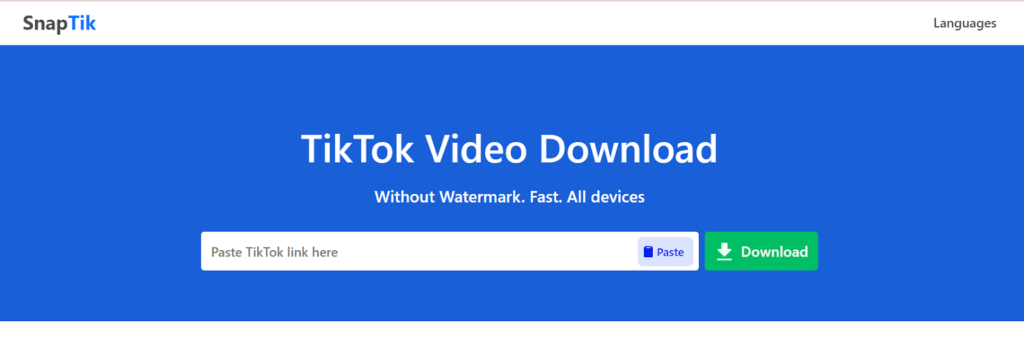
SnapTik is a top-rated online TikTok video downloader that saves videos without watermarks. This TikTok saver is user-friendly and free, without any additional installation or payment. All you need is a browser and a TikTok video link. You can also download its TikTok downloader app for iOS and Android from Google Play or App Store.
How Does SnapTik Work?
1. Copy the Video Link: First, open TikTok, select the video, click Share, and then Copy the Link.

2. Paste the Link: Now, go to the SnapTik website and paste the link into the search box.
3. Download the Video: Click ‘Download,’ and wait for processing. Then save the video in your desired format to your device.
SnapTik Key Features
- It is the best online TikTok video downloader to save TikTok videos without watermarks.
- It is free to use.
- There is no need to install any software.
- The process is simple and fast.
- The Snaptik TikTok downloader is regularly updated.
- It is compatible with multiple devices.
- Using it, you can save TikTok videos as HD MP4s.
- It also lists support for TikTok photo slideshows and a “Download All (ZIP)” option.
2. SSSTIK TikTok Saver
SSSTikTok is the second best online TikTok downloader that works on all browsers, Android, and iOS. It allows you to download any TikTok video or song in HD format with no watermark.

How Does SSSTik Work?
1. Copy the Video Link: Open TikTok, select the video, tap ‘Share’, and choose ‘Copy Link.’
2. Paste the Link: On iOS, you need to first install the Documents by Readdle from the App Store. Then, tap the web browser icon, and use it to download TikTok videos. For other platforms, simply visit the SSSTIK website directly.
3. Download the video: Paste the link into a text box and tap ‘Download’. Your video will download quickly and without watermarks.
SSSTIK Key Features
- Unlimited Downloads: Save as many videos as you want.
- No watermark: Download videos without the TikTok logo.
- MP4 and MP3 Formats: Save videos in HD quality to MP4 or MP3 formats.
- Free to Use: There is no charge for any downloads.
- No Username Needed: Just paste the link and download.
- Cross-Platform: Compatible with any browser and operating system.
- No Trademarks: It is a perfect solution for editing TikTok videos with no trademarks.
- Extras: The site also links to a TikTok Stories downloader, a TikTok MP3 page and an app/APK download.
3. SaveTT
SaveTT (the site is savett.cc, and many people search for it as “Savett”) is the third online TikTok video downloader on our list. It functions similarly to other TikTok downloaders. Simply copy a video URL from the TikTok app or website and paste it into the input box on SaveTT. Now, you can download the video without a watermark with just a few clicks.

SaveTT Key Features
- Free Service: No cost to use.
- Unlimited Downloads: No limit on downloads.
- Safe and Easy: No software installation or registration is required.
- Cross-Device Compatibility: Works on any device with browsers like Chrome, IE, Safari, and Firefox.
- Fast and Easy: Quickly download and save any TikTok video.
- Legit and Practical: A reliable and efficient tool for downloading TikTok videos.
- More Than Video: Its site also lists MP3 audio, original-size profile pictures and HD photo slideshows.
4. Tmate TikTok Downloader
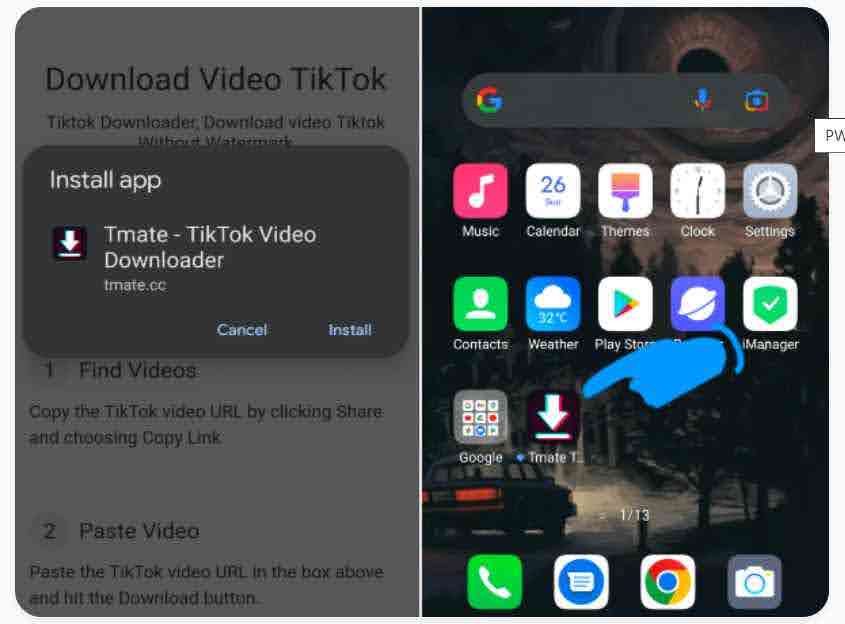
Tmate.cc is an online TikTok downloader service on Your PC to help you download the highest quality TikTok Videos in MP4. To use its no-install web version for PCs, simply paste the TikTok video’s link into the text field on the website, and click ‘Download.’ It is also available as an Android app.
Tmate Key Features
- It offers a fast TikTok video downloader.
- Tmate is safe and Free.
- You can save TikTok videos in high resolution (HD) with no watermark.
- Its site also links to a TikTok to MP3 page and a TikTok Story downloader.
5. LoveTik
LoveTik is a free online TikTok downloader that says it saves videos without a watermark as MP4 or MP3. It offers several quality options, from 540p to 720p HD and 1080p Full HD, and it can render a photo slideshow as a high-quality video. It says there is no login, no software and no download limit, and that it works on iPhone, Android, Windows and Mac.
How to use LoveTik: copy the video link in TikTok (Share, then Copy link), paste it into the box on LoveTik, choose MP4 or MP3 and the quality, then tap Download.
- MP4 and MP3 formats
- Quality options up to 1080p
- Photo slideshow rendering
- No account or software needed (per the site)
6. TTDown
TTDown is a simple browser-based downloader. You paste a TikTok link to download the video as MP4, and a button on the result page converts it to MP3. It says it works without special software and also handles Douyin links.
How to use TTDown: copy the TikTok link, open TTDown, paste it and press the download button, then choose the MP4 download or the MP3 converter.
- MP4 download and MP3 conversion
- Works in a browser with no installation (per the site)
- Supports Douyin links as well as TikTok
- Plain interface with few extras
How to Save a TikTok Video as MP4
Every tool above saves TikTok videos as MP4, which plays on almost any phone, computer or editing app. The steps are the same everywhere:
- In the TikTok app, open the video, tap Share and choose Copy link.
- Open SnapTik, SSSTik, SaveTT or Tmate in your browser.
- Paste the link into the box and tap Download.
- Choose the MP4 (no watermark) option and save the file to your device.
Can’t find the video you want to save? Open your TikTok watch history to find videos you watched earlier, open the one you need, then use Share and Copy link as above.
If you only need the sound, SSSTik, SaveTT and Tmate also offer an MP3 option, which is handy for turning a TikTok audio clip into a file you can edit. For step-by-step methods, see our guide on how to download TikTok audio as an MP3.
TikTok Video Downloader App vs Online Downloader
Some of these services offer an app or an install option, but you do not need one. The web versions work in any browser on iPhone, Android and desktop, and SaveTT says on its site that it works on iPhone, Android, iPad and desktop. If you do want an app, install it from the official App Store or Google Play listing. Be careful with APK files from other websites, because they can carry malware or intrusive ads, and a downloader never needs your TikTok password.
TikTok Downloader Status Check (October 2026)
We loaded each site on October 11, 2026. This shows whether a site responded, not whether a particular video will download. Free downloaders go up and down often, so keep a backup.
| Tool | Status when we checked |
|---|---|
| SnapTik | Reachable |
| SSSTik | Reachable |
| SaveTT | Reachable |
| LoveTik | Reachable |
| TTDown | Reachable |
| Tmate | Blocked our automated check (browser verification) |
TikTok Downloader Not Working? 7 Quick Fixes
- Copy the link again. Use Share, then Copy link, and avoid links with extra text.
- Check the video is public. Private videos and some deleted videos cannot be downloaded.
- Try another tool. If one downloader is down, use another from the list.
- Use a different browser. Switch between Chrome, Safari and Firefox, or open it in a private window.
- Turn off your ad blocker for that tab. Some sites need ads to load the result, but close any pop-ups that ask you to install something.
- Wait and retry. Busy servers can fail for a few minutes.
- Use TikTok’s own Save option. If the creator allows downloads, TikTok offers Save video in the app, with a watermark.
For audio only, see our guide to TikTok to MP3. Our TikTok viewers guide lists more tools if you want to view profiles instead.
Is It Safe and Legal to Use a TikTok Downloader?
Downloading a video for your own use, such as watching it offline, is what most people do. The video still belongs to its creator, so do not re-upload it as your own or use it commercially without permission, and give credit when you share. TikTok also lets creators turn downloads off, so respect that choice. Rules differ by country and by platform terms, so treat this as general information, not legal advice.
To reuse another creator’s video the right way, use TikTok’s own tools, such as repost, stitch or duet, so the original creator is credited. If you saved your own clip and want the original gone from your profile, see how to delete a TikTok video. Planning to reuse your clips on other platforms? Read our guide to repurposing content for social media.
Related TikTok Guides
- Best anonymous TikTok viewers for watching profiles without an account
- How to make a slideshow on TikTok
- How to duet on TikTok and how to stitch on TikTok to reuse other creators’ videos properly
- TikTok captions and trending TikTok hashtags for your own posts
- How to download Instagram stories if you also save content from Instagram
- How to repost on TikTok to share a video without downloading it
- TikTok watch history to find a video you watched earlier
- How to see who viewed your TikTok profile
Looking for more? Browse our full TikTok guide for captions, hashtags, scheduling and growth tips.
Conclusion
After reading this list, your search for a reliable TikTok video downloader that doesn’t leave annoying watermarks is finally over. In this guide, we’ve highlighted the top TikTok savers that offer a seamless user experience without requiring you to install or log into anything.
All six are free, browser-based and let you paste a link and save a clean MP4, and five of them also list MP3. If you are not sure which to pick, start with SnapTik for videos and slideshows, or SSSTik, SaveTT or Tmate if you also want the audio. Try one and see which works best for you.
FAQs on the Best TikTok Saver
Below are some of your frequently asked questions about this topic. So let’s get started.
Q1. What Is the Best App to Download TikTok Videos without Watermarks?
SnapTik, SSSTik, SaveTT and Tmate all save TikTok videos as MP4 without a watermark, and SSSTik, SaveTT and Tmate also offer MP3. Which is best depends on whether you also want audio, stories or photo slideshows, as shown in the table above.
Q2. Is It Legal to Use TikTok Video Downloaders?
Saving a video for personal use is common, but the video belongs to its creator. Do not re-upload or use it commercially without permission, give credit when you share, and respect creators who turn downloads off. Laws and platform rules vary, so this is general information, not legal advice.
Q3. Does the YTS5 TikTok Video Downloader Work?
We tested YTS5 for TikTok in 2024 and it did not work then. Its site (yt5s.io) now presents itself as an Instagram and Facebook downloader, so for TikTok we recommend using one of the six tools above instead.
Q4. Do I Need to Have a TT Account to Download TikTok Videos?
No, you don’t need a TikTok account to use these TikTok video downloaders. Just paste the video link into the input field at the top of the page and click ‘Download.’
Q5. Can I Download a TikTok Video Without the Watermark?
Yes. TikTok’s own Save video option adds a watermark, but SnapTik, SSSTik, SaveTT and Tmate all say they save the video without it. The video has to be public, and the creator may have disabled downloads inside the app. See our step-by-step guide to downloading TikTok videos without a watermark.
Q6. How Do I Save a TikTok Video as MP4?
Copy the video link from TikTok, paste it into any of the downloaders above, and choose the MP4 option. The steps are in the “How to Save a TikTok Video as MP4” section.
Q7. Can I Download Only the Audio From a TikTok?
Yes. SSSTik, SaveTT and Tmate list MP3 downloads on their sites. Paste the video link and pick the MP3 option instead of the video. Our TikTok to MP3 guide has the full steps.
Q8. How Do I Download TikTok Videos on iPhone?
Open one of the downloader sites in Safari, paste the video link and tap Download. The file lands in the Files app under Downloads, and you can save it to Photos from the Share menu.
Q9. Can I Download TikTok Videos on a PC?
Yes. Copy the video address from your browser, paste it into any downloader above in Chrome, Edge or Firefox, and the MP4 saves to your Downloads folder.
Q10. How Can I Find a TikTok Video I Watched Earlier?
Open your TikTok watch history under Settings and privacy, then Activity center. Open the video and use Share and Copy link if you want to download it.
