

Who doesn’t love getting lost in Instagram Reels? These short, fun videos have changed how we consume content, giving us both entertainment and inspiration. Whether you’re an influencer, a brand, or just love sharing creative moments, Reels are your ticket to go viral on Instagram.
Reels are flexible, ranging from popular challenges to behind-the-scenes clips. It’s not just about following trends but starting them and making content that interests viewers.
In this guide, we’ll share the steps to make Instagram Reels, how the Reels algorithm works, and the best practices that boost your Reels engagement and visibility.
Ready to master Reels? Let’s dive in!
What Are Instagram Reels?
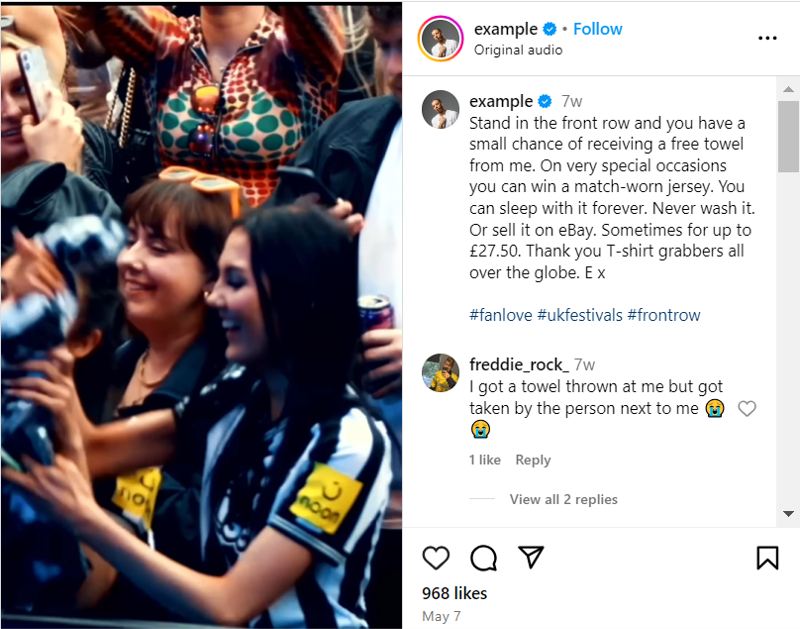
What is an Instagram Reel
Instagram Reels, out in August 2020, lets people make and share short videos to show their skills and talents and get more viewers. Even though it started with 60 seconds, it can now go for 15 minutes if it’s a video you made before. But if you make a Reel on Instagram (using the Instagram camera), it can only go from 15 to 90 seconds.
Reels came about because TikTok became popular for short, fun videos. When TikTok faced potential bans in some places (like the US) in August 2020, Instagram came up with Reels to keep its audience engaged and attract new users who were previously using TikTok.
This Instagram feature has been very successful, and according to statistics, the trend keeps increasing.

Daily Instagram Reels posted, by account size (Statista)
Instagram Reels Features
Here are the latest features on Instagram Reels:

Instagram Reels Features
1. Editing Tools
- Augmented Reality Effects: AR filters for enhancing Reels.
- Transitions: Smooth transitions between clips
- Speed Adjustment: Options for adjusting video speed.
2. Audio Attribution
- Overlay Audio: Using sounds from other users’ videos with proper credit to the original creator.
3. Stitchable Takes
- Multiple Takes: Combining multiple clips or creating one continuous take.
4. Duets (Remix a Reel)
- Side-by-Side Interaction: Create a Reel alongside another user’s Reel with the “Remix a Reel” option.
5. Instagram Shareability
- Sharing Options: Sharing Reels on your Stories, profile, Reels tab, or Explore page.
6. Ads in Reels
- Advertising: Ads placement in the Reels tab, Explore page, and Feed to reach a broader audience.
7. Interactive Elements
- Polls and Questions: Engaging the audience with interactive stickers.
- Links: Adding links to Reels if the feature is available to the account.
8. Templates
- Pre-Made Layouts: Instagram’s templates for quick Reel creation.
9. Insights and Analytics
- Performance Metrics: Tracking views, likes, comments, shares, and saves for content optimization.
10. Green Screen
- Background Change: Green screen effects for changing the background of Reels.
11. Text and Stickers
- Text Overlay: Enhancing videos with text and stickers for additional context or fun.
Comparing Instagram Reels, Stories, and Posts
Here’s a brief comparison of Instagram Reels, Stories, and Posts to help you decide which format to use:
| Feature | Instagram Reels | Instagram Stories | Instagram Posts |
| Purpose | Short, engaging, discoverable content | Timely updates and interactions | Permanent content showcasing photos and videos |
| Length | Up to 90 seconds | 15 seconds per Story, lasts 24 hours | Photos and videos up to 60 minutes |
| Visibility | Explore page, Reels tab, profile | Top of followers’ feeds, DMs | Main feed, profile grid |
| Features | Extensive editing tools, music, effects | Polls, Q&A, links, stickers | Captions, tags, location info |
| Format | Vertical (9:16 aspect ratio) | Vertical (9:16 aspect ratio) | Vertical, horizontal, or square |
| Editing Tools | Advanced editing tools, AR effects, speed adjustment | Basic editing tools, text, stickers | Basic editing tools, filters |
| Engagement | High engagement with trending audio and effects | Interactive elements for direct engagement | Likes, comments, shares |
| Ephemeral Nature | No | Yes, disappears after 24 hours | No, remains until deleted |
Instagram Reels vs. Stories vs. Posts
Suggested Post: Can you see who watched your reels on Instagram?
How to Make Reels on Instagram?
To make a Reel, follow these detailed steps to ensure a creative and engaging process:
1. Open Instagram and Tap the Plus (+) Icon

- Select ‘Reels’ from the options.

Note: You can create your Reels instantly by drafting your photos or videos in this section. Everything you need is pushing on the square option on the right section and choosing the photos or videos you want to create instant Reels by using them.
2. Create or Upload Content
Tap on the ‘camera’ if you want to choose an option from your gallery.

3. Record or Upload A Reel
You can record a Reel or upload from your gallery, all the options are shown at the bottom of your screen.

4. Mange Option
By clicking on the manage option, you can add more photos or videos to create your Reels.

5. Choose Effects
After choosing your video, you will see a page with multiple options. On this page, you can choose a suitable song 🎵, add stickers, write text on your video, choose a filter, and more. Then, click on the ‘Next’ option to proceed to the next step.

6. Now, you can write your caption, choose relevant hashtags, tag people, add a location, etc. Then, tab on the ‘Share’ button to finish the steps.

How Does the Instagram Reels Algorithm Work?
Learning how the Instagram Reels algorithm works is important for increasing your presence on the platform. The Instagram algorithm picks Reels with lots of likes, comments, shares, and long watch times.
This shows that people find the content helpful. New, original content that uses Instagram’s creative tools, like text and effects, usually does well. But old, low-quality, or reused content (especially the ones with a trademark) is not as important to the algorithm.
Furthermore, regularly posting relevant content and engaging with your audience can boost your Reels visibility. You can also use trending hashtags and relevant keywords to increase your content’s discoverability and reach interested users.
Instagram Reels Best Practices in 2024
To make your Instagram Reels stand out, focus on regularly posting high-quality Reels, leverage trends, engage with your audience, and use analytics to optimize your content. Here are the top 15 best practices to rock your Instagram Reels.

Instagram Reels Best Practices
1. Stay Consistent
Consistency is key. Aim to share a Reel on Instagram regularly, 3-5 times weekly. Adjust your posting frequency based on audience engagement and analytics.
2. Use Analytics
Leverage Instagram’s built-in analytics to track performance. Use this data to refine your content strategy and boost Reels on Instagram effectively.
3. Follow Trends
Keep up with the latest trends to keep your content fresh. Use trending sounds, effects, and formats to stay relevant.
4. Engage with Your Audience
Engage with followers by responding to comments and messages. Building relationships increases loyalty and interaction.
5. Provide Value
To get followers from Reels, ensure your Reels offer value through tips, tutorials, or entertaining content. This keeps your audience engaged and coming back for more.
6. Add Captions
Include captions to make your Reels accessible to all. Use Instagram’s auto-caption feature for ease.
7. Boost Reels
Consider boosting Reels by turning them into ads. Use original audio or royalty-free music to avoid copyright issues and choose your target audience, budget, and duration for the boosted Reel.
8. Schedule Reels
Plan and schedule your Reels using tools like Hootsuite to ensure they go live at the best times to post Reels on Instagram.
9. Use Hashtags
Incorporate 3-5 relevant hashtags to help the Instagram algorithm understand your content and serve it to the right audience.
10. Reply with Reels
Reply to comments with Reels to boost engagement and create more interactive content.
11. Split Clips
Edit your Instagram Reels to remove uninteresting parts by splitting and trimming clips.
12. Use Templates
Make use of Instagram Reel templates to save time while making your Reels and keeping up with trends.
13. Track Reels Insights
Monitor your Reels’ performance through Instagram Insights to understand what works best and adjust your strategy and Instagram Reels ideas accordingly.
14. Optimize Instagram Reels Size
Ensure your Reels are in the correct size format (1080 x 1920 pixels) to ensure high quality and avoid cropping issues.
15. Increase Shares on Instagram
To make your Reels more shareable, create engaging and relatable content that resonates with your audience. Use catchy hooks in the first few seconds, add trending music, and include clear CTAs asking viewers to share. Collaborate with influencers to reach a wider audience and increase the likelihood of your Reels being shared.
Think about brands such as Nike and famous people like Charli D’Amelio. They use these strategies to achieve massive engagement and visibility on Instagram. Their posts are top-notch, relevant, and timely.
They’re often the ones who start new trends, not just follow them. If you do the same strategies, you can also use Instagram Reels to grow your presence on the platform.
Conclusion
Once you master Instagram Reels, it can transform how you engage with your audience, giving you many chances to be creative and visible on Instagram. Using this guide’s tips and best practices, you can make interesting Reels that grab attention and get people involved. Don’t just copy trends; make content that touches your viewers’ hearts.
Remember that consistency is key. Update your content regularly and remain true to your brand. Always keep trying out new ideas and features without fear of taking risks and watch your influence grow while you move through the dynamic world of Instagram Reels. Ready to go viral? Start creating today!
FAQs
Here are some common questions you might also have on Instagram Reels:
1. How to Download Instagram Reels?
You can use several methods to download Instagram reels. Here is a breakdown for your own Reels, others’ Reels, and downloading Reels on the desktop.
For Your Own Reels:
- Open Instagram and go to your profile.
- Select the Reels tab.
- Open the desired Reel.
- Tap the three dots and select “Save to Camera Roll.”
For Others’ Reels:
- Use Instagram’s built-in tool by tapping “Share” and then “Download.”
- Alternatively, use third-party apps like InstDown or InSaver for iOS and Reels Video Downloader or AhaSave for Android.
On Desktop:
- Use tools like Loom or OBS Studio to record the screen.
Try AiGrow Instagram Reels downloader! You can use it without making an account or signing up. It’s safe, easy, and free. Plus, it works on any device. You can get as many Reels, photos, and Stories as possible. Start using AiGrow now and get all your favorite Instagram Reels quickly and easily!
2. Can You Hide Likes on Your Instagram Reels?
Yes, hiding likes on Reels is possible! Here’s how you do it:
- Open the Reel you wish to download and click the three dots at the top right.
- Tap “Manage” and then tap “Hide likes:”
3. How Many Reels Should I Post a Week?
It’s hard to say how many Reels to post every week. It depends on your business, audience demographics, and engagement patterns. Brands like Later posts 3-4 Reels weekly.
To discover your best posting plan:
1. Try to post regularly, like 3-5 Reels each week. Spread them out to catch when most people are online.
2. Learn when your audience is active and change your posting plan to match their habits.
4. Are Instagram Reels Public If Your Account Is Private?
If your Instagram account is private, only your own followers can see and share your Reels. Only your followers can watch your Reel when someone shares your Reel.
Also, your videos won’t appear on the Explore page or hashtag pages where public videos are usually found. This ensures that your content remains within your follower circle and keeps the privacy of your account.
5. Can You Use a Reel as a Story?
Yes, you can share a Reel as a Story on Instagram. Here’s how to do it:
1. Create or Select a Reel: You can create a new Reel or choose an existing one from your profile.
2. Share Option: After creating or selecting the Reel, tap the “Share” button.
3. Add to Story: Choose the option to share it to your Story. You can customize it with text, stickers, or other effects.
4. Post: Tap “Your Story” to publish it.
This allows your followers to view your Reel in both the Reels tab and your Stories.
6. Should I Turn My Stories Into Reels?
Turning your stories into Reels can be very useful for many reasons. Reels last longer than stories, which disappear after 24 hours. They can also help more people find your content, as they can appear on the Explore page and Reels tab, reaching more people.
Reels also come with better ways to edit your content and add music. You can also see analytics about how your reels are doing, helping you create better content. However, considering the nature of your content, Stories might still be good for timely content or content that requires interaction.
7. Are Reels More Important Than Stories?
Both Reels and Stories are important in different ways. Reels are good for keeping people engaged for a longer time and helping others find you, as they can show up on the Explore page and stay on your account forever. They are a great way to show your creativity and attract a wider audience, due to trending music and effects.
On the other hand, stories are great for sharing current news and interactive stuff, and they make people feel like they need to act fast because they vanish after 24 hours. Using both cleverly can help you reach and connect with more people on Instagram.
