


Instagram Notes is a new feature that allows users to share short status updates with their followers. It’s a great way to connect with your audience, foster connections, and build a dedicated community.
However, some users may be wondering why they don’t have access to the Notes feature yet. There are a few possible reasons, which we’ll explore in this blog post.
We’ll also provide some troubleshooting tips to help you get the Notes feature up and running, if possible.
So, if you’re wondering why your Instagram doesn’t have notes, keep reading! We’ll help you get to the bottom of it.
Why don’t I have instagram notes?
There are a few reasons why your Instagram may not have notes:
The feature is not yet available in your region
Instagram is gradually rolling out the Notes feature to different regions around the world. If you don’t have the feature yet, it’s likely that Instagram hasn’t rolled it out in your region yet.
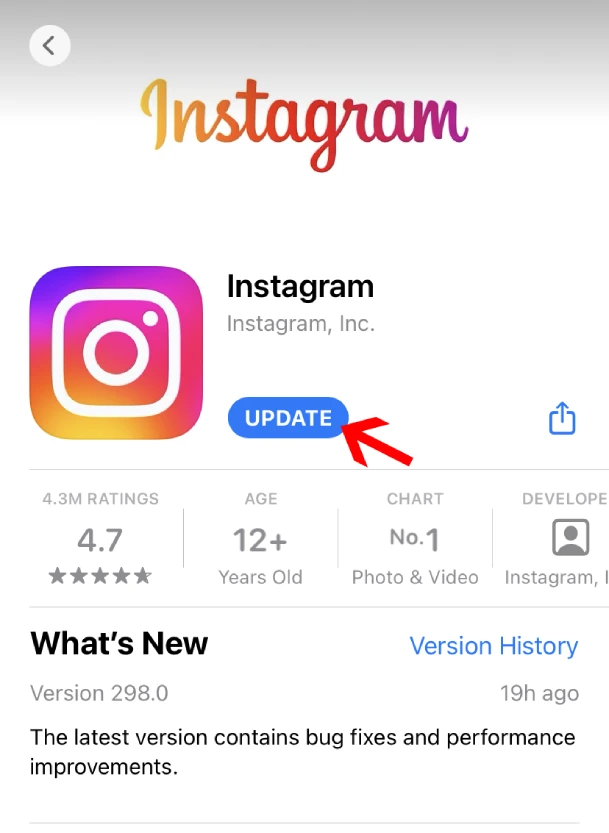
You have an older version of the Instagram app
To use the Notes feature, you need to have the latest version of the Instagram app installed on your device. Check the App Store or Google Play Store for updates to the Instagram app.
Read more: why has Instagram direct Messages Disappeared?
You have a professional account
The Notes feature is currently not available for professional accounts. If you have a professional account, you’ll need to switch to personal account on Instagram to use the Notes feature.

You have a bug in your Instagram app
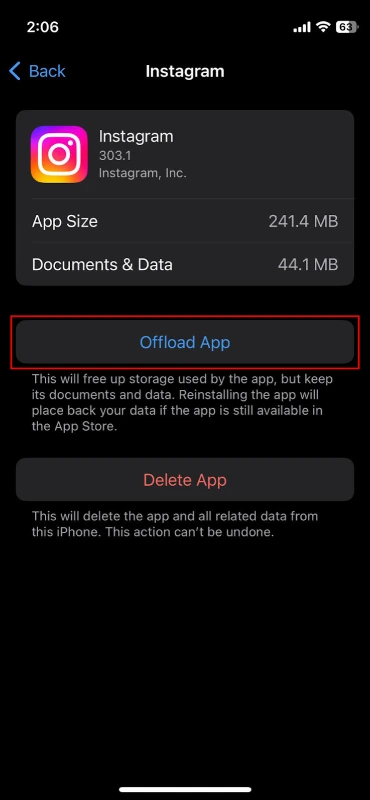
It’s also possible that there’s a bug in your Instagram app that’s preventing you from using the Notes feature. To try to fix this, you can try offloading or reinstalling the Instagram app.
offload the Instagram app on iOS:
- Open the Settings app.
- Tap General.
- Tap iPhone Storage.
- Find and tap Instagram.
- Tap Offload App.
reinstall the Instagram app:
- Delete the Instagram app from your device.
- Download the Instagram app again from the App Store or Google Play Store.
If you’ve tried all of the above and you still don’t have the Notes feature, you can contact Instagram support for help.
Steps you can take to try to get the Notes feature on your Instagram
- Check if the Notes feature is available in your region.
- Update the Instagram app to the latest version.
- Switch to a personal account if you have a professional account.
- Offload or reinstall the Instagram app.
- Contact Instagram support if you’re still having problems.
FAQs
Now let’s answer some frequently asked questions on this subject:
Why don’t I see notes on Instagram?
- Not yet available in your region
- Older version of the Instagram app
- Professional account
- Bug in the Instagram app
How do I enable notes on Instagram?
- Update the Instagram app to the latest version
- Switch to a personal account if you have a professional account
- Offload or reinstall the Instagram app
Why don’t I have notes on Instagram after update?
- Bug in the Instagram app
- Not yet rolled out to your region
Why did my Instagram notes disappear?
- Bug in the Instagram app
- Notes feature not yet available in your region
- Switched to a professional account
Final Thoughts
Instagram Notes is a new and exciting feature that allows users to share short status updates with their followers.
It’s a great way to connect with your audience, foster connections, and build a dedicated community.
If you’re not able to use the Notes feature yet, don’t worry. Instagram is gradually rolling it out to different regions around the world.
In the meantime, you can check the App Store or Google Play Store for updates to the Instagram app, and make sure that you’re using a personal account.
Once you have the Notes feature, be creative and have fun with it! Share your thoughts, your feelings, and your everyday life with your followers.
And don’t forget to follow other users to see what they’re sharing as well.
