


Confession time, folks! I’ve always been a bit curious about those sneaky drops in my Instagram followers.
Ever wondered, like me, how to see who unfollowed you on Instagram? Well, good news! It’s possible now, and guess what? I took it upon myself to try all the methods out there. Here’s the lowdown:
- Do a manual check and eyeball missing followers.
- Use Instagram unfollowers apps and tools to track those unfollows.
So, I played detective to see which tricks actually spill the beans on who’s hitting that unfollow button on Instagram.
Join me in this little adventure, and let’s crack the code together!
Can You See If Someone Unfollowed You on Instagram?
When someone unfollows you on Instagram, the platform won’t notify you, and you won’t know the exact time. However, there are ways to find out who unfollowed you, and we’ll explore them.
How to See Who Unfollowed You on Instagram (without an app)
Manual methods are the go-to for those without a massive followers list. But keep in mind that the manual approach varies. Here’s a breakdown of how these different methods work:
#1. Check Your Own Followers’ List (app and desktop)
Simply open your Instagram app, log into your account, and then:
- Tap on your “Followers” list at the top.
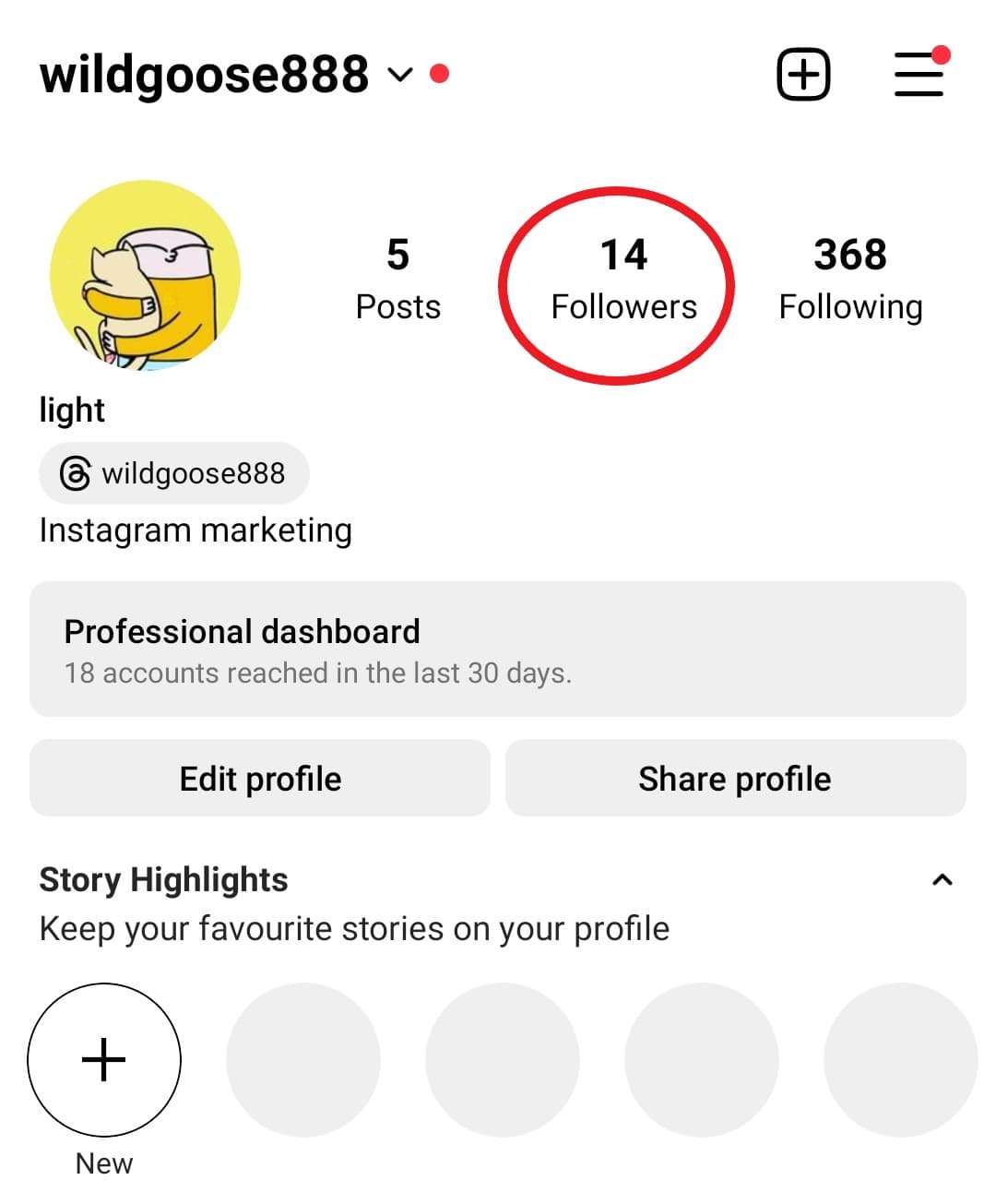
- Type the name of the account you think may have unfollowed you into the search bar. If you’re not sure, just scroll through the list to find the user
- If the account appears, it means they’re still following you. If they don’t show up, it means they’re either not following you anymore.
#2. Check The Following List Of Other Users (app and desktop)
Here’s how to do so:
- Open Instagram and go to the “Search” page (bottom left, next to the home icon).
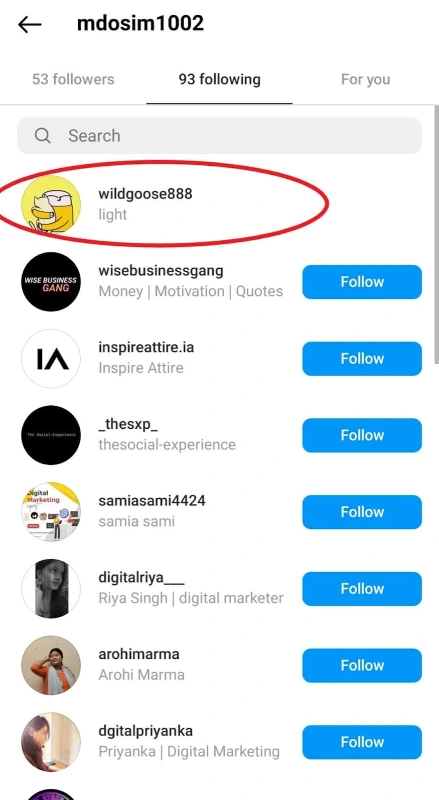
- Type the name of the account you want to check.
- Visit their profile and tap “Following.”
- Search for your account’s name. If it appears, they follow you. If not, it means they either didn’t follow you in the first place or may have unfollowed you.
#3. Check Through “See Shared Activity”
Here’s another app feature that helps you find who doesn’t follow you back and who unfollowed you.
- Head to your profile, click on Following, and tap the three dots next to each account
- Then, select See Shared Activity.
- Here, you can check if the user follows you back and see when you started following them.

Also read: How to see who I unfollowed on Instagram.
How to See Who Unfollowed You on Instagram: Apps & Tools
When you’re curious about who unfollowed you on Instagram, apps, and tools can be a big help. But more crucial than that is your account security.
Let’s explore unfollower tracker apps, looking at both the good and not-so-good sides.
#1. AiGrow: Safe and Human-powered Tool to Check Unfollowers
If I had a bunch of followers to check, I’d go with AiGrow. It’s all manual, has a money-back guarantee, and you can cancel anytime.
Besides, you don’t need to worry about getting banned by Instagram or your data being at risk.
All you need to do is create an account and add your Instagram account to AiGrow’s dashboard. Then you can pick and buy one of the Unfollower Tracker plans that fits you the most.
Then, you’ll have a dedicated account manager who will spot unfollowers (Those who stopped following you) and non-followers (those who don’t follow you back) and provide you with a list.

You can unfollow whoever you want from the list. But with AiGrow, there’s more—you can use Mass Unfollow plans to easily mass unfollow non-followers on Instagram. Safe and simple!
Are There More Apps to See Who Unfollowed You on Instagram?
Many apps on Google Play Store and the App Store claim they can show who unfollowed you.
Some are even touted as the “best app to see who unfollowed you on Instagram”. But what’s really going on behind the scenes? Do they actually work?
FollowMeter (Android & iOS)
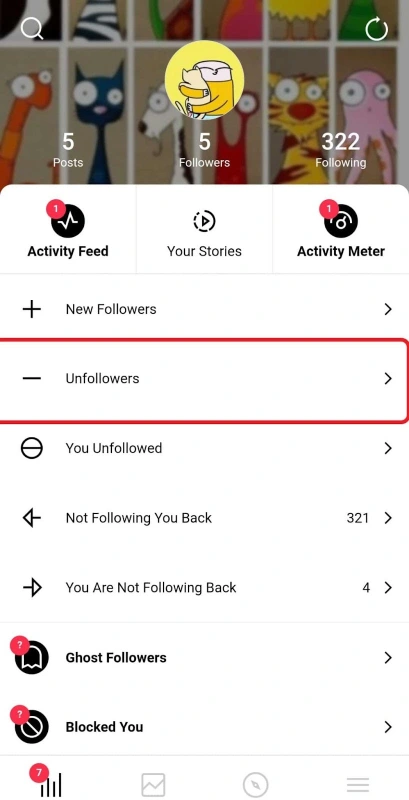
FollowMeter is an app to track unfollowers and those not following you back. It reveals unfollowers since you installed it.
On Google Play, it’s got 3.4, and on the App Store, it’s a 4. However, recent reviews are griping about constant issues with IG accounts and too many ads.

Followers & Unfollowers (Android)
It’s a bit confusing! On the Google Play Store, there are four apps named Followers Unfollowers, each with different logos – three with “Followers & Unfollowers” and one with “Followers-Unfollowers.” They all let you see who unfollowed you since you installed the app, and it’s free.
You should log in, sync your data, and the app will show you unfollowers and people not following you back

Here’s a common thread among all of them. Recent reviews on these apps mention they don’t work, have trouble syncing data, and could put your account at risk.
InReports+ Unfollowers Track
This Android app, rated 3.7 stars, needs you to log in with your account (username and password) to check who doesn’t follow you back or who unfollowed you.
But after trying it multiple times, I kept getting these messages!
That’s why I don’t trust these apps!

Followers+ Reports for Insta (Android)
This app is free to download, but if you want to check the list of unfollowers, you’ll have to go Premium. It costs Euro 5.49 weekly or Euro 8.99 monthly.
nFollowes (iPhone)
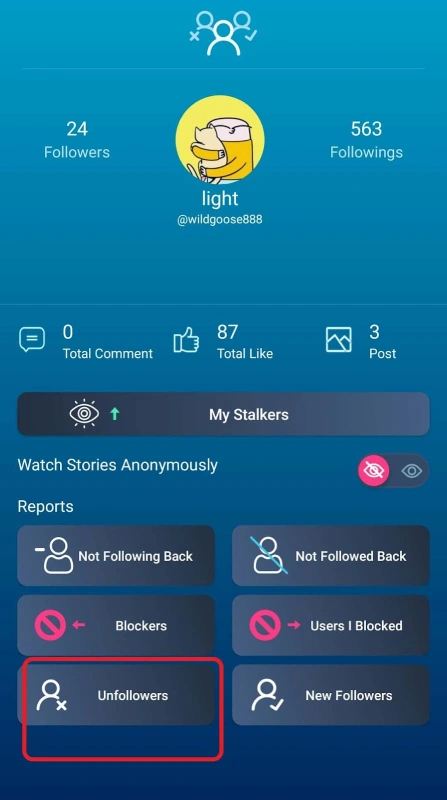
nFollowers is said to be one of the best unfollow apps, or so everyone claims. However, the reviews tell a different story.
I checked the App Store, and here’s what I found. First off, there are only a few recent feedbacks, and secondly, most of the reviews are griping about some issue. So, what’s more effective than users’ experiences to decide if an app is worth it or not?

What Are the Pros & Cons of third-party apps to check Unfollowers?
Well, tracker apps on Instagram, just like the manual method, have their pros and cons. Let’s dive into them.
Using third-party apps can be a time-saver and convenient, but they come with some downsides. As someone who uses a lot of these apps, I noticed that when I installed them, my mobile phone got slow.
And here’s the catch – there’s no way to check Instagram unfollowers without logging in, which poses a big risk to our private data.
I checked the reviews, and users are always complaining about bugs and crashes. I experienced it myself – they keep logging you out. Not a smooth experience!
FAQs
Now, it’s time to explore some FAQs about our topic:
Can People See Who Has Unfollowed Them on Instagram?
Well, Instagram doesn’t directly notify you when someone unfollows you. But, there are tricks to find your unfollowers, like downloading your info or using third-party apps and tools.
How to Check Who Recently Unfollowed You on Instagram?
To be honest, there’s no way to find recent unfollowers on Instagram. Even third-party apps show you unfollowers since you installed the app.
