

It’s been nearly a month since Threads launched, drawing millions of sign-ups. Have you come across the Threads badge recently? This badge appears on the Instagram profiles of those who joined Threads.
But what’s it and how does it work? Could it be part of Meta’s future plan? Let’s delve into the details in this blog as we explore the world of the Threads badge.
What Is Threads Badge Meaning on Instagram?
Threads badge on Instagram is a sign showing a special connection between your Instagram profile and the Threads app. When you see this badge, it means you’ve linked the two platforms.
The good news is that you can add the Threads link to your Instagram profile. By using the Threads badge, you can improve your engagement and keep your followers updated with your latest content.
Also, check out how to increase Threads followers.
What is Threads badge number meaning?
As you might look at your Threads profile, you might start wondering: why my Threads badge has no number? But, don’t worry! Threads badge number, which has now been removed, used to show how many people signed up for Threads before them.
Is the Threads badge temporary?
Yes, as mentioned earlier, the numbered badge on Threads has been removed. However, you can still see the app’s logo at the top of your Instagram profile, and the best part is that you have the option to hide it if you’d like.
How to see the Threads badge number?
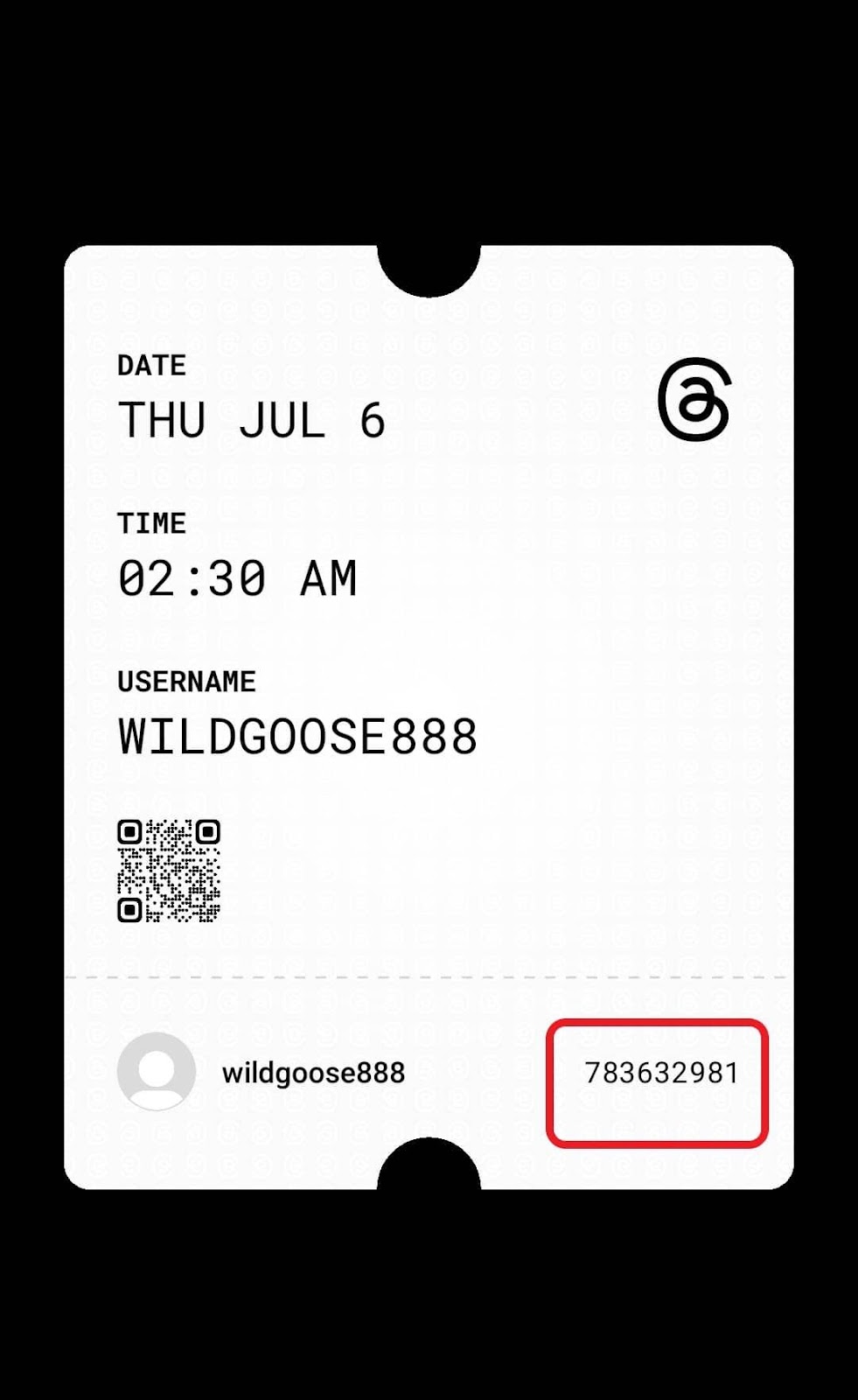
Although the badge number is not visible on your Instagram bio, you can see it and it’s not a secret! Just open your Instagram profile and tap the three-line icon at the top right corner. Select “Threads” and a screen will be displayed, showing your badge number.
How to add Threads badge to Instagram bio?
Once you create a profile on Threads, you’ll get the badge automatically on your Instagram bio. You can choose either to keep it or hide it from your Instagram profile.
How to hide Threads badge on Instagram profile?
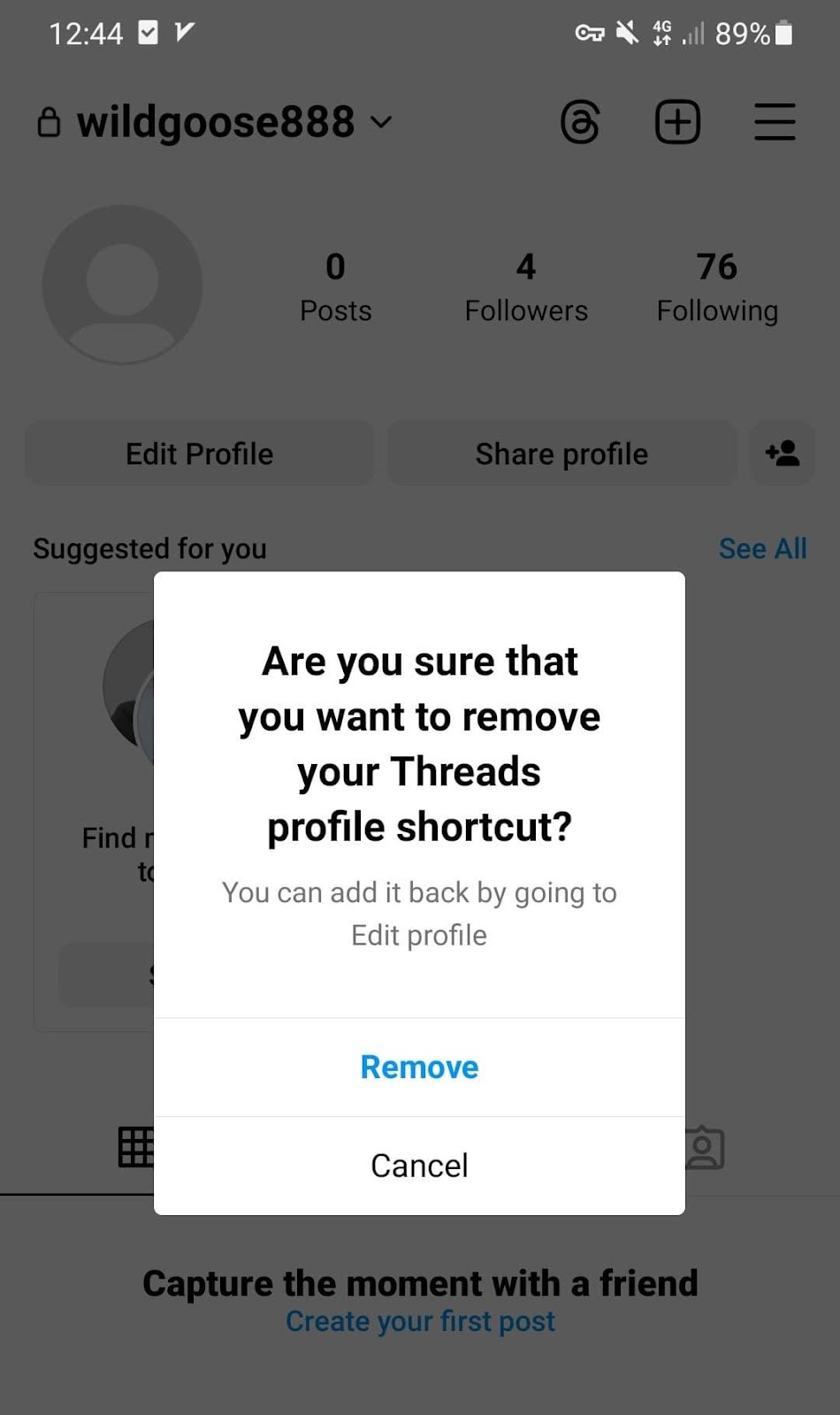
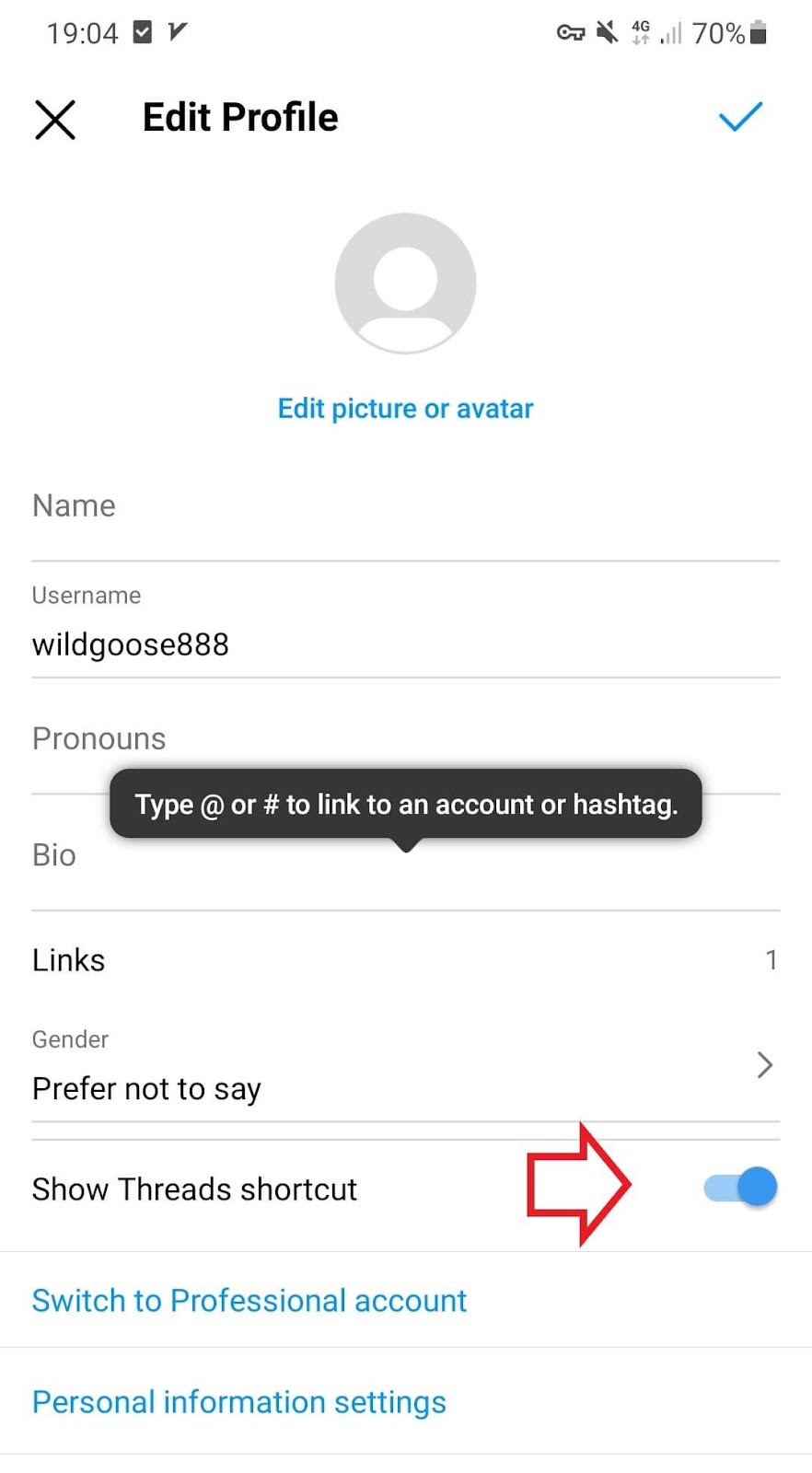
No worries if you don’t want the Threads logo shows up at the top of your Instagram profile. You have two simple ways to remove it:
- Just open your Instagram profile, long-press the icon, and then tap remove.
Or;
On your Instagram profile, tap Edit profile, and turn off the toggle next to the “Show Threads shortcut”.
How to get Threads badge back on Instagram?
You may change your mind and want to know how to unhide Threads badge on Instagram. It’s just as simple as hiding it. Here we show you the steps to how to add a Threads badge to Instagram after removing it.
- head over to your Instagram profile;
- Tap on Edit profile;
- Turn the Shortcut toggle on.
FAQs
Let’s take a look at the most frequently asked questions on the topic.
What is the difference between the Threads logo and the Threads badge?
The Threads logo on Instagram is the app’s icon or symbol located at the top of the user’s Instagram profile.
On the other hand, the Threads badge was a feature that used to show the number of users who signed up for Threads before a specific user.
Can I see my followers’ badges on their Instagram profiles?
Yes, if they don’t hide the badge, it will be visible to all other users on Instagram.
Is the Threads badge available for all Instagram users?
While it’s available for all Instagram users in more than 100 countries, Threads is not accessible in European Union countries due to local regulations.
Should I keep my Threads badge or remove it?
Whether you choose to keep or remove the badge is up to you. however, keeping it can bring some benefits.
For example, your Instagram followers will immediately know you’re on the app and can join you with just a tap on your badge. This could lead to more engagement.
Plus, for influencers and businesses, it’s a great opportunity to make your brand’s voice heard and build a stronger connection with your followers.
Conclusion
Now that you’ve got the lowdown on the Threads badge, managing it is a piece of cake. We showed you how to easily remove or bring it back. So, use it as a bridge between your Instagram and Threads accounts.
Moreover, it’s not just about improving your profile, it’s also a nifty way to transfer Instagram followers to Threads. Then, don’t miss out on this opportunity!
