


Your Instagram feed is more than just pictures – it’s your brand’s story in pixels. In today’s visual world, your Instagram feed design speaks volumes about your identity. It’s not just about looks; it’s about sharing a narrative that clicks with your audience.
Colors, themes, and post order all team up to create an engaging journey. This guide dives into the world of Instagram feed designs, dishing out tips to help you curate a stunning and captivating feed that keeps followers hooked. Get ready to transform your feed into an artful masterpiece!
Note: In a rush but eager for that dream Instagram feed? No worries! Skip the read and jump right into the action. Try out AiGrow’s visual planner – your instant ticket to crafting the Instagram feed you’ve been envisioning. Time to turn those ideas into reality!
The Importance Of Instagram Feed Design
You know how powerful first impressions can be, right? I’m definitely affected by them! That’s why Instagram feed themes are so important.
When someone lands on your page, they usually take a look at it, unless you catch their eyes.
Thus, a well-designed feed can attract more people and boost your Instagram engagement. Plus, it leaves a strong impression of your brand in people’s minds. So, putting effort into creating a great Instagram feed is totally worth it!
What are the Basics Of Instagram Feed Design?
To have a captivating Instagram feed layout, you need to consider a few key points. Here are some of them.
Also, read: How to reset Instagram explore feed?
Create your Instagram aesthetic
The first basic of Instagram feed design is to look for some Instagram feed inspirations. What feeds are your favorites? Colorful, bright, and airy, or dark and moody? Which could be the best representation of your brand?
While choosing the best aesthetic for your Instagram feed layout, don’t forget about consistency; winning brands usually use one or two filters and stick to them.
Create Content For Your Instagram Grid
Once you’ve figured out your Instagram style, it’s time to craft top-notch content that matches your theme and reflects your brand’s vibe.
Use the best fonts & typography
Using the most catchy fonts is very key, especially when it comes to quotes and plain texts. Take a look at @erikmarinovich, @type_together, @goodtype, and @Lousiefili to get inspired.

How to make an Instagram feed design?
We’ve shared numerous Instagram feed layout ideas that must have sparked your inspiration. Now, let’s find out how you can use these Instagram design ideas and get stunning results.
#1. First, define your aesthetic
To kick off, define the overall look you want for your feed. This could be based on your brand’s colors, theme, or mood you want to convey. For example, if you’ve got a fitness page, you may want to use bright and energetic colors.
#2. Select a color palette
Looking for the coolest Instagram feed style? So, opt for a trendy feed style with a consistent color palette that matches your brand’s identity.
Stick to a handful of main colors and coordinating shades to keep a pleasing balance. For instance, if you run a nature-themed page, earthy tones could be a perfect fit.
#3. Organize content themes
People really like it when things are well-organized. So, try putting your content into different themes that really connect with your followers. You know, stuff like product pictures, behind-the-scenes peeks, user-generated content, and all that jazz.
#4. Don’t forget Instagram filters
Instagram filters can really do magic to your feed. They not only make your feed look more put-together but also give it that extra oomph! So, pick out a filter or a couple that totally matches your style, and then keep using them for all your posts.
Also read: How to Use Filters on Instagram
#5. Try all types of content
Believe me, the best Instagram feeds mix up different types of content like images, videos, graphics, quotes, Reels, UG content, and more. This diversity will add heartiness to your feed.
#6. Plan your content in advance
Having the most beautiful Instagram feeds won’t yield much without a well-structured publishing plan. Our suggestion? Employ an efficient Instagram grid planner like AiGrow. This way, you can preview your posts and see how they look together before posting.
#7. Stay loyal to your brand
Don’t forget your Instagram feed design should match your brand’s style. To do this, use the same fonts, place your logo in the same spot, and keep the design elements consistent in all your posts.
#8. Preview and adjust
No need to rush! Before posting, preview how your content will appear on your profile. If any posts disrupt the overall look of your feed, make adjustments.
How To Design Your Own Instagram Layout with AiGrow?
Start with planning your Instagram layout, the colors you want to use, and any specific pattern, in general, the aesthetic of your page; that’s why I’ve gathered the best Instagram feed design ideas here for you to be inspired.
Now that you’re all caught up on Instagram feed designs, here’s a handy trick: Aigrow has got your back with planning your feed in advance and creating your desired Instagram layout. Let’s see how it works.
AiGrow PostMate plan
Running a business got you swamped? No worries! AiGrow has your back. Our range of products handles it all for you. Check out the list below:

Once you sign up for free on AiGrow:
- You’ll have access to your personal Instagram assistant.
- After setting up a strategy, they will start working ASAP.
- The team will create 3 to 4 new posts and stories (photos or videos) per week.
- Creating posts will be based on your business goals and unique styles.
- Even if you need more help, you can contact your postmate.

Give Aigrow PostMate a shot right now!
Best Instagram feed designs 2023
There are tons of resources you can check to get the best Instagram feed design ideas, from Pinterest to Canva. While we can’t cover them all, we’ve made a list of the most creative Instagram feeds here. Let’s dive in and get inspired!
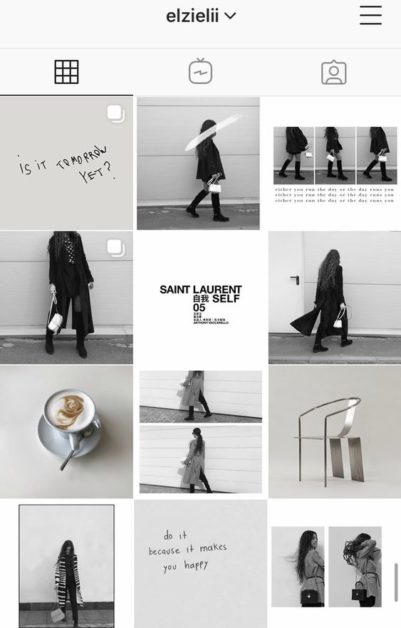
#1. Black & white theme
This classic theme is certainly one of the best IG feed ideas ever unless used correctly. It’s perfect for portraits and architecture pictures, but not ideal for online shops as it can’t showcase your product’s colors effectively.
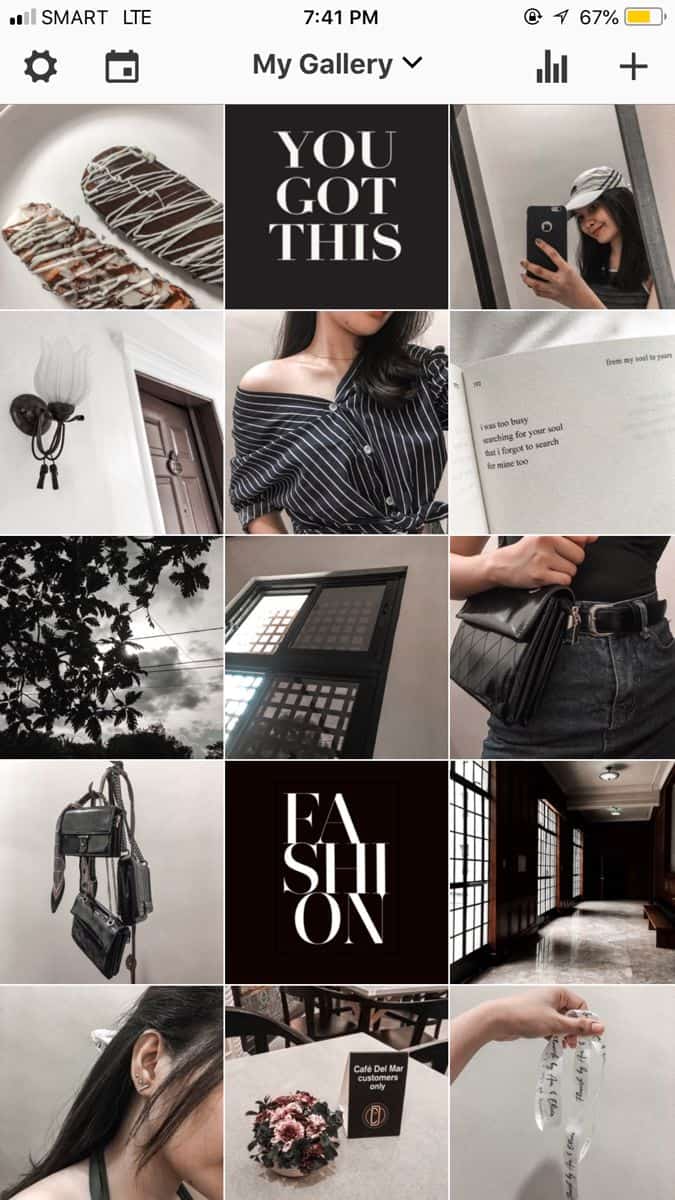
#2. Vintage theme
Have you seen vintage before in Instagram filters and effects? If you apply the same filter for all your images, you’ll get a vintage feed design.

#3. Minimalist Instagram themes
These types of Instagram feed designs are simple and characterized by a white space that sheds light on a certain part of the image. The following page is just one of the hundreds of minimal Instagram feed examples.

#4. Dark theme
A dark Instagram feed can convey a mystery and heavy vibe to the viewers, still not the best choice for online shops.

#5. White Instagram feed ideas
One of the Instagram feed ideas for business accounts is a white theme that works wonders for certain niches like fashion and beauty, interior design, weddings and events, fitness and wellness, and pets and animals.

#6. Quotes and plain text
If you’re into minimal Instagram feeds, quotes and plain texts could be ideal pick-ups for you.

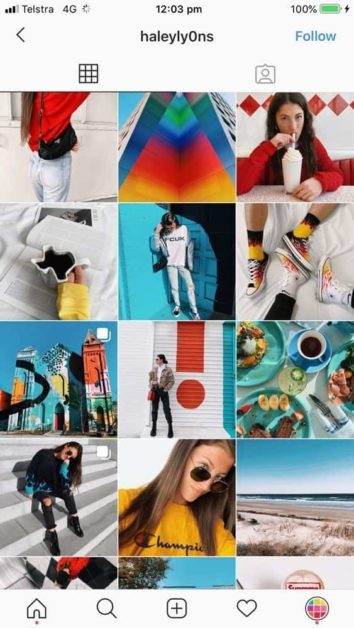
#7. Rainbow (colorful) Instagram theme
Now, let’s shift gears from classic black-and-white Instagram feeds to something entirely different: the rainbow theme. This Instagram grid design works well for bloggers and online shop owners alike.
You don’t necessarily need to include all seven colors of the rainbow; using more than four colors can also create a vibrant and engaging feed.

#8. Instagram puzzle grid theme
The puzzle Instagram layout is trending now, but it has its pros and cons. It might not look great in your followers’ feeds, but it’s quite appealing on your profile. You can use different shapes and colors on a white background for this puzzle IG theme.

#9. Red theme Instagram feed
Want to make your posts stand out? Why not add a red vibe to your images? This is one of the most capturing Instagram profile design ideas you’ve ever tried.

#10. White border Instagram feed
Adding white borders to your images can give you a great grid with a sharp and clean look.
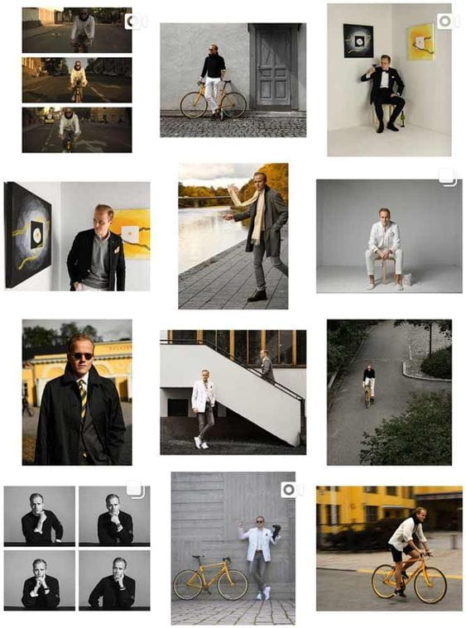
#11. Color palette Instagram grid
Instead of sticking to just one color, you could go for a color palette. For example, using various shades of brown can give your Instagram feed a cool vintage touch.

#11. Black border Instagram feed
This Is A Great Feed Instagram Idea If You Want Your Profile To Look Neat And Organized.

#12. Green theme Instagram feed design
And how about an eco-friendly feed layout? Seems creative, right?

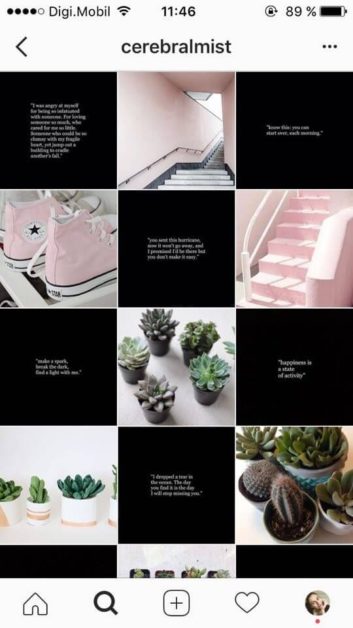
#13. Pastel theme for Instagram grid
Not interested in intense colors? Light colors might be one of the cool feed ideas for Instagram.

#14. Instagram feed with the same effect or filter
You can apply the same effect or Instagram filters to all of your photos to create harmony and consistency.
#15. Abstract Instagram theme
You’re not supposed to be consistent always. So try different angles, filters, or patterns to look a bit abstract.

#16. Instagram feed design with gold frame
You can also use different frames to shape your photos, especially a classic gold frame that will give your IG theme a touch of a classic aesthetic.

#17. Holiday theme for Instagram layout
Different holidays, from Christmas to Thanksgiving, could be inspiring enough, and for sure, their images would be pretty eye-catching.

#18. Yellow Instagram theme
Colors are fantastic ideas for your Instagram homepage design, and guess what? Yellow is definitely included!

#19. Flatlay theme on Instagram
Don’t be surprised if this theme makes it to the list of the best Instagram feeds in 2023. It’s a fantastic and aesthetic way to showcase your products.

#20. Row-by-row Instagram theme
You can use the row-by-row Instagram theme. Dedicate one row for plain text. For the next row, you can post selfies and so on.

More Instagram feed ideas
Creativity knows no bounds, and you can come up with countless Instagram feed ideas. So, let’s take a quick look at other creative feed Instagram examples.
#21. Images with circle frames

#22. Surreal Instagram feed design

#23. Artistic Instagram layout ideas

#24. Featured product theme for Instagram

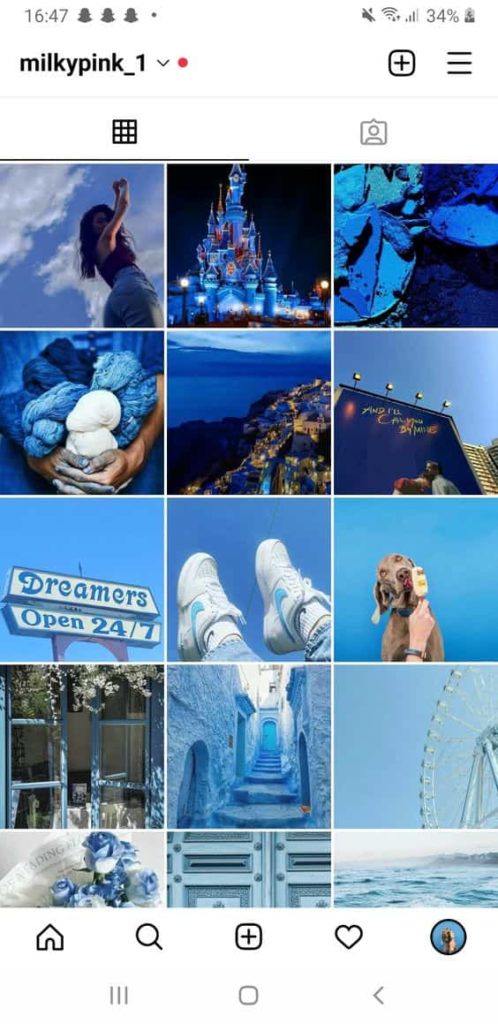
#25. Dark blue Instagram layout design
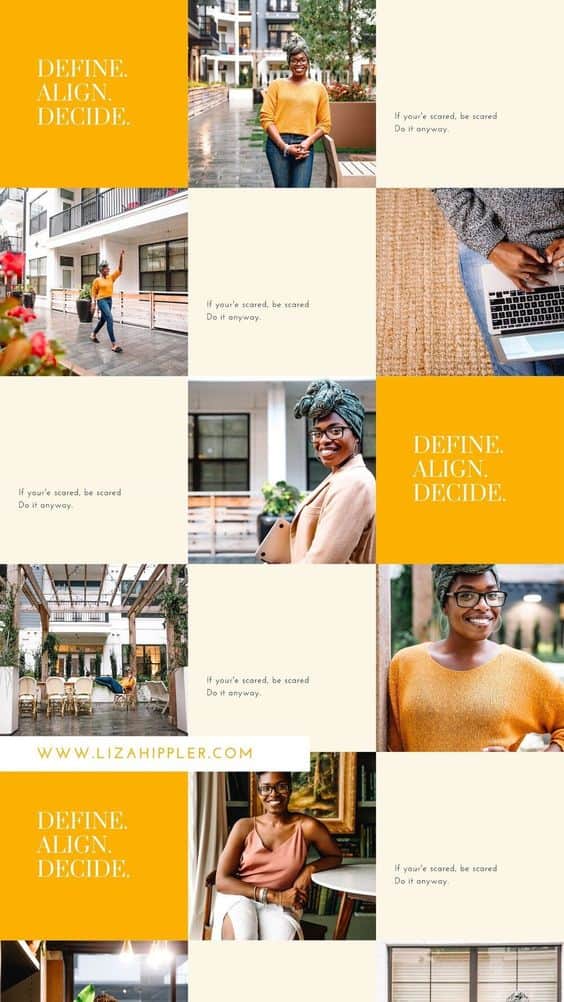
#26. Color block Instagram feed

#27. Instagram feed with a main post in the middle

#28. White with a touch of one single color

#29. Square Instagram feed theme

Source: Preview app
#30. Grayscale Instagram layout
#31. HDR Instagram theme
Source: preview app
#32. Instagram feed using models

#33. Checkerboard Instagram theme
#34. Doodle Instagram feed

Source: Preview app
Instagram feed design FAQs
Now, let’s read the most common questions people may ask about Instagram feed ideas.
Q1. What is an Instagram feed?
An Instagram feed is a collection of photos and videos that appear on your profile in chronological order. It displays the most recent posts you have shared, allowing your followers and other users to browse through your content. Simply put, your feed is the visual representation of your content.
Q2. Is there a specific order to arrange posts in an Instagram feed?
Yes. Instagram uses different ways to order content in your feed including:
- Your activity: Posts you’ve liked, commented on, shared, or saved.
- Your favorites: Profiles you have added to your favorites.
- Your previous interactions with a person’s posting.
- Information about a post (likes, comments, saves, and sharing).
- And newly added, your activity on your Threads profile.
Q3. How can I change my Instagram feed layout?
To change your feed layout, you need to follow these simple steps:
- Head over to your feed and tap on the Instagram logo at the very top left

- Once the menu is opened, you’ll see two options.
If you choose “Following”, you will only view accounts you’re following in chronological order in your feed, and there will be no ads or suggested posts.
In “Favorites” mode, you can see the profiles you’re already favored. Just tap “Add favorites” to select your favorite profiles.

Q4. What is the difference between an Instagram feed and an Instagram grid?
It might sound a bit confusing, but these two things are somewhat different. Instagram feed is the chronological list of posts others see when visiting your profile. In other words, the feed is what people scroll through when visiting your profile.
On the other hand, the Instagram grid is the visual layout of your posts on your page. It consists of rows and columns of your posts.
Q5. Can I download Instagram feed templates for free?
Absolutely. There are websites like Canva and Freepik you can download Instagram feed psd or photo files.
Q6. What is Instagram feed size?
We’ve already covered Instagram post sizes in a previous post, but let’s quickly go over it again.
Instagram feed image:
- landscape photos: 1080*566 pixels
- Portrait photos: 1080*350 pixels
- Square photos: 1080*1080 pixels
- Ratio: Between 1.91:1 and 4:5.
