


You’ve probably used one of those funny kitty filters on Instagram at least once. Well, who hasn’t?
Instagram filters are becoming an important part of our lives. Right now, there are thousands of these effects out there to change your look in a cool way.
However, not all the filters are used for funny pictures. Businesses are taking advantage of this feature, as well. They make their own filters to showcase the brands and engage more people with their business.
So, it’s essential to know “what is Instagram filter”, how to use filters on Instagram, and which ones suit your needs most. In this blog, we’ll discover all about Instagram filters. Keep reading!
What Are Instagram Filters, How Do They Work?
Instagram filters are computer-generated image or video effects on Instagram camera that can be applied to improve or change the appearance of your photos and videos. In other words, Instagram effects are a collection of visual improvements to modify the color, tone, saturation, and overall mode of your media.
As of now, Instagram offers a wide range of filters, from vintage and retro-inspired looks to more modern and vibrant effects.
How to Use Filters on Instagram: Posts
If you want to post your photos or videos, you can add any filter or effect you’d like. Thankfully, you can even edit Instagram posts after sharing. For now, let’s see how to add Instagram filter to existing photos.
Note: The process is the same for both Android and iOS devices.
1. Go to your feed and tap + icon in the middle bottom.

2. Now, select the photo or video you want to share and tap at the top right corner.
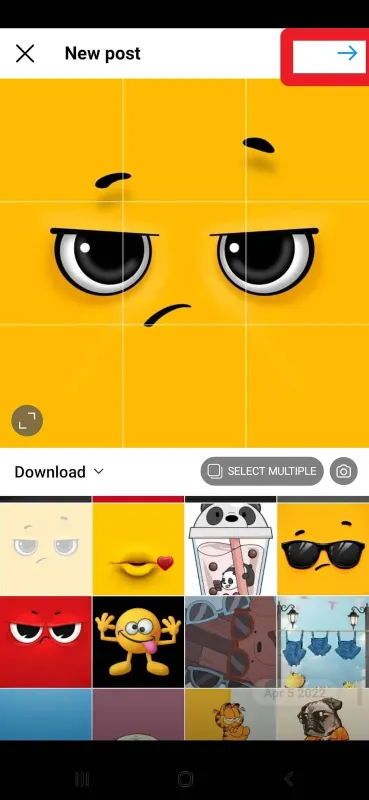
3. Scroll down to see two options (filter) and (edit).
4. Whether you choose filters or edit, you should swipe to the left to find more options.

5. After applying your preferred effect or filter, tap the Next icon to go to the last step.

6. Here, you can write captions, add music, tag people, or add location and publish your post.

How to Use Filters on Instagram: Photos for Story
Instagram stories are one of the most fabulous Instagram features. That’s because Instagram has offered various filters for pictures you want to share as a story. Luckily, this process is very simple and straightforward. If you wonder how to add a filter to a photo on Instagram story, follow these steps:
- First, head over to your feed and tap + at the middle bottom.
- Next, select “Story” and choose the picture you like to share.
- On the top right corner, tap the icon to see the filters.

- To view more filters, swipe to the left. You can also search through the filters by tapping the search icon.

- Once you’ve applied the filter, tap “Done” and share your story.
How to Use Filters on Instagram: Camera Effects to Stories
There is a wide range of Instagram story filters in different categories. In fact, these are camera effects that you can use while taking a picture for your story. Now, let’s find out how to add filter on Instagram stories.
- Open your Instagram and go to your feed.
- Tap the + icon, then slide to the left and tap Story.
- At the bottom next to the capture icon, you’ll see the filters.

- To get more options, swipe to the left.
- If you can’t find your desired filter, tap the search icon and scroll through the filters.

- As shown below, effects are classified into several categories like trending, appearance, aesthetic, and more. So, you can choose among popular Instagram story filters, face filters, and so on.

Can I use Instagram Filters for Reels?
Adding filters to Reels could be a great way for Instagram Reels growth. Here, we show you how to use filters on Instagram Reels.
- Open your feed and tap + to see “Reel”.
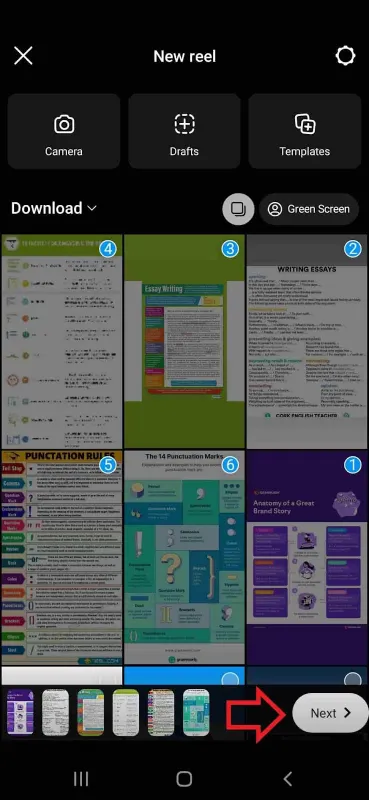
- Tap “New Reel” and select the photos you want to make a Reel with.
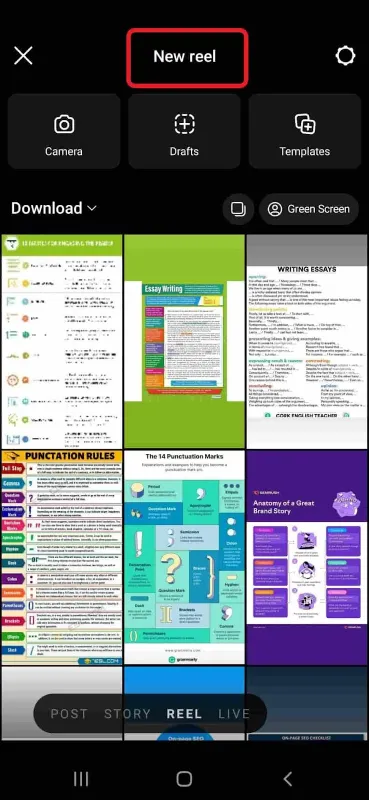
3. Click “Next”.
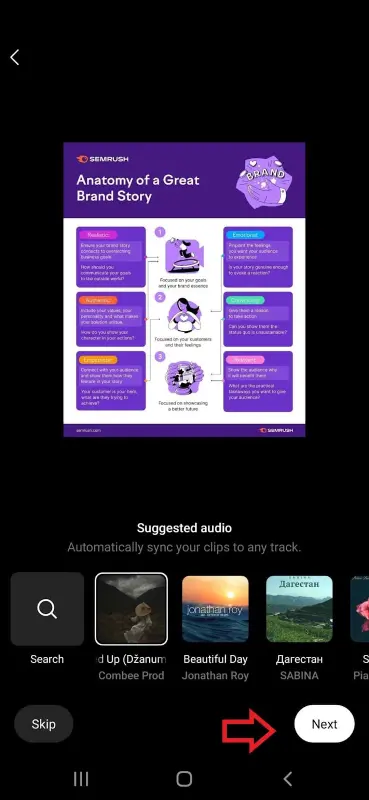
4. At this point, add music to your Reel and go to the next step.
5. Now, tap the icon on the top right corner and add your favorite filter.
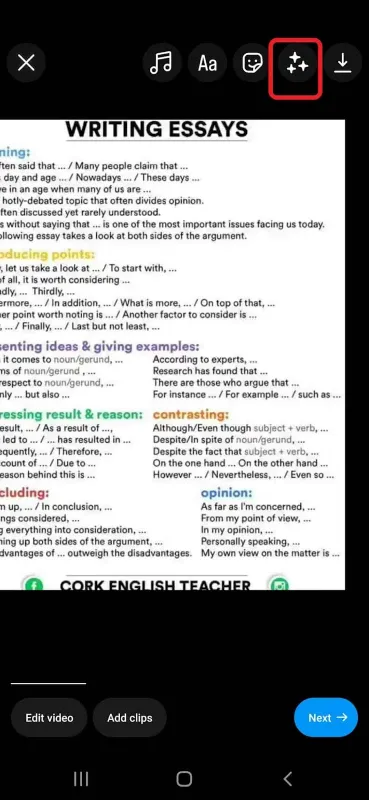
6. Once the filter is added, click the blue button and head over to the next phase.
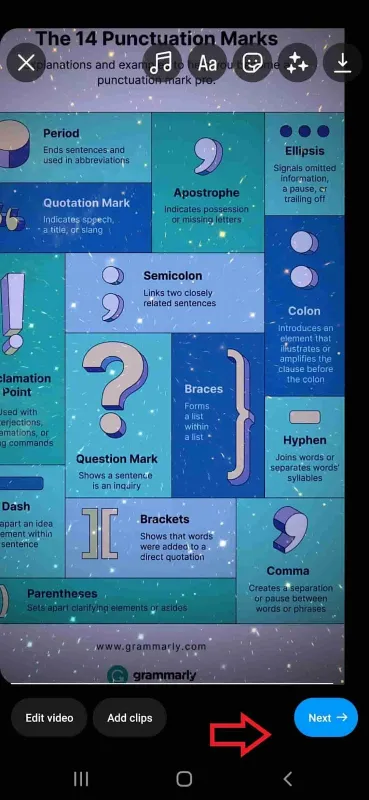
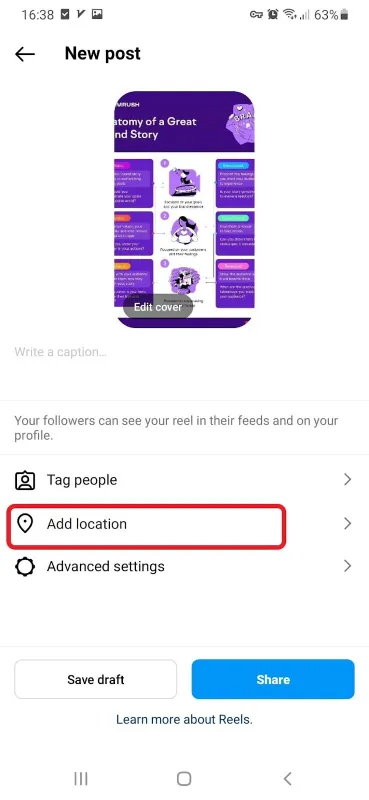
7. Finally, you can write captions, tag people, or add a location and tap the Share button.
Remember: If you want to apply Instagram filters to a pre-designed Reel, you just need to pick it from the gallery and add filters to them.
How to Use Instagram Filters: Live Videos
Interestingly, Instagram even allows users to add their desired filters to live videos. To do this, go to the live section. At the bottom of the screen, you’ll find different filters. Slide to the left to find more, choose one, and it’s all set!

How to Use Filters on Instagram Video Calls
Are you a big fan of Instagram filters? Then, you may be interested in using them when having a video call. Willing to learn how to use effects on Instagram video calls? Follow these simple steps:
- In your feed, tap the DMs icon at the top right corner and open direct messages.
- Scroll through the list to find the person you want to have a video call with.
- Tap the camera icon on the top right to start a video call.

4. At the left side of the screen, click the top icon to view effects and the other one to see the filters.

How to Search for Filters on Instagram?
As demonstrated above, searching for Instagram filters is much easier than you think. Whether you want to add filters to your story or Reel, you should slide to the left and tap the search icon.
It’s important to note that you can also narrow down your searches by category. Swipe to the left to view all the categories. Once you found your preferred group, run through the filters to get what you want.
However, it’s not the only way to find Instagram filters. Dozens of third-party apps provide more filters for social media platforms, including Instagram.
Wondering what is the new Instagram filter everyone is using and how to get filters on Instagram? Here are some effective and popular filter-making applications.
Afterlight
This app is used for Android and iOS devices and provides advanced options like presets, transitions, filters, and film overlays. Here are other features:
- Editing raw files;
- Providing double exposure tool;
- Combining different filters.
Lightroom Mobile
Do you like to access unlimited Instagram filters? Try Lightroom Mobile. This app provides many editing tools and presets. However, you can add new presets to your collection.
It’s important to note that Lightroom is a free cloud-based tool that is compatible with both your mobile device and your pc. The only drawback is that you’ll have to buy a subscription to access more advanced features.
Snapseed
Available on both Android and iOS devices, Snapseed offers a wide range of filters, from removing blemishes to adding a classic look to your images. Snapseed is free and some of its features include:
- Save images at a very high quality and maximum size;
- Offer 29 different tools including a selective brush tool to change a certain part of an image;
- Has a mobile-friendly UI.
What Are Popular Instagram Filters for 2023?
You learned how to get filters on IG and save them, as well. Now, it’s time to know which Instagram built-in filters are used more by the users. What are the most popular filters created by independent creators and brands?
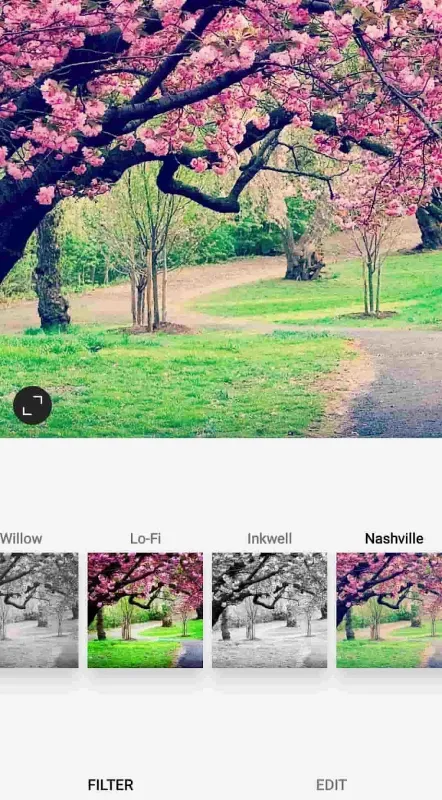
Nashville
Have you ever heard about Nashville? Not Nashville City in the U.S., of course! In fact, it’s one of the coolest filters on Instagram with a lovely nostalgic look.
This filter adds a melo purple-pink touch to the images that make it a perfect option for pictures with a retro vibe.
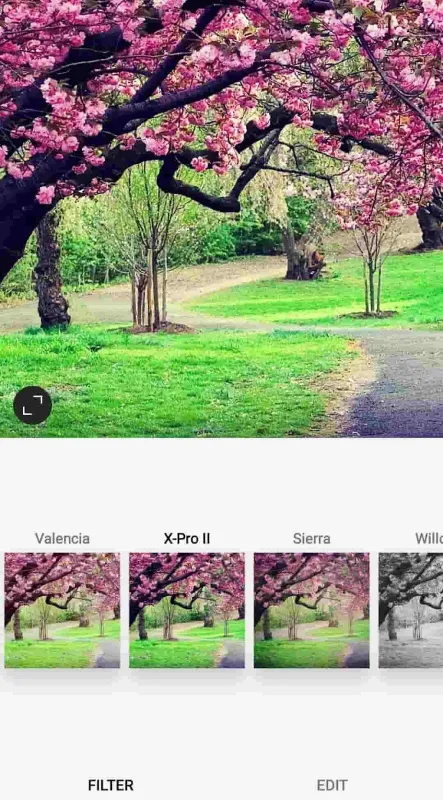
X-pro ІІ
Do you enjoy the images with shining colors? Then, you’re in the right place! X-pro can improve the vibrancy of the bold colors in your photos.
It also makes dark colors and shadows more dramatic. But remember that X-pro will not add a more natural looking to your photos.
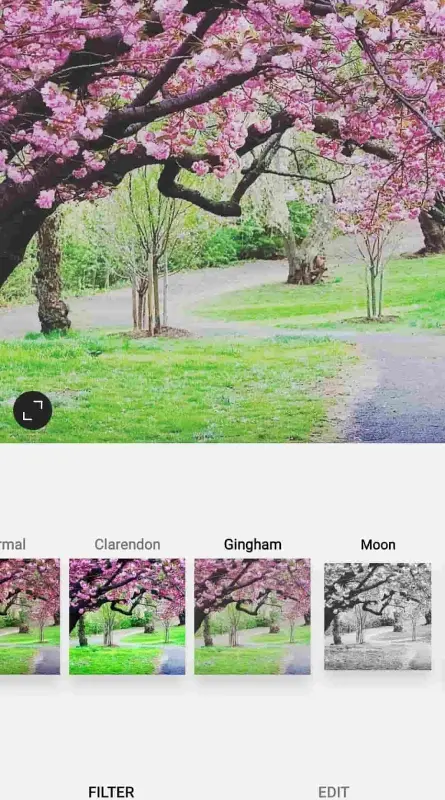
Gingham
Portraiture Lovers, Gingham is your dreamy filter as it gives a sophisticated vintage vibe to your images. This effect reduces the saturation of the colors as well as the brightness of the photos. This makes gingham a perfect option for fashionable portraits and commercial photography.
Lark
Are you into nature shooting? This effect has got all you need. Lark improves the exposure and makes the blues and greens stand out. That’s why it’s one of the most popular Instagram story filters for landscapes and wide views.

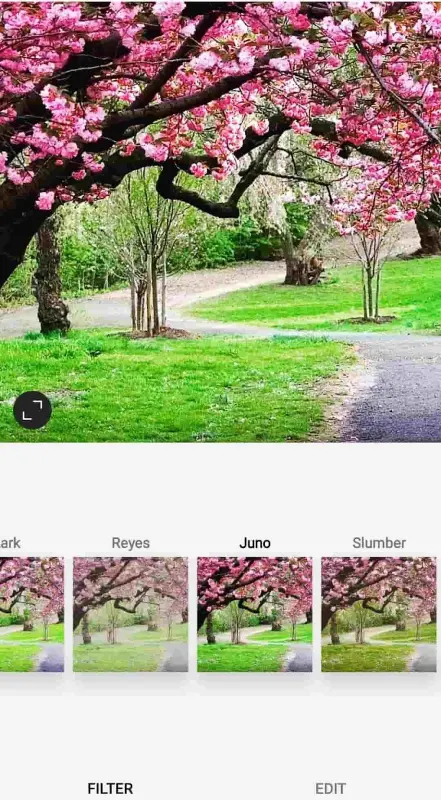
Juno
Juno boosts warm tones like reds and yellows giving the photos a charming touch. If you’re interested in cozy and deep looks, whether a sunset or a home, try Juno. And this filter is a good one for urban photos, too.
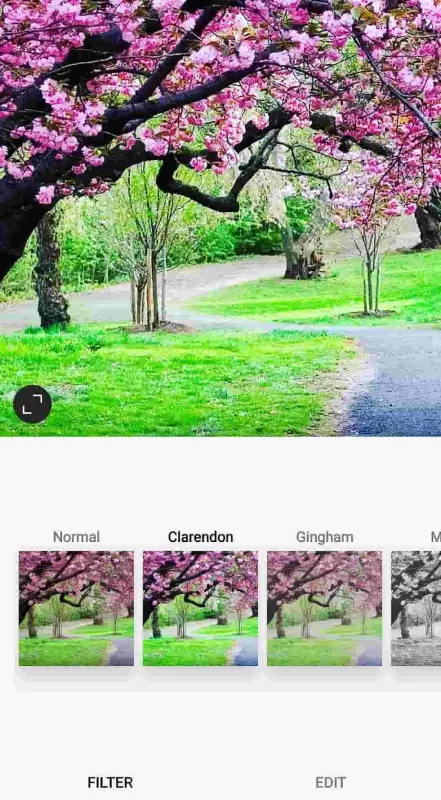
Clarendon
Clarendon is the ideal filter for selfie lovers. This effect increases the contrast by adding light to lighter elements and dark to darker areas. Clarendon also improves the saturation and makes your photo, especially your skin tone, warmer.
The Most Popular Independent Filters on Instagram for 2023
1. Luminous by Paolaalberdi is a great choice for selfie shooting. It helps your skin glow and removes all the fine lines on your look.
2. Good Skin V.2 by Dingmint gives you smooth skin. With this filter, you can also improve the other parts of your face.
3. If you’d like to enhance your Instagram aesthetic, try FAVX by Agusfich. This effect is the best pick for selfie pictures as it offers a broad range of frame compositions.
4. Old film by _ghosh is a super fantastic filter that adds a black and white movie touch to your picture.
5. UnderWater by Korobov_ denis lets you dive into deep water virtually.
6. Wondering how to use face filters on Instagram in 2023? The Cartoon Face by Triutra is what you need after a boring day. This fun filter gives a cartoony look to your face.
7. Toonface by Chmnda is another funny cartoony filter that makes your day!
Also read: 30 creative feed designs to use in 2023
Why Can’t I Search for Filters on Instagram?
There might be a few reasons why you can’t search for filters on Instagram.
One is that your app could be outdated. Since the older versions don’t have new features, it’s better to get the latest version.
Another thing is account restrictions. It means that if you are a new user, you may not access certain features like filter search.
Thirdly, some filters aren’t available in all countries. So, when you search for filters, you come across this message: “This information isn’t available in your area”.
What Is Instagram Editing Tool?
Aside from diverse filters, Instagram offers an editing tool with different capabilities. Although these functions are limited compared to editing apps, they’re helpful for primary usage. Let’s get familiar with these features.
Adjust: This can help change the horizontal or vertical perspective of the photo as well as straighten it.
Brightness: It simply brightens or darkens your picture.
Contrast: Use this tool to change certain moods through your image
Structure: This feature lets you determine the amount of exposure.
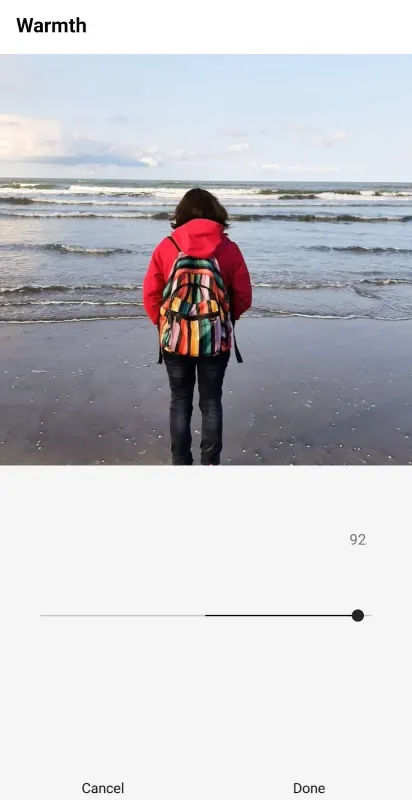
Warmth: This option allows you to change the colors of your image between warmer orange tones and cooler blue tones.
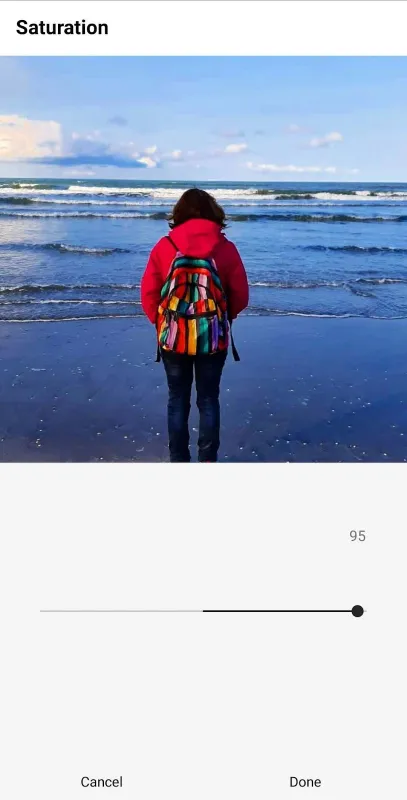
Saturation: This one adjusts the intensity of the colors.
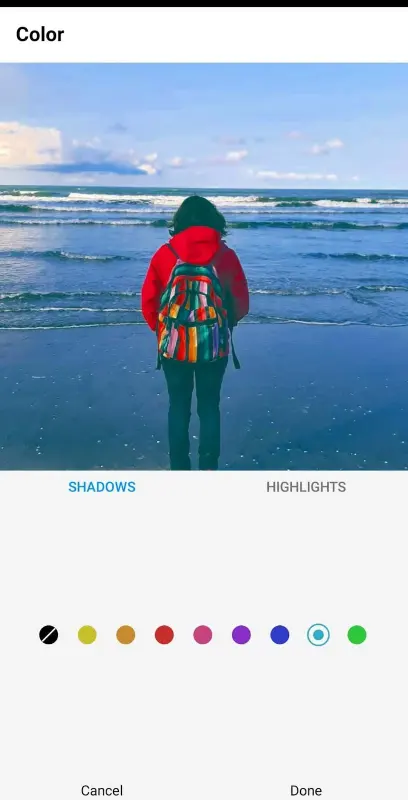
Color: To tint the highlights or shadows in your image, you can apply this tool.
Fade: It’s used to decrease the overall clarity of your photo.
Highlights: This option makes the lightest elements of your image brighter or darker.
Shadows: with a shadow tool, you can lighten or darken the darkest elements of the image.
Vignette: This tool darkens the borders and highlights certain aspects of the picture.
Tilt Shift: If you want to adjust the focus area and select between linear or circular zones, use this one.
Sharpen: It lets you focus on soft edges and increase the focus’s clarity.
FAQs
Now that you know how to use the filters on Instagram, read some frequently asked questions and their answers to learn more.
Q1: Can I Create Instagram Filters?
It’s interesting to know that making an AR filter isn’t very difficult. Of course, it takes time and effort but it could be very funny, as well. All you need to do is download Spark AR Studio on your desktop and get familiar with it.
Once you’ve found the features and tools, you can get started by these steps:
- Add your object;
- Now, add sound;
- Add the effects;
- Next, test your effect;
- Upload the effect you’ve made.
Q2: Can I Save Instagram Filters I Like?
Yes, to save and download a filter, go to the Instagram effect gallery and tap the filter you like to save. After that, tap the download icon at the bottom right to add it to your camera.

Q3: Are Instagram Filters Free?
Yes, luckily all built-in filters on Instagram are free. However, if you want to use apps, you may have to pay for them.
Q4: Does Instagram Pay for Filters Independent Creators Make?
Unfortunately, Instagram doesn’t pay the creators. All the new filters will appear with the name of their creators so that they can get more followers and improve their work.
