


Instagram has some really cool features that catch users’ attention. And one of them is Reels, a platform where you can get creative, tell stories, and engage with your audience.
Reels are all about short videos that are trending right now, helping you stay connected and up-to-date. They’re super popular, and everyone wants to know how to make a reel on Instagram, fast and easy.
Well, don’t worry! In this blog, we’ll share some easy tricks to create amazing reels. So, let’s dive right in and learn how to create reels on Instagram.
What Is a Reel on Instagram?
Instagram reels are a fun feature within the Instagram app that lets you create and share short videos with your followers and a wider audience. They’re all about engaging and entertaining content that you can easily share with others. Let’s explore what makes reels special:
- Video Duration: With Reels, you have the flexibility to create videos that are 15 to 60 seconds long. This gives you the perfect opportunity to express your ideas concisely and capture the attention of your audience.
- Editing Tools: Reels come with a range of editing tools that make it easy to create visually appealing and dynamic videos. For example, you can trim your clips, add cool effects, and adjust the speed to add an extra touch of creativity.
- Music Integration: One of the coolest features of reels is the ability to add popular music tracks to your videos. Instagram offers a wide music library for setting the mood, enhancing storytelling, and making your Reels enjoyable.
- Discoverability: Reels can reach way more people than just your followers. They show up on the Explore page, helping you connect with new folks, get more followers, and boost engagement.
What Are the Key Features of Reels Instagram?
The good news is that reels offer a bunch of cool choices to create captivating content. You can go for photo-based Reels, video-based Reels, or even mix them up for an awesome experience. Check out some of the options below.
Photo-Based Reels allow you to effectively send messages and tell engaging stories. They do this by selecting the right photos, arranging them thoughtfully, and enhancing them with text overlays or effects. This captivating format will surely captivate your audience.
Video-Based Reels help you shoot or choose videos to create exciting and immersive content. Moreover, you can capture special moments, share helpful tutorials, showcase your talents, or express your creativity.
Combining Photos and Videos: With this feature, you can get photos and videos together and create an exciting reel. It also adds variety, enhances storytelling, and makes it more engaging for your viewers.
Now, let’s find out how to make a reel on Instagram using these features.
How to Make a Reel on Instagram: Photos
When it comes to creating a reel, images are the most common and simple option. However, if you want to make a great reel, it’s important to be prepared. Here, we show you how to make a photo reel on Instagram.
Prepare Your Content
Before you dive into creating a photo-based reel, make sure to prepare your photos to effectively get your message across. Here are some handy tips to keep in mind.
- Select clear, well-lit, and visually appealing images to enhance your reel’s quality.
- Choose photos that go well together and tell a story or follow a specific theme
- Arrange your photos in a way that makes sense and keeps the story flowing smoothly and engagingly.
Add Photos to Your Reel
Once photos are ready, follow these steps to add them to your Reel:
- Open the Instagram app on your mobile.
- Tap the “+” icon to create a new post.
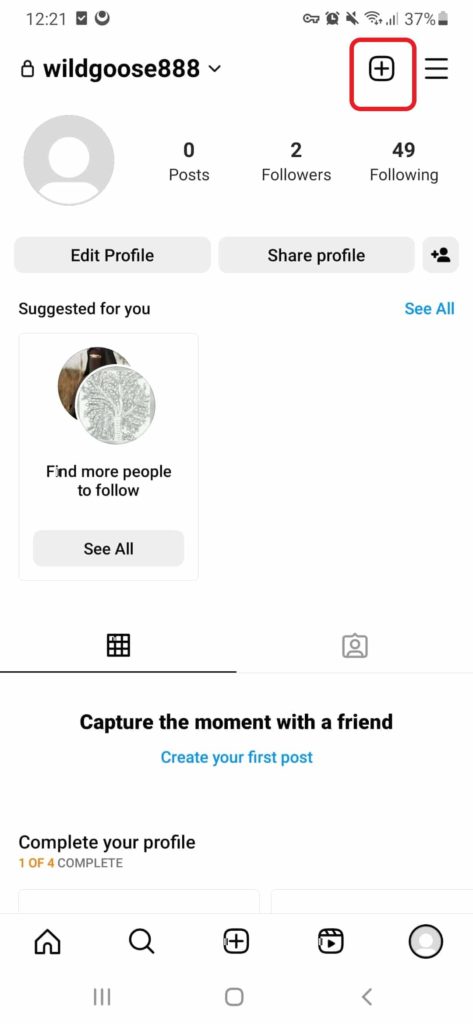
3. Swipe right to enter the Reels creation mode.
4. Tap the camera icon to access your device’s photo library.
5. Select the photos you want to include by tapping on them. You can choose multiple photos.
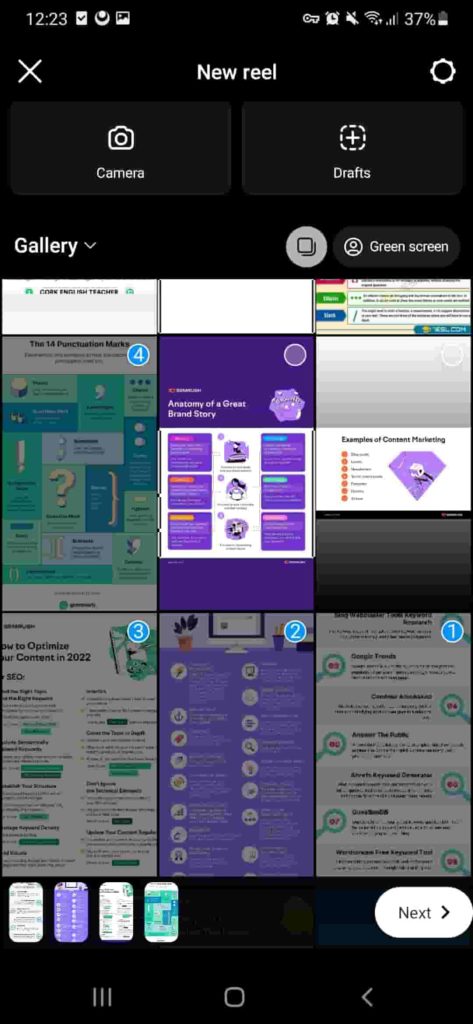
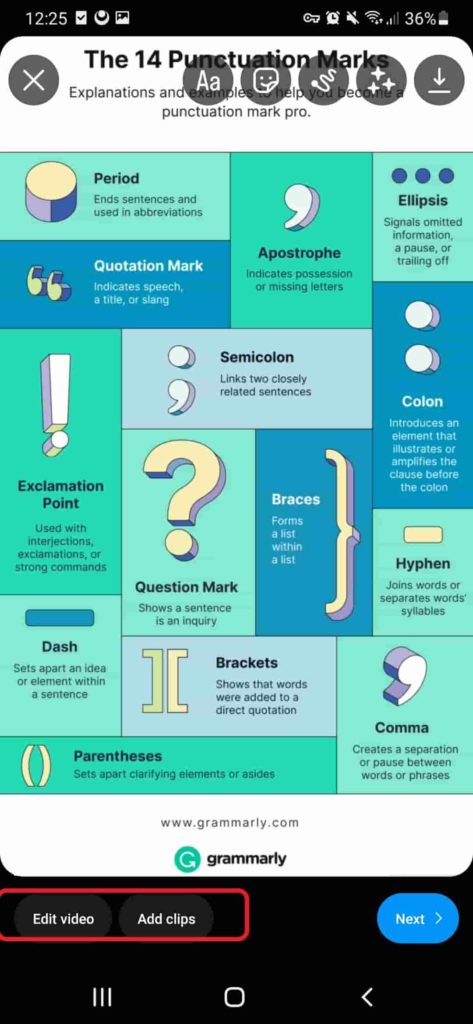
6. Here, you can edit the reel or add a clip.
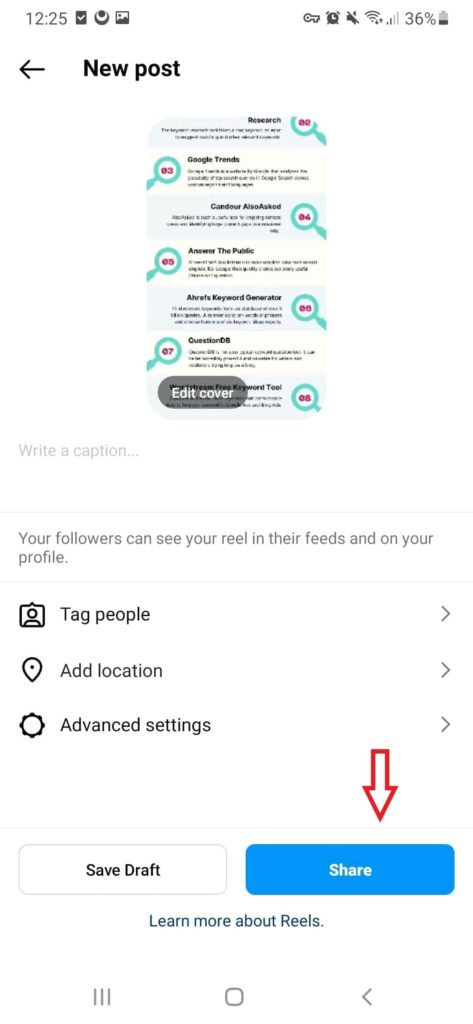
7. Tap on “Share” and publish it.
Enhance Your Photo-based Reels
In the end, you can even edit your Instagram reels and make them more appealing with text, music, and effects. Here, we show you how to make a good reel on Instagram.
Text overlays: Want to impress your viewers? Add short and easy-to-read text captions, descriptions, or quotes to give context and convey your message clearly.
Music: Music makes everything more enjoyable. So, pick songs from Instagram’s music collection or licensed tracks to create your favorite mood and make your storytelling better.
Effects and filters: if you want to make your photos visually stunning, try some effects and filters.
Stickers and emojis: You can also use stickers or emojis to spice up your pictures and give them a fun and playful touch.
How to Make a Reel on Instagram: Photos and Music
As mentioned earlier, adding music can work magic on your reel. Whether it’s your favorite song or one from Instagram’s collection, the musical theme will blow away your followers. But how to make reels on Instagram with music? Here is the answer.
- Open the Instagram app on your phone.
- Tap on the “+” icon at the top of your screen.
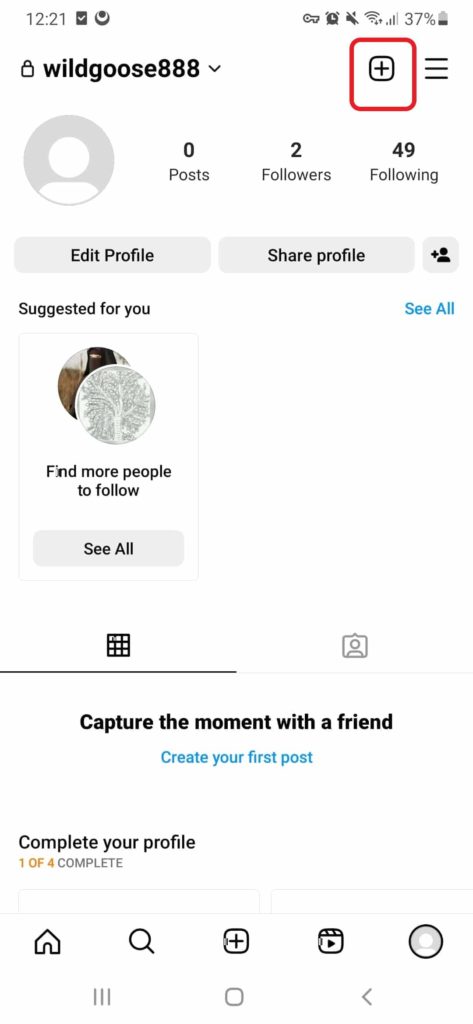
3. Swipe right to the “Reels” option to enter the Reels creation mode.
4. Tap on the camera icon to access your device’s photo library.
5. Select the photos you want to include in your reel by tapping on them. You can choose multiple photos.
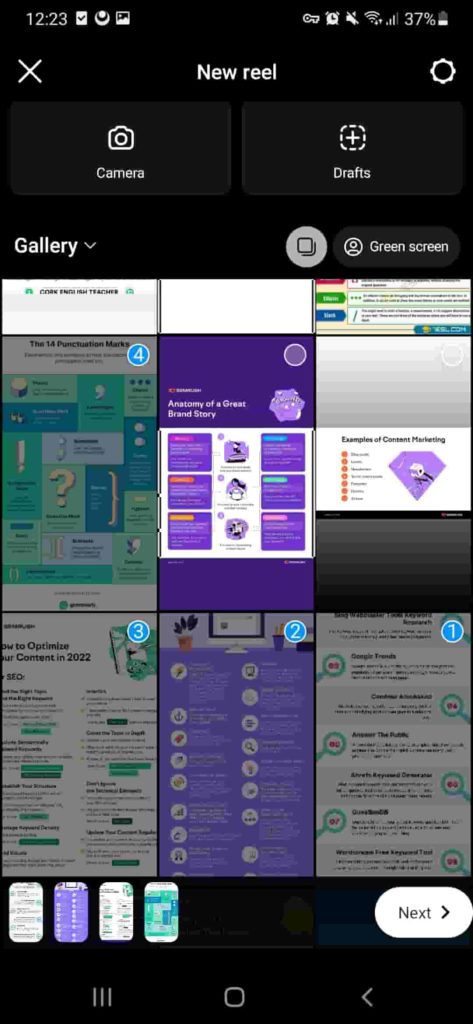
6. After tapping on “Next”, you can access Instagram’s extensive music library.
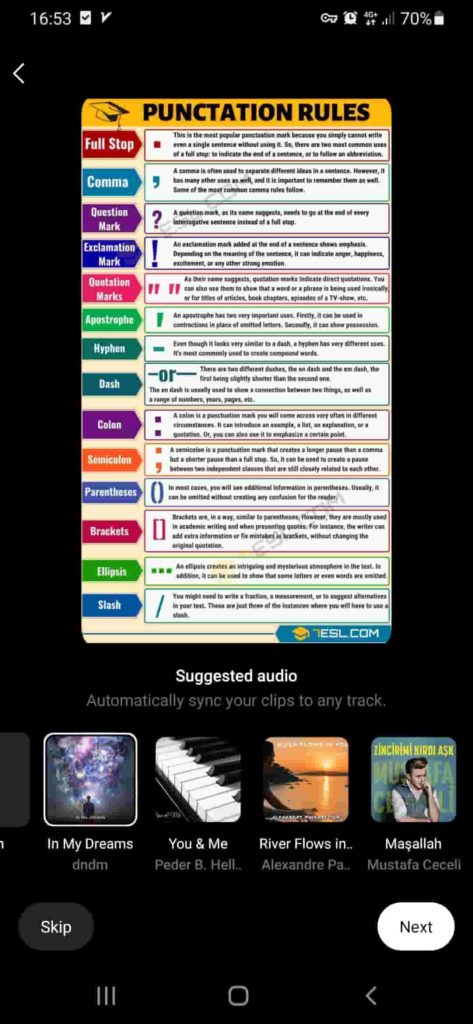
7. Adjust the sliders to trim the music clip to your desired duration.
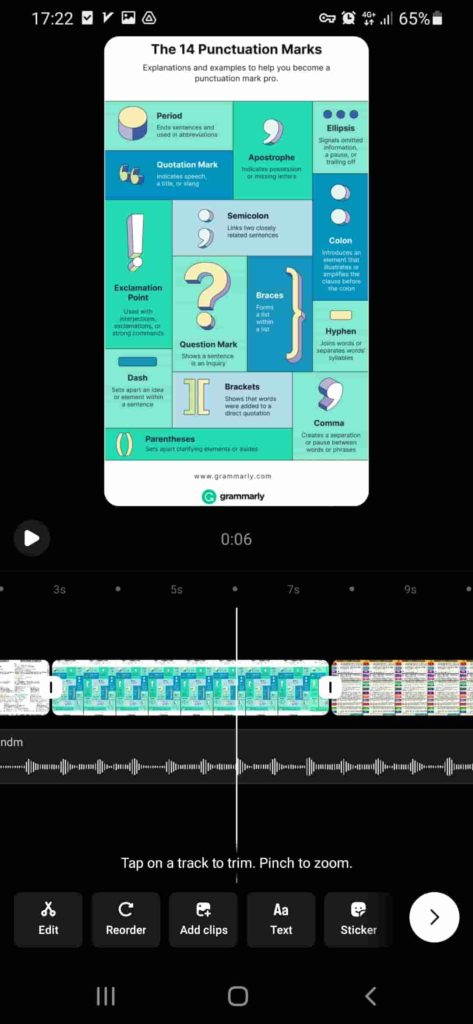
8. Use the editing tools provided by Instagram to add text overlays, effects, or stickers if desired.
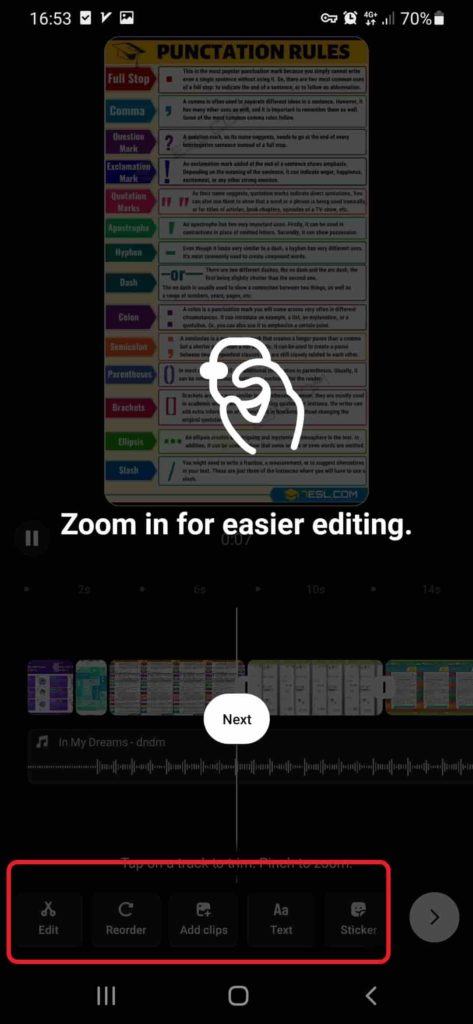
11. Add a caption and relevant hashtags to increase the discoverability of your reel.
12. Finally, tap on the “Share” button to publish your reel on your Instagram profile.
How to Make a Reel on Instagram: Multiple Photos and Videos
When you want to merge multiple sweet moments, a single picture or video may not be enough. That’s where combining different photos or clips comes in. While it may seem tricky, it is actually quite simple. Let’s find out how to make a reel with multiple videos and photos.
- Select a series of photos or videos that you want to include in your Reel. Make sure they are of good quality and relevant to your chosen theme or message.
- Edit your content: Use the Instagram Reels editor to arrange your photos or videos in the desired sequence. Trim the clips if necessary to maintain a smooth flow.
- Enhance with effects: Apply filters or effects to your photos or videos to add a touch of creativity. Avoid excessive use of effects that may distract from your main message.
- Add music and text: Consider adding background music that complements your content. Include concise and impactful text overlays to provide context or captions.
How to Make a Reel on Instagram with Videos?
Although Using videos in your Instagram Reels adds more visual storytelling elements than pictures, the creation method remains the same. Now that you know how to create a reel on Instagram with pictures, let’s explore video-based reels.
- Head over to the Instagram app on your device.
- Tap the “+” icon at the bottom center to create a new post.
- Tap the camera icon to access your device’s video library.
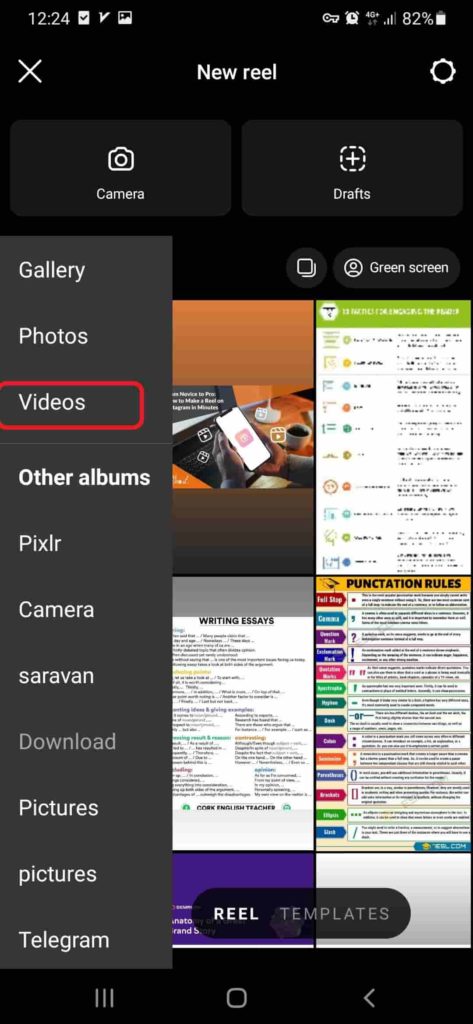
5. Select the videos you want to include in your reel by tapping on them. You can choose multiple videos.
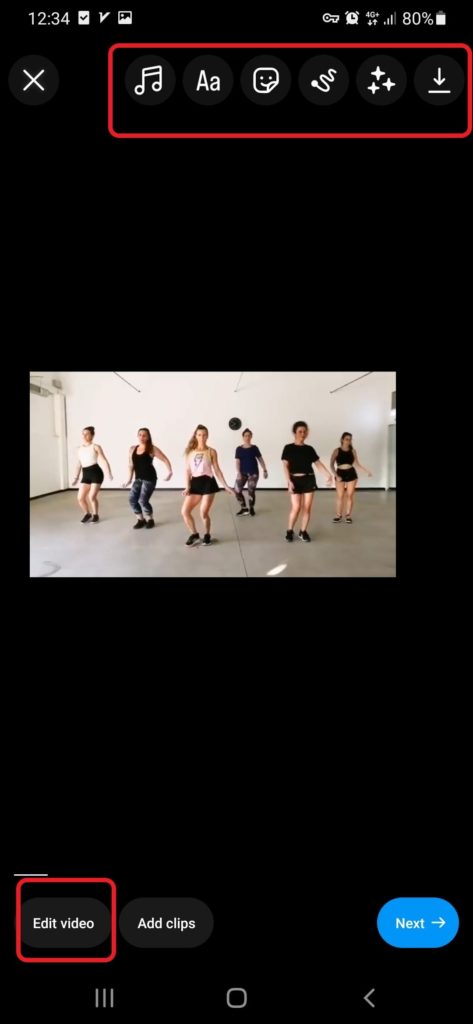
6. To make your reel more engaging, you can incorporate text overlays, stickers, and music. Tap on the respective icons in the editing interface to access these options. You can add text captions, and fun stickers, and select music tracks from Instagram’s library.
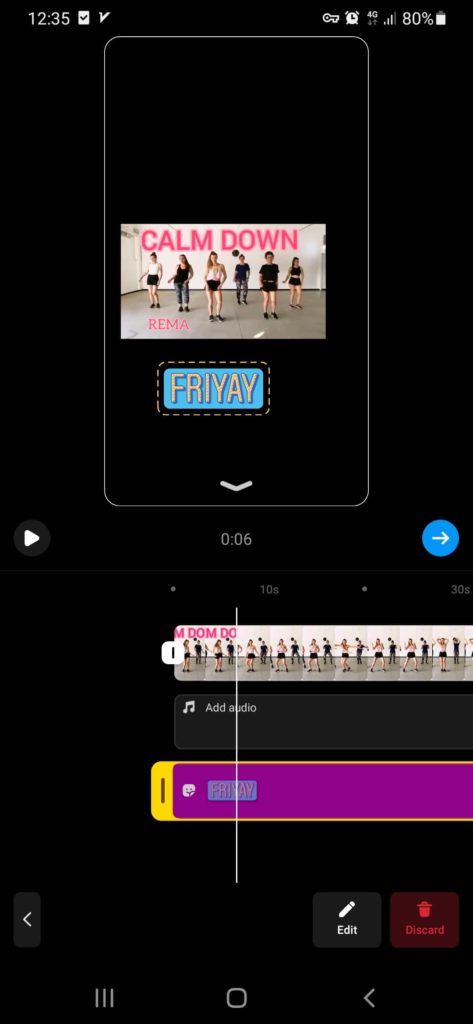
7. Tap the next and trim the video. when it’s ready, go to the next stage.
8. Add a caption and hashtags: Write a catchy caption that complements your reel and include relevant hashtags to improve discoverability.
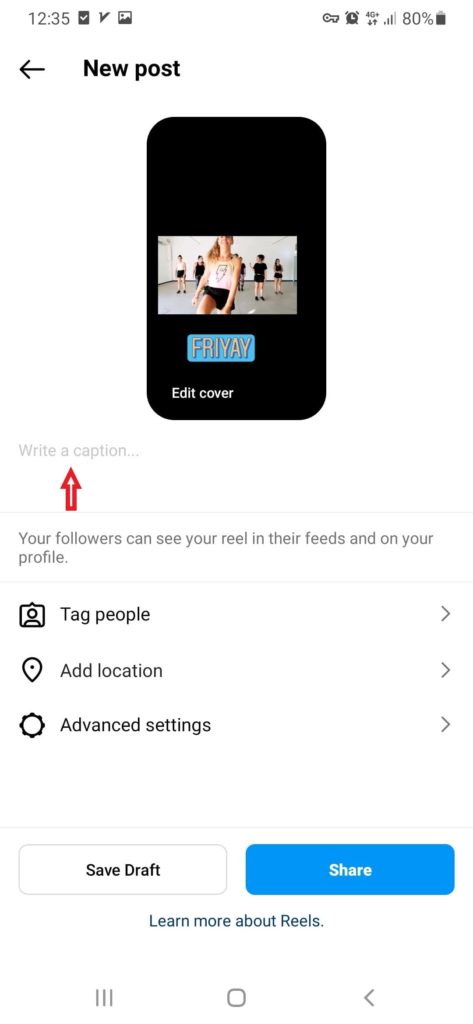
9. Happy with your reel? So, tap the “Share” button to put it out.
How to Make a Highlight Reel on Instagram?
Highlight reels are super interesting because they allow you to showcase your favorite moments in a fun and engaging way. It’s like giving your followers a sneak peek into your life or the things you’re passionate about. Do you want to make a cool reel? Then,
- Open the Instagram app and go to your profile.
- Tap the “+” icon in the “Highlights” section on your profile.
- Select the photos and videos you want to include in your highlight reel from your archived stories or camera roll.
- Tap “Next” to choose a cover image for your highlight reel. You can select an existing photo or video from the reel or upload a new one.
- After that, enter a title for your highlight reel that represents the theme or content you’re sharing.
- Customize the settings by choosing whether you want your highlight reel to be visible to everyone or limited to your followers.
- At last, tap “Add” or “Done” to create your highlight reel.
Now, your profile will show your highlight reel. Add more photos and videos anytime by tapping the highlight and selecting “Edit Highlight.”
How to Post a Reel on Instagram
You’ve created a catchy reel and now you’re eager to share it with the world. Well, guess what? It’s as easy as pie! Get ready!
Access the Reels Creation Mode
First, go to the Instagram app on your mobile and tap on the “+” icon at the bottom center of your screen.
Next, swipe right to the “Reels” option to enter the Reels creation mode.
Customize Your Reel
Select your desired photos or videos, and apply any text overlays, music, effects, or filters to make your Reel visually appealing.
Add a Caption
To describe your reel or simply provide the context, you need a concise and engaging caption. You can Consider using relevant keywords related to your content for increased visibility.
Choose privacy settings
Decide whether you want your Reel to be public or visible only to your followers. You can adjust these settings before publishing your Reel.
Publish your Reel
Finally, it is time to tap on the “Share” button to publish your Reel to your Instagram profile.
It’s important to note that by default, your Reels will appear on your profile grid, accessible to your followers. However, you can also choose to share your Reel on the Explore page, increasing its chances of reaching a wider audience.
Also read: Instagram Reels Bonuses Eligibility
How to Make Reels on Instagram Story?
If you want to boost the visibility of your Reels, you can share them directly on your Instagram Stories. Here’s how you can do it:
- Go to the Reel you want to share and tap on the paper airplane icon below the Reel.
- Select “Add to Your Story”: From the options that appear.
- Once you added the Reel to your Story, you can further personalize it by adding text, stickers, or other interactive elements.
- Tap on the “Your Story” button to share your Reel on your Instagram Story.
When you share your Reels on your Story, it helps reach more people and attract a wider audience. It’s also a great way to promote your content and encourage viewers to engage and follow your profile for more exciting updates.
How to Make a Reel on Instagram 2023: Useful and Fast Apps
Using apps to make reels is a smart choice to create quickly and effectively. There are many reliable apps available with advanced editing features for captivating reels. But before choosing one, consider your needs and download from official app stores for reliability and security. Let’s explore some good reel-maker apps.
InShot
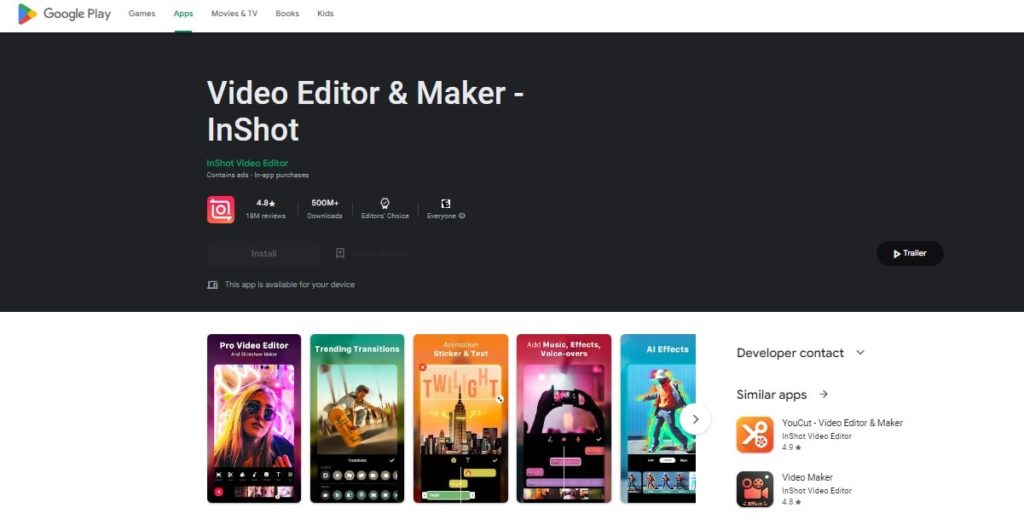
InShot is a user-friendly video editing app that provides a wide range of features to improve your reels. It offers tools for trimming, merging, and adjusting the duration of your videos, allowing you to create polished content. The app also has a collection of filters, a music library, and various fonts and colors. InShot is available for both iOS and Android devices.
CapCut
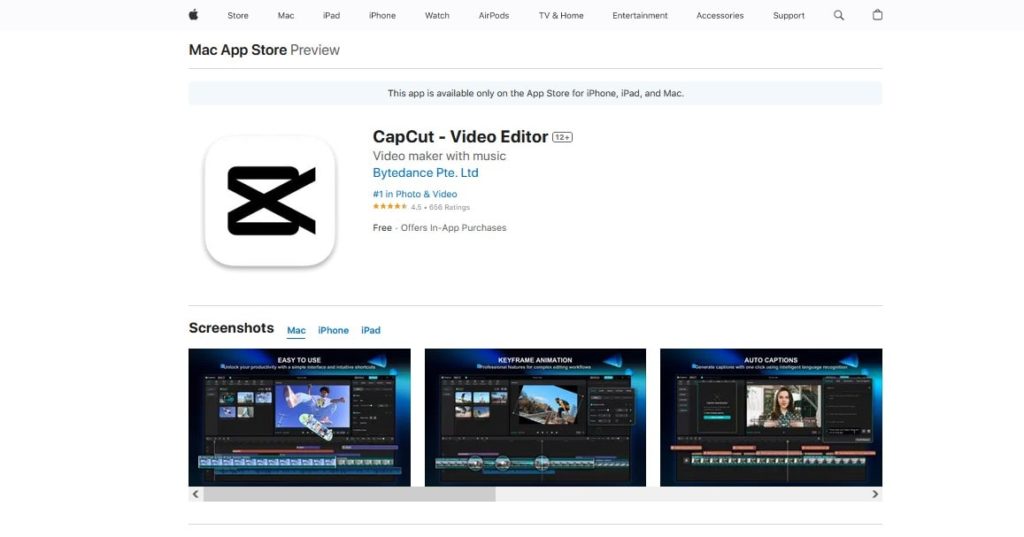
CapCut is another powerful video editing app that provides a comprehensive set of editing tools. With CapCut, you can easily trim, crop, and add text, stickers, music, and effects to your Reels. It offers a user-friendly interface and is available for both iOS and Android.
Adobe Premiere Rush
How to do a reel on Instagram
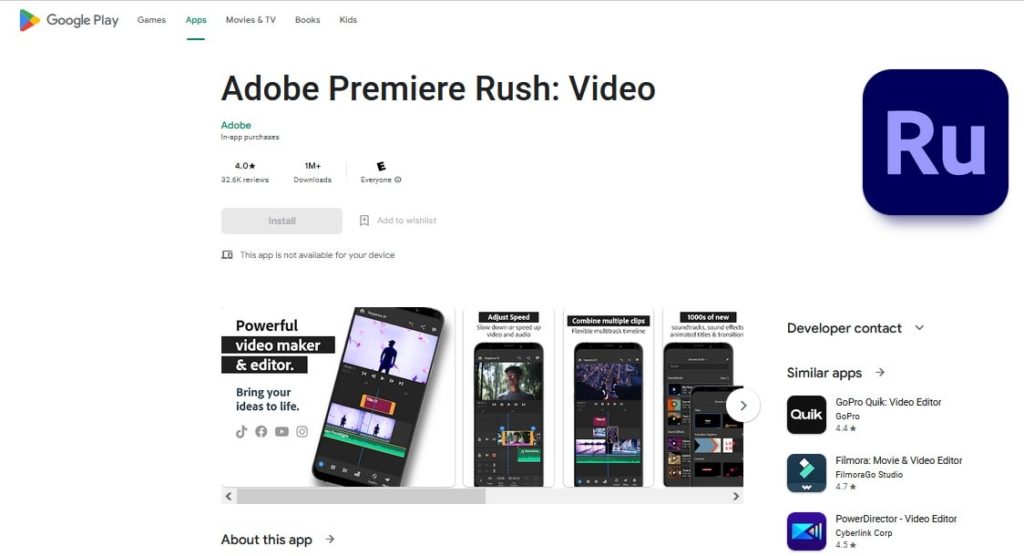
Adobe Premiere Rush is a professional-grade video editing app suitable for more advanced users. It provides editing features, such as trimming, transitions, color adjustments, and audio mixing. Premiere Rush is available on iOS, Android, and desktop platforms.
VivaVideo
How to make a reel on Instagram with multiple videos
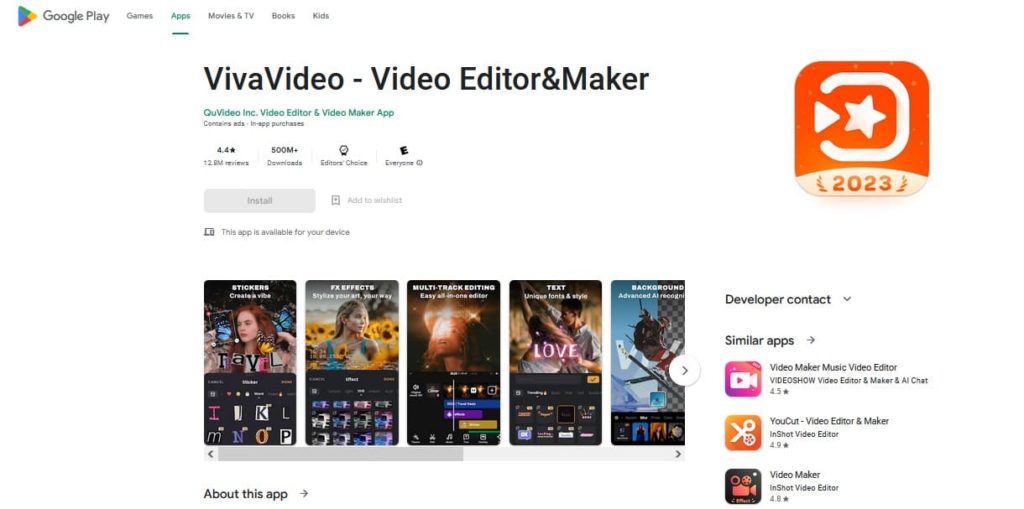
VivaVideo is an awesome video editing app that comes with a built-in camera. Moreover, it offers a unique storyboard editing mode, allowing you to easily organize your clips. Available for both Android and iPhone, this app provides a variety of editing tools and a wide selection of music and sound effects to enhance your Reels.
How to Make a Reel on Instagram: The Final Step
Not all the reels are for fun. Did you know that you can even get paid for Instagram reels? Therefore, tracking some key metrics is an essential way to monitor the reels.
Views: This shows how many times viewers have watched your Reel. It provides insights into the overall reach and engagement of your content.
Likes: The number of likes shows how much viewers appreciate and engage with your Reel.
Shares: This metric shows how many times other users have shared your Reel, indicating the level of resonance it has with your audience.
5 Proven Tips to Improve Your Reels’ Reach
While you may already know how to do a reel on Instagram, making an optimized one is a whole different story. If you want to supercharge your Instagram reels growth, there are a few key points you need to keep in mind.
Use popular hashtags: Include trending and relevant hashtags in your Reel captions to reach a larger audience and boost discoverability.
Interact with comments: Engage with the comments on your Reels to encourage participation and build a sense of community.
Feature user content: Encourage your followers to create Reels using your branded hashtag or join a specific challenge. Sharing user-generated content is a great idea to attract more followers to the reels on Instagram.
Stay consistent: Keep posting Reels consistently to stay visible and maintain a strong presence on Instagram.
Try different types of content: Experiment with various formats, themes, and styles to see what your audience likes best. Use this information to optimize your content and get better results.
FAQs
Do Reels Show up on Your Feed?
Yes. When accounts you follow share Reels, they’ll appear right alongside other posts. This makes it super easy to discover and watch Reels without going to a separate section.
Can I Save a Draft of My Reel and Publish It Later?
Absolutely! You can save your Reel as a draft and publish it whenever you’re ready. This allows you to work on your Reel at your own pace.
Can I Delete a Reel After It Has Been Published?
Fortunately, you can remove a published reel by these steps:
- Scroll through your profile until you find the Reel you want to delete.
- Then, tap on the Reel to open it.
- On the Reel, you will see three dots at the bottom right corner of the screen. Tap on it.
- A menu will appear with various options. Tap on “Delete” or “Delete Reel”.
- Now, tap “Delete” again when prompted to confirm the deletion.
Is It Possible to Co-create Reels with Another Instagram User?
Sure, you can create Reels together with another Instagram user. Simply use the “Collaborate” feature to add your clips and make it a joint creation. Keep in mind that collaborators can see all the likes and comments on the reel. We’ll show you how to put reels together on Instagram and create collaborative reels.
- Open the Instagram app and navigate to the Reels section.
- Tap the “+” icon to begin creating a new reel.
- Record a video, upload one from your device, or select multiple photos for your reel.
- Apply desired filters, effects, and text to enhance your content.
- Prior to sharing the reel, locate and tap the “Collab” option.
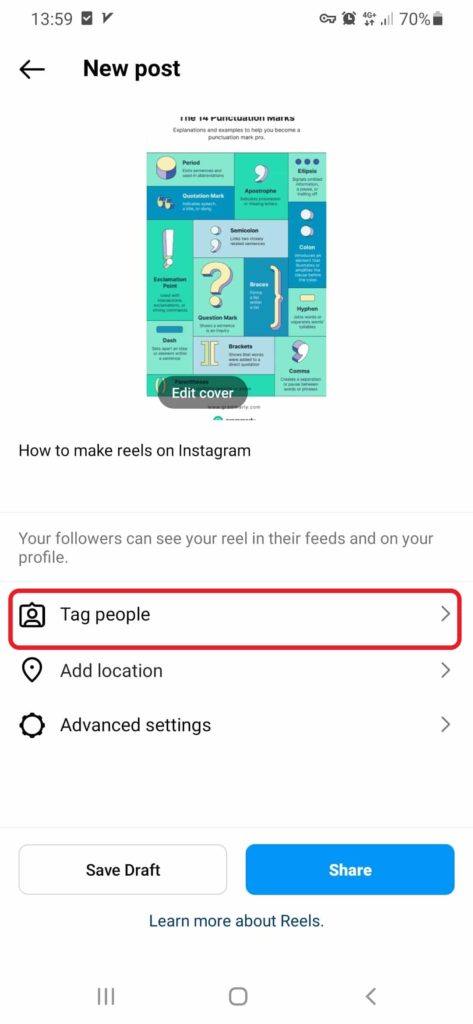
- Search for the desired account to collaborate with and select it.
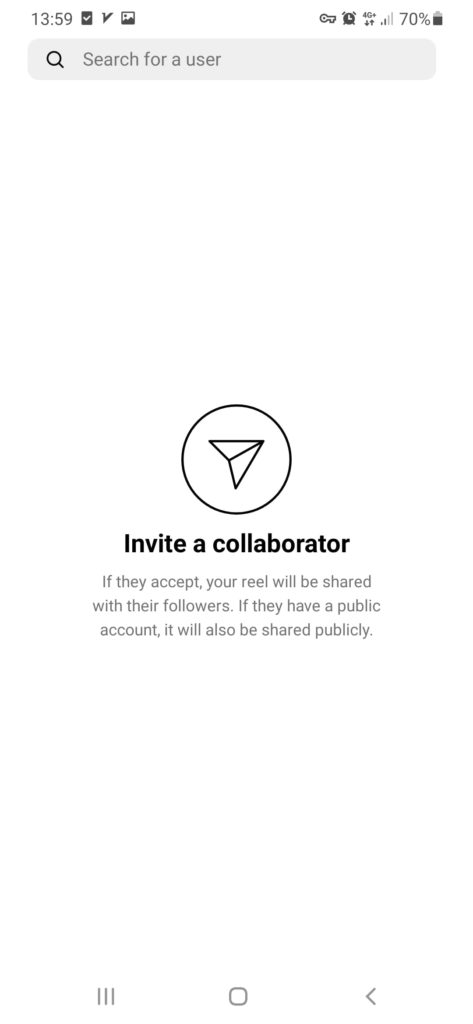
- Send an invitation to collaborate on the reel to the chosen account.

- Once the invitation is accepted, the collaborator’s username will be added to the reel.
- Make any final edits or adjustments to perfect the collaborative reel.
- Share the finished collaborative reel with your followers and appreciate the combined creativity!
What Is the Difference Between a Reel and a Video on Instagram?
A Reel is like a special kind of video on Instagram but with a twist. It’s designed to be short and snappy, grabbing people’s attention quickly. In contrast, regular videos on Instagram offer more flexibility and time to showcase your content.
Reels are all about being fast, fun, and shareable, while regular videos give you more space to explore and experiment. So, if you’re looking for a quick and captivating way to engage your audience, Reels are the way to go. But if you want to dive deeper and have more creative freedom, regular videos might be the better choice.
