


Ever experienced an inappropriate comment or faced bullying on your Instagram posts? Well, Instagram has got your back with a handy feature – the block button. Blocking someone on Instagram can be the best way to handle such situations. However, it’s not always necessary to completely cut off someone from your account. There are alternatives that allow you to limit their access without permanent blocking.
But what goes through your mind when you make the decision to block someone? How to block someone on Instagram? How to unblock someone on Instagram, if you changed your mind? And most importantly, if I block someone on Instagram will they know?
In this blog post, we’ll dive into the world of blocking and unblocking on Instagram from A to Z. We’ll provide you with all the information you need to know. Let’s explore the ins and outs of managing your Instagram interactions effectively.
Why Do People Block Others on Instagram?
There are various reasons to block on Instagram. Some of these reasons include spamming messages, tagging someone in irrelevant posts, or leaving inappropriate comments on their content. However, there are also those who do it just for fun.
What happens when you block someone on Instagram?
Before you make the decision to block or unblock on Instagram, it is essential to understand what features you may lose. Ask yourself if It is better to unfollow or block others on Instagram and then, pick the right option accordingly.
If you block someone on Instagram, will they know?
When you tap the block button, Instagram won’t send any notifications to people you blocked. It is the same for unblocking. However, there will be changes like:
- After you block someone, Instagram will remove all their likes and comments from your posts. Unluckily, you won’t be able to bring those comments and likes back with unblocking.
- When you block people, they can still view your comments and likes on public accounts.
- The blocked users can’t mention or tag your username.
- If you block and then change your username, they won’t be able to mention or tag you unless they know your new username.
- If you block someone on Instagram, can they still see DMs you’ve sent them? This is a common question people ask when blocking on Instagram. Then, you need to know that blocking on Instagram doesn’t delete the messages but you can’t send them any messages.
- If you’re in a group message with someone you’ve blocked, you’ll get a dialog asking whether you want to stay in the group or leave. If you choose to stay in the group, you’ll be able to see messages from the person you blocked in the group.
- you don’t get any messages. Meanwhile, the messages won’t be delivered later when you unblock them.
How to Block Someone on Instagram App?
When it comes to blocking or unblocking someone on IG, most folks opt for using the app. It’s simpler and offers more options compared to other devices. But whether you’re an Android user or an iPhone user, the process remains the same. So, let’s dive into how to block someone on Instagram on iPhone, Android, and iOS.
Also read: Instagram Action Blocked 2023
Direct Messages
- Navigate to your feed and tap on the message icon in the top right corner
- Then, select the chat with someone who you want to block.
- Now click the (!) icon at the top.
- Here you see two options:
- Simply block their account
- Or block this account and another account they may have or create in future
- Choose the option and click again to confirm.
People’s Profile
- Another way is to head over to their profile and tap on a three-line icon, in the top right corner.
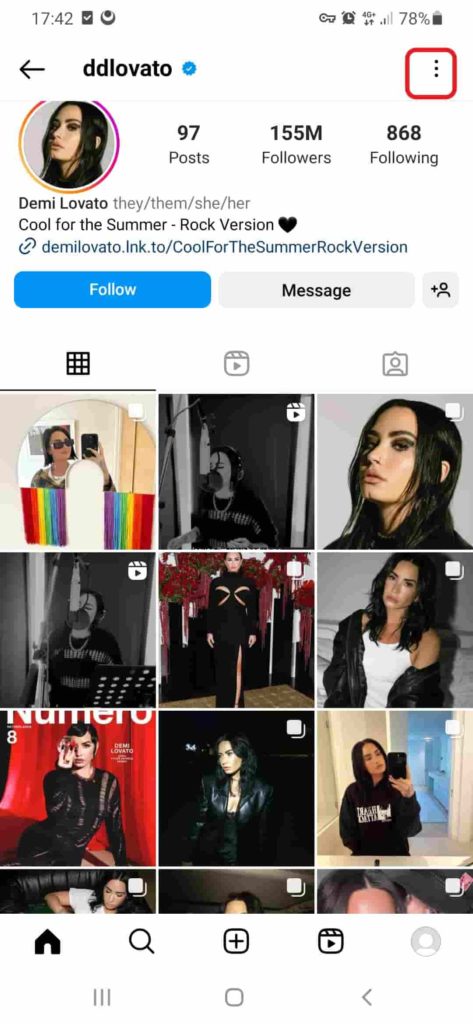
- Next, select the way you want to block them.
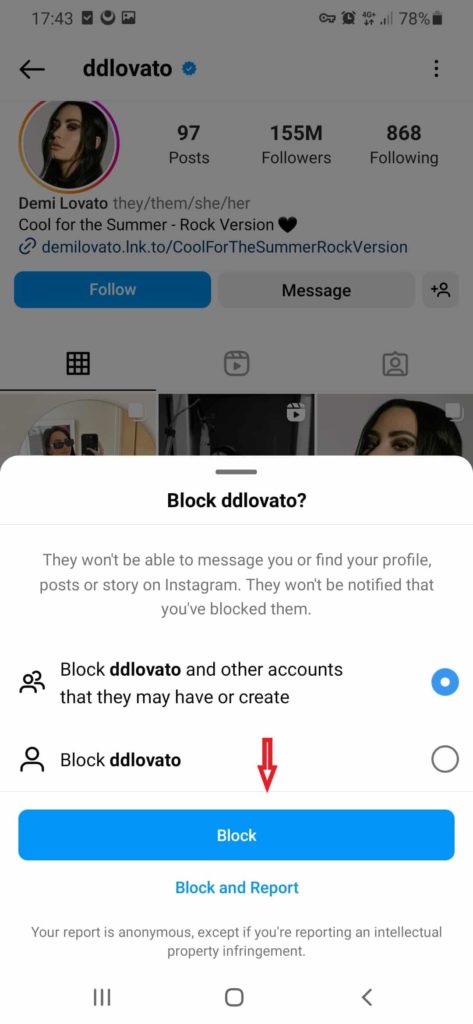
How to block people from seeing your post on Instagram?
- Note: If you’re following multiple accounts owned by the same person, you’ll need to block each account individually.
How to Block Someone on Instagram from Commenting?
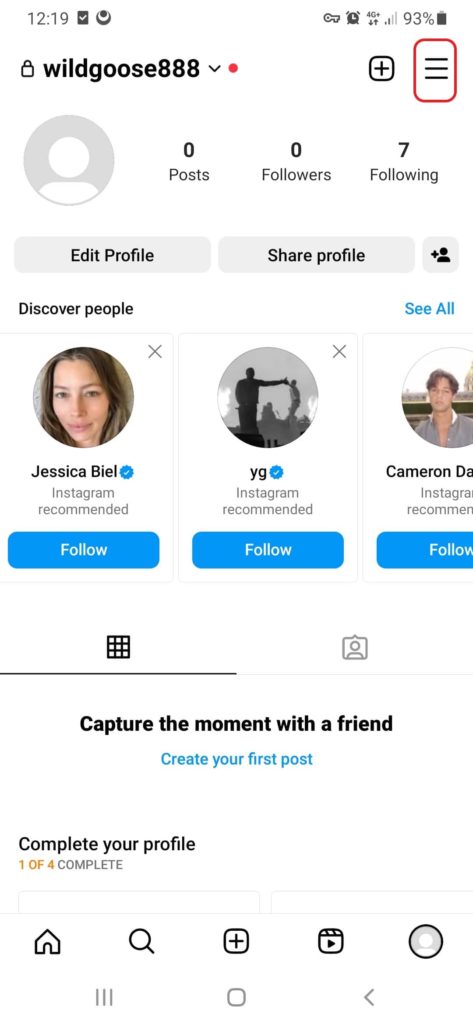
Instagram provides wide offers to manage your comment. For example, you can block people from commenting simply by going to your profile on Instagram app, then:
- Tap on the three-line icon.
- Go to “setting and privacy”.
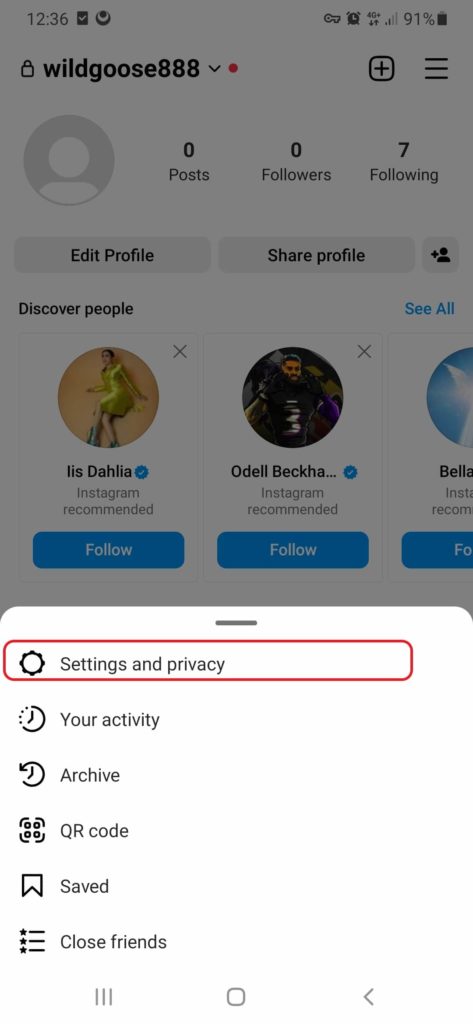
- Scroll down to see “how others can interact with you”.
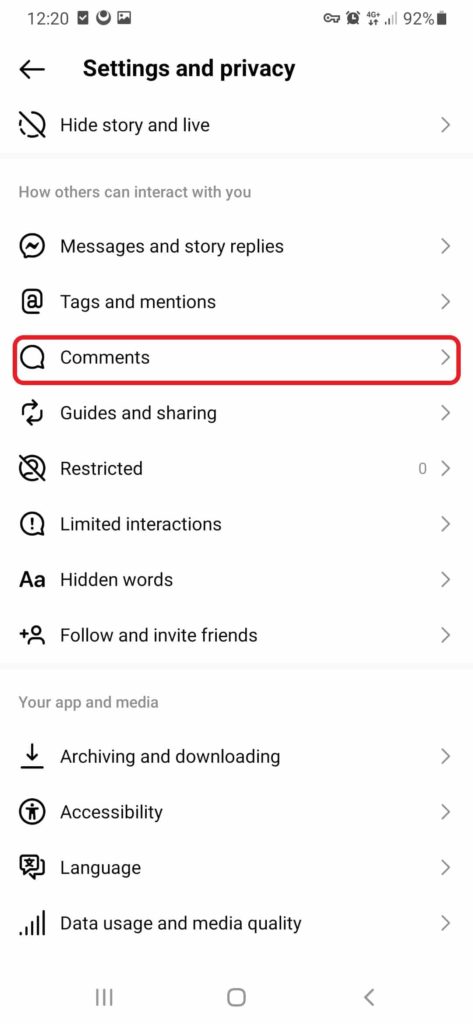
- Tap “comments” and enter the name of the person you want to block.
- Finally, tap “Block” next to their name and it is over.
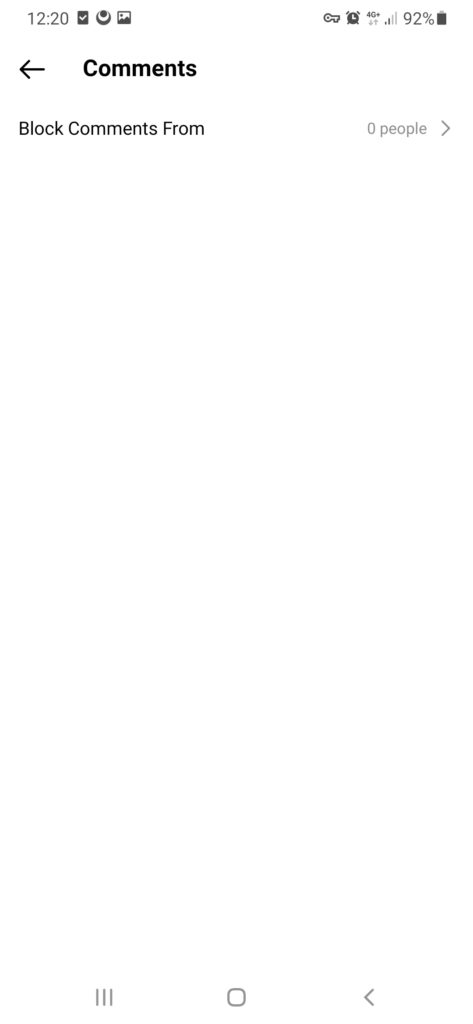
Note: Blocking people from leaving comments isn’t available on Instagram web.
If you change your mind, you can easily unblock them. Just tap Unblock next to their name and then tap Unblock again to confirm.
Note: when you block someone from commenting, their previous comments won’t disappear.
Can You Block Someone on Instagram from a Computer?
You can block/unblock someone on Instagram using your computer. It’s a piece of cake! Let’s find out how to permanently block someone on Instagram.
- Go to Instagram.com and log into your account.
- Tap the message icon in your feed.
- Go to your DM inbox and tap (…) next to their username.
- Choose “block” and tap it.
How to View Blocked Accounts on Instagram PC?
This feature isn’t available on the desktop version. So, you can use more options through the app.
Can You Block Someone on Instagram Limitedly?
Have you ever heard of soft blocking? Although it is common on Twitter, other social media users like Instagram do it. This feature is called restricting on Instagram. Here, we explore how to soft block someone on Instagram.
Setting
- open your profile and head over to “setting”.
- Under “how others can interact with me”, scroll down to “restricted”.
- Tap it and go to “restricted accounts”.
- Search for the account you want to restrict and tap on restrict.
Their profile
- Search for their username and go to their profile.
- In the top right, tap the three-line icon and choose restrict/unrestrict the account.
What happens when you restrict someone on Instagram?
Blocking isn’t always the best solution. You may lose precious things that won’t come back again. But if you restrict someone’s account,
- They won’t be able to see when you’re online or if you’ve read their messages.
- Their new comments on your posts will only be visible to that person, and you can choose to see the comment by tapping See comment. If you want others to be able to see their comment, you can tap Approve, then tap Approve to confirm, or you can delete it or ignore it.
- You won’t receive any notifications for future comments from that person.
How to Unblock Someone on Instagram?
Have you changed your mind and decided to return to the old sweet days? Is it possible? In other words, can you unblock someone on Instagram after you block them? Well, yes, there is always a solution. It is even much more accessible than when you block them. Here, we show you how to block someone on Instagram pc:
- Open Instagram.com and log into your account.
- Go to people’s profile.
- Tap (…) next to their username and choose “unblock”.
Or
- Go to messages from your feed.
- Select the chat with someone you want to unblock.
- Tap on the “unblock” option.
Want to Know How to Unblock Someone on Instagram App?
You’ve discovered how to unblock someone on Instagram from your computer. It’s essential to know that there are more options to block/unblock on the Instagram app than a web browser. You can try different ways like going to DM, people’s profiles, and your blocked list. If you want to know how to unblock someone on Instagram without a username, follow these steps:
Open your Instagram profile and go to “Settings and Privacy.”

In the “Who Can See Your Content” section, select “Blocked Accounts.”

Choose the blocked account that you want to unblock.
Tap on the “Unblock” option.

how to unblock on Insta
What happens when you unblock someone on Instagram?
After you unblock people on Instagram, everything will get back to days before blocking. They can see your posts and stories again. They can also find you by searching and sending you DMs. However, when you unblock people, they won’t be on your followers’ list. So, you need to send them the follow request.
FAQs
Here are some common questions on the topic” How to block/unblock someone on Instagram”.
Q1. If I’ve Blocked Someone on Instagram, Why Can’t I see their profile?
If you aren’t able to view blocked accounts, there are two possibilities. They may have blocked you back or deleted their accounts. There are tricks to know if someone has blocked you on Instagram.
Q2. Can I Block Someone Who Blocked Me on Instagram?
No, you can’t block someone who’s already blocked you. When they block you, it means they don’t want to deal with you anymore. So, you can’t turn around and block them back.
Q3. I want to stop people from seeing my story. Do I Need to Block Them?
If you’re wondering how to block someone on Instagram story, you actually have another option. Instead of going straight to the block button, you can choose to hide your stories from that person.
It’s a way to keep your stories private without fully blocking them. So, you still have some control over what they can see. To hide your story from people:
- Go to “Settings and Privacy.”
- Under “Who Can See Your Content,” select “Hide Story and Live.”
- Search for the username of the person you want to hide from and tap on it.
Q4. How to Unblock Someone on Instagram That Blocked You?
You can’t unblock the accounts that blocked you. In fact, when people block you on Instagram, you won’t have access to their accounts. So, there is no other choice than waiting for them to unblock you!
Q5. How to Unblock Someone on Instagram After Deleting the Conversation?
Imagine you’ve previously blocked someone on Instagram and then deleted the conversation. Can you bring them back again? Here’s how to unblock someone on Instagram, even if they aren’t in your followers or following list:
- Head over to the “Settings and Privacy” section.
- Look for the option that says “Who Can See My Content.
- Go to “blocked” and select the person.
- Tap “unblock” and you’ll remove them from the blocklist.
Q6. Can I Stop Someone from Viewing Who I Follow?
if you look to find how to block people from seeing who you follow on instagram, there is a simple answer. You don’t need to take further steps and block the user. Make your account private so that they can’t see your followings
