

Imagine this: You wake up to a notification. Your Instagram is blowing up with comments and questions, but instead of feeling stressed, you smile. Because you’ve got an Instagram autoresponder.
Luckily, the world of auto-responders is getting broader, from the platform’s built-in feature to automated Instagram DM apps and tools.
If you want to use one, you better study carefully. How is auto-responding on Instagram and third-party tools? Are there any side effects?
In this blog, I’m going to provide you with Instagram auto responders’ handy manuals! Read on!
What Is An Instagram Autoresponder, the Pros & Cons
An Instagram autoresponder is a feature that allows you to send Instagram automatic messages to users who message your account.
It can reply to common questions and provide instant replies to customer inquiries.
The Pros
- Time-saving: With an autoresponder, you can instantly reply to messages and comments without manually typing responses, saving time for your team.
- Consistency: Instagram’s auto-reply feature ensures the same message is sent to all users who contact you. This ensures a consistent response to frequently asked questions.
- 24/7 availability: With the auto-reply Instagram feature, you can provide instant responses to messages and comments at any time of the day, even when you’re not actively online.
- Improved customer experience: Quick and automated responses can enhance the customer experience by providing instant answers and reducing response time.
The Cons
- Lack of human touch: While autoresponders can personalize responses to a certain extent, they lack the human touch and emotional connection that a personal reply can provide.
Some users may prefer genuine, human interaction over automated responses. I do!
- Limited customization: The level of customization options for autoresponders can vary depending on the platform or tool used, which may limit the ability to create specific and detailed responses.
- Missed context: Automated responses may not fully understand the context or nuances of the user’s message, which could result in inappropriate or incorrect responses.
- Instagram violation: Generally, Instagram is against automation tools as they may look spammy.
Also read: Instagram CRM, benefits, features, and the best DM CRM
Different types of autoresponders for Instagram
Hopefully, the world of Instagram autoresponders is getting broader. Here are two main types of auto-replies:
Built-in Instagram Autoresponder
Instagram offers a basic autoresponder feature called “Saved Replies” under Tools. With this feature, you can create and save pre-written responses to use when replying to messages or comments.
It’s worth noting that Instagram’s auto-reply is only available on Business and Creator accounts.
Instagram’s built-in autoresponder provides you with more features:
- Response suggestions
- Frequently asked questions
- Welcome messages
Automated Instagram DM tools & apps
In addition to Instagram’s built-in features, several third-party tools and services offer more advanced autoresponder capabilities for Instagram.
These tools typically provide more customization options and advanced features.
How to set up automatic reply on Instagram business page (Method 1)
One way to set up Instagram’s auto-message is through Settings and Privacy.
Step 1
Head over to your profile, tap the three-line icon at the top right corner, and open Settings and Privacy.
Step 2
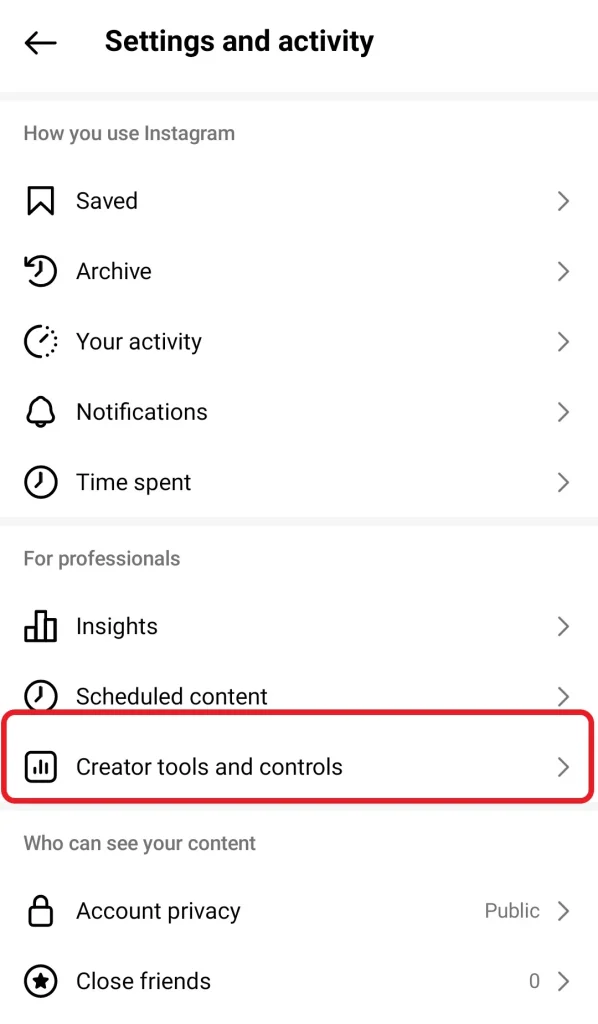
Under Settings and Privacy, tap on Creator tools and controls.
Step 3
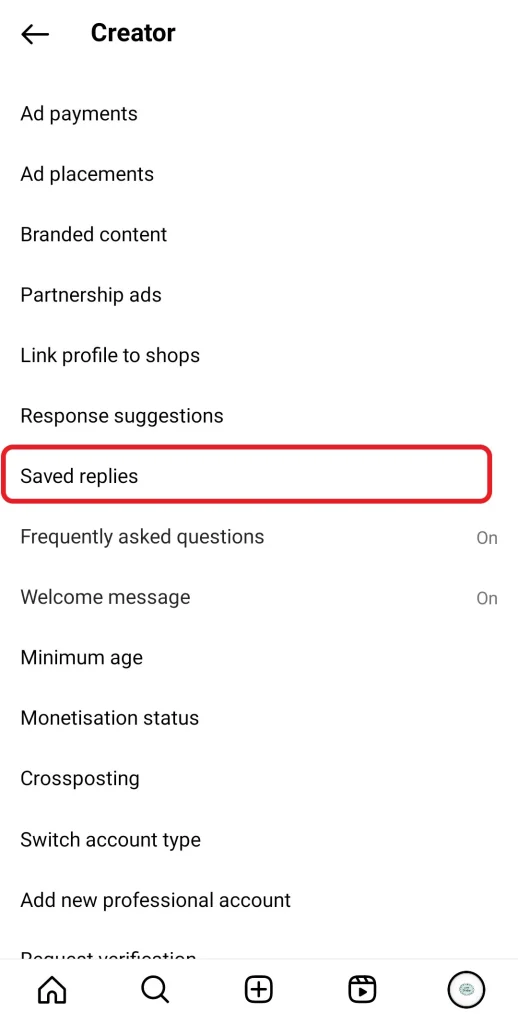
Scroll down to Saved Replies and open it.
Step 4
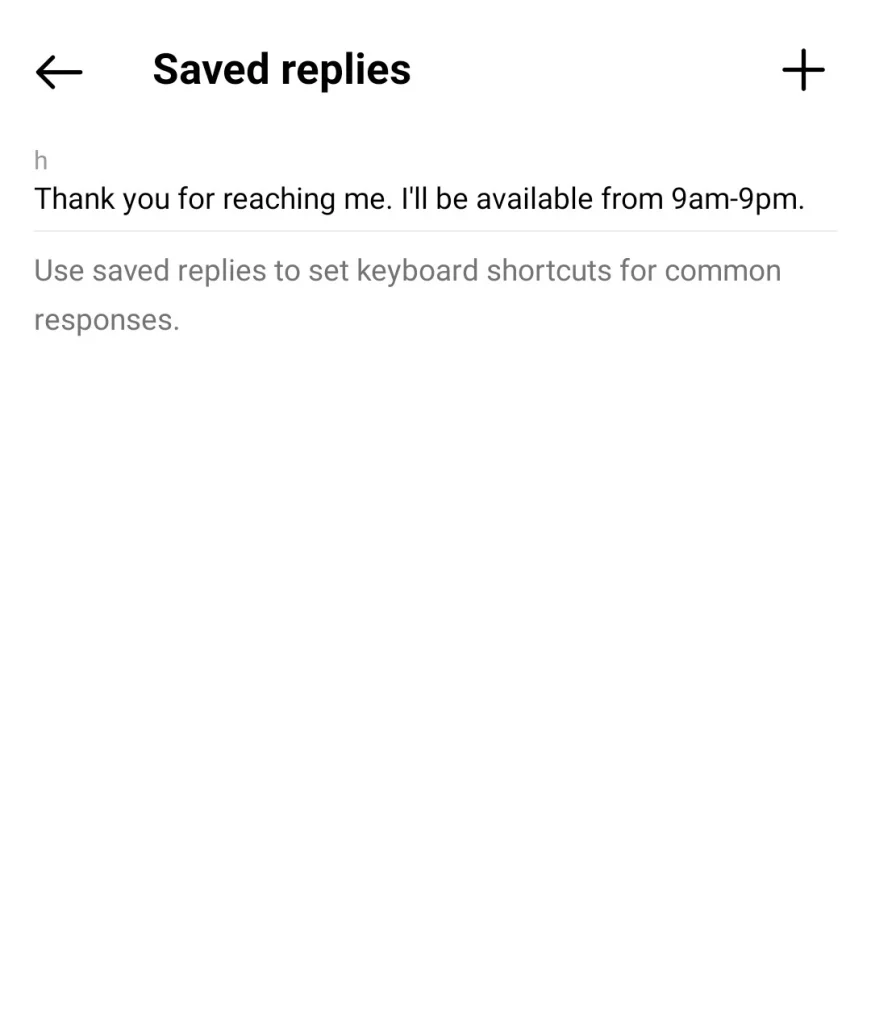
Now, click on the plus icon at the top right corner to add saved responses.
Step 5
Here, you can also add a keyboard shortcut for the message so that the reply appears when this shortcut is the first word typed in a message.
How to Set Up Frequently Asked Questions on Instagram?
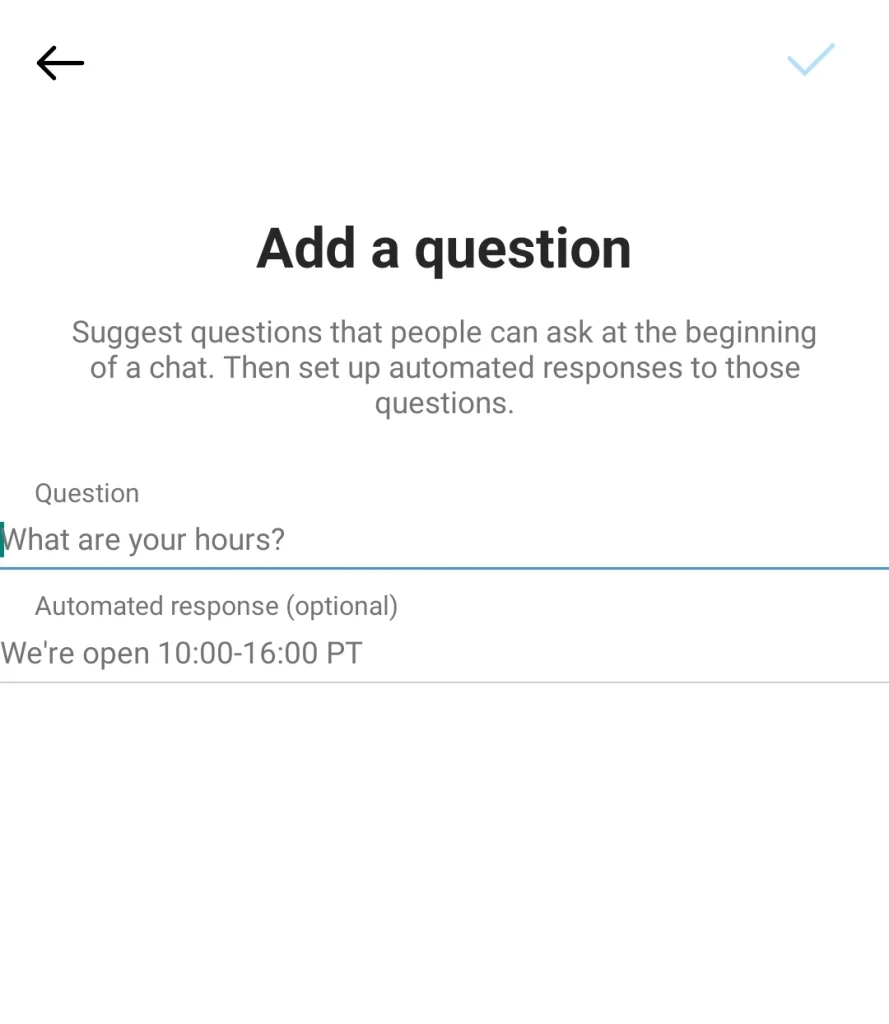
You can also add FAQs with automated responses. They will appear at the beginning of a chat. This is as simple as the following step:
Below Saved Replies, tap on Frequently Asked Questions and type the question in the above tab. Then, add an automated response to that question.
How to activate Instagram automated messages (Method 2)
Another way to set up an auto-reply feature on Instagram is by following these steps:
- Open your feed and tap the airplane icon at the top right corner.
- Tap (…) next to your username and open Tools.
- Next, open Response Suggestions and toggle Saved Replies on.
Note: You can turn Previous Replies on or to change your response, get back to the Saved Replies option, and type your new reply.
Instagram auto-reply message examples
Feeling ran out of ideas for automated Instagram messages to impress your followers? Here are different types of message ideas to inspire you!
- Thank you for following us! We’re excited to have you on board. Stay tuned for updates, exclusive offers, and exciting content!
- Thank you for your message! We have received it and will get back to you as soon as possible. In the meantime, feel free to explore our Instagram feed for more inspiration.
- Hey [username], thanks for following! I’m so excited to have you here. Check out my latest post for a taste of what you can expect. Feel free to DM me with any questions.
- Hey there! Thanks for following [Your Brand Name]! We’re excited to have you join the community. To learn more about us, check out our bio or DM us with any questions.
- Thanks for your interest in ordering! We’d love to help. Please visit our website [website link] for all product information and ordering details.
- Thank you for reaching out! We have received your message and will get back to you as soon as possible.
- Hello! Thanks for connecting with us. We’re excited to have you as part of our Instagram community.
- Hey there! Thanks for reaching out! We’re thrilled you’re here. Check out our FAQs for answers to common questions, or send us a message if you need anything specific.
- Hello! Thank you for contacting us. We are currently out of the office and will respond to your message as soon as we return on [date]. For urgent matters, please contact [alternative contact].
- Hello! Thank you for reaching out. Our team is currently away and will be back on [date]. We appreciate your patience, and we’ll respond to your message as soon as we return.
FAQ ideas for your Instagram auto-response
Let’s review several FAQs you can provide for your audience’s convenience:
- Q1: What are your business hours?
- Q2: How can I place an order?
- Q3: What are your shipping and return policies?
- Q4: Do you offer discounts or promotions?
- Q5: How much do your services cost?
- Q6: How can I track my order?
- Q7: How do I request a refund or exchange?
- Q8: Do you have a physical store location?
- Q9: Are you open to collaboration requests?
- Q10: Do you have a blog or website?
Instagram Autoresponder Tools
While Instagram’s auto-reply feature is effective for small businesses and accounts, larger brands and accounts with big followers may need advanced features.
Here Instagram auto-response apps and tools come in. DM automation third-party tools include apps, chatbots, and online platforms.
Auto igdm, ManyChat, AutoResponder.ai, and Respond.io are top examples of Instagram auto message tools and apps.
AutoIGDM
AutoIGDM is a tool for automating Instagram lead generation that offers features such as targeting specific clients, personalized messaging, and automated follow-ups.
It also includes back-office management for tracking messages and response templates.
Users can send up to 1,800 messages per month per Instagram account, potentially leading to significant conversion rates.
The tool provides you with a 7-day free trial and a Chrome extension.
The prices range from $39 monthly (Starter plan) to $299 (Scale plan). You are also free to cancel your subscription at any time.
ManyChat
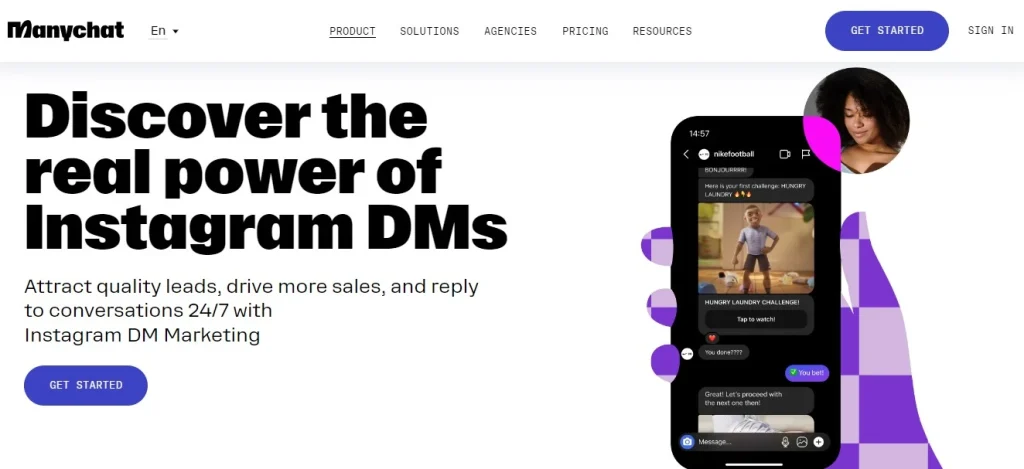
ManyChat is an Instagram DM marketing tool that allows you to reply to FAQs, build a contact list, and automate giveaways, challenges, and quizzes.
This tool also automatically likes and responds to comments and sends more info including product links, and coupon codes to your followers’ DMs.
ManyChat offers three packages (Free, Pro-$15 per month, and Premium-custom price).
AutoResponder.ai
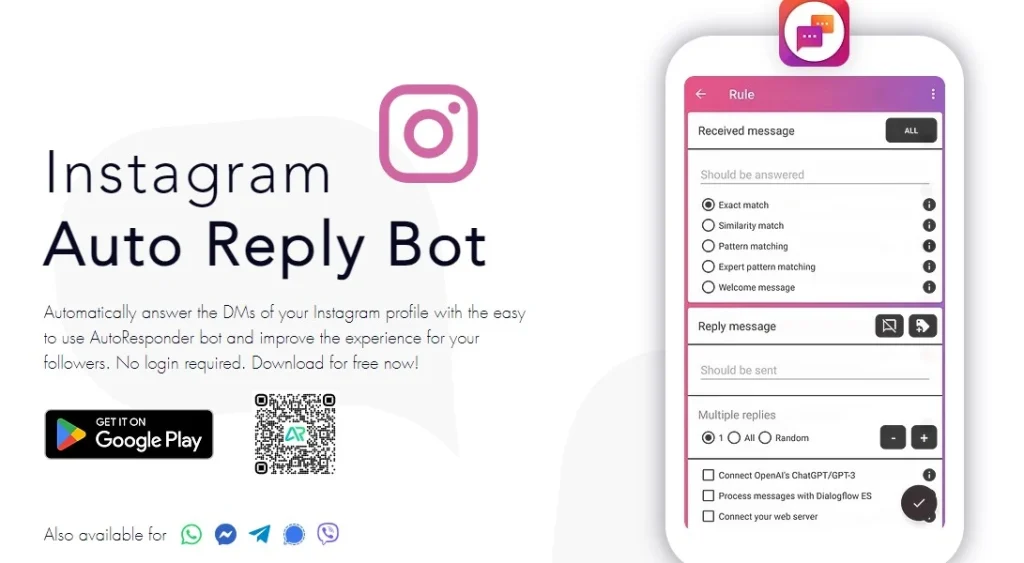
This is a Free auto-reply bot-only for Android users that allows users to automatically answer direct messages on their Instagram profile.
Users can set up unlimited auto-reply rules tailored to their needs, automate responses to frequently asked questions, and create a personalized chatbot to improve follower engagement.
In addition, AutoResponder doesn’t require a login and lets users create rules for messages they want to be answered automatically, using features like artificial intelligence for customized responses.
Respond.io
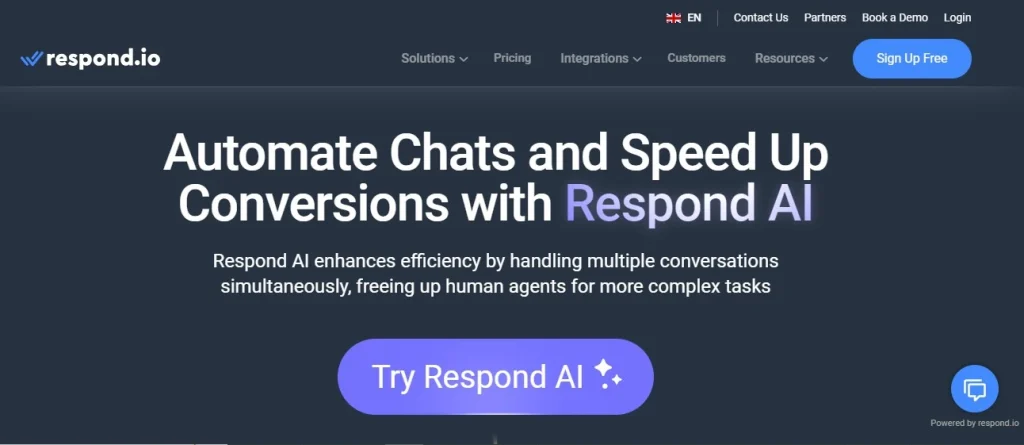
Respond.io is called an AI Agent claiming to interact with customers in a human-like manner. It can greet customers, answer frequently asked questions, and direct customers to the appropriate AI agent based on their needs. Other features include:
- Provide general or specific answers sourced from the web or information provided.
- Qualify leads, collect customer information, and personalize experiences.
- Easily configurable through simple conversations and available on desktop and most mobile devices.
Respond-io offers both monthly and yearly plans (Team, Business, and Enterprise) with €79 to €299.
Drawbacks of Instagram autoresponder tools
I already talked about the benefits of auto DM Instagram tools. But let’s be fair and focus on the dark side as well!
- Generic auto-replies can feel robotic and impersonal, reducing user engagement and trust. Just put yourself in a customer’s shoes. How would you feel if find out you’re not chatting with a human?
- Besides, automated responses can’t handle complex conversations that require a human touch. The result? Customer’s frustration!
- Chatbots may struggle to understand user intent or sarcasm, leading to irrelevant or inappropriate responses that damage your image.
Imagine this: A user sarcastically DMs a clothing brand: “This shirt looks awful!” but the Cchatbot misreads negativity and offers returns, or ignores frustration.
So, what’s the solution?
AiGrow: Manual Instagram DM Service
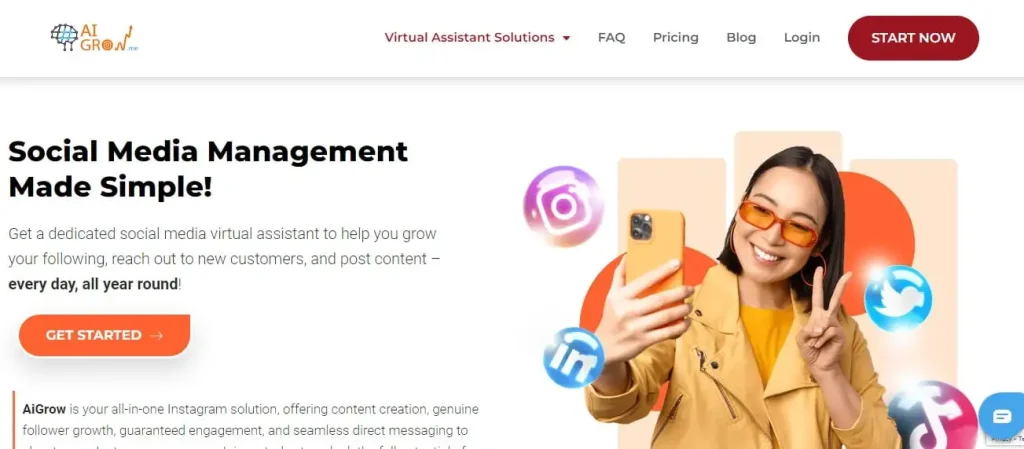
AiGrow is an Instagram growth service with different features including Managed DM which offers the following benefits:
- It’s manual, not automated. You don’t have to worry about personal touch. The replies are customized for each message.
- A dedicated account manager handles the DMs, saving you time and causing more engagement.
- No need for your account password. Your account manager takes care of all your DMs (labeling them and following up with customers) through Meta Business Suite, generating more leads and sales.
But that’s not all! Within this service, you can run a DM campaign. How?
- The account manager will manually send customized messages to your target audience using hashtags, locations, influencers, and competitors.
- You’ll stay informed with daily performance reports and a scorecard to track your progress.
- You can have an onboarding meeting with your manager to talk about your goals, needs, and preferences.
- There’s a 14-day money-back guarantee and the flexibility to cancel your subscription at any time.
What are you waiting for? Want to manage your DMs safely and effectively?
The Last Word
Using an Instagram autoresponder, whether it’s Instagram’s built-in feature or a separate tool, can save time for brands and businesses.
But you should be careful not to sacrifice a real human connection over time. Because it’s a vital part of building a loyal customer base on Instagram.
Even if you want to use automated Instagram DM tools, you should make sure they’re not going to damage your connection. That’s why choosing a manual DM service like AiGrow could be like hitting two birds with one stone: you save time and maintain human connection.
