

How important is it for you to retouch a photo? Top photo editing software helps with that. These tools are like magic for photos, fixing and improving them. Whether you’re a professional or just having fun, these apps are super useful for making your pictures awesome. This makes them so great for photographers, designers, and anyone who likes playing with pictures.
If you are an influencer who is creating Instagram Reels, Posts, and Stories each and every day, photo editing software is the must-have in your toolbox to get creative without any limit to new ideas!
What Is Photo Editing Software?
Photo editing software allows you to get high quality photos from an editor and in most cases you may not want to pay a boatload of money for an expensive program like Photoshop, which you won’t ever get enough time to get a grip on let alone be an expert at it.
Whether you like to get something basic to enhance your photos or require advanced updated features. So, here is the best free photo editing software for you.
Best Photo Editing Software
There are many applications these days that claim to be the best photo editor apps. However, we have listed the top three most essential ones to use as photo editing software in 2024. So without further ado, let’s get started!

#1 Photoleap
In the top spot coming at number one on the list is Photoleap app which is the best photo editing software that you could get. In this app, you can edit your photos in creative ways. There are endless possibilities.
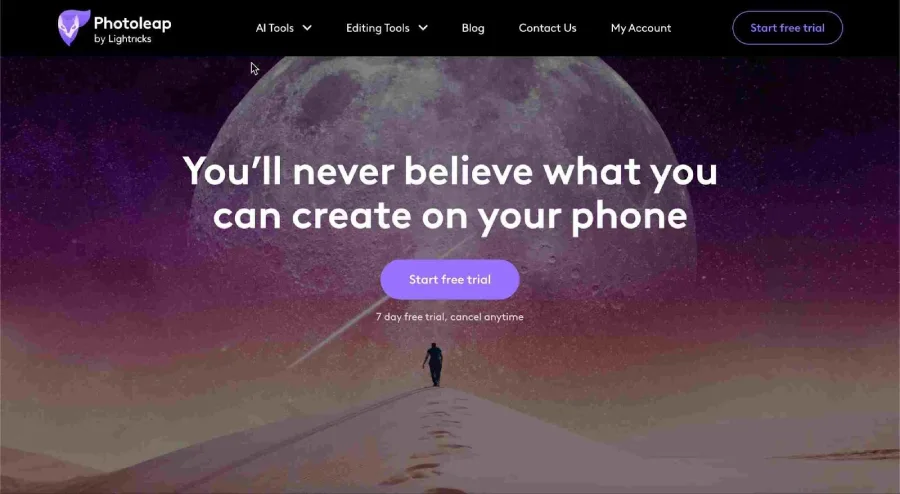
Photoleap goes beyond traditional photo editing with its text-to-image generators, transforming words into art effortlessly. Simply enter your desired text, and Photoleap’s AI drawing instantly brings your ideas to life.
The sketch-to-image generator allows you to turn your creative sketches into original AI art, offering a unique avenue for artistic expression. For those seeking quick and stunning results, the Pro Effect feature provides one-tap effects, ensuring you can create awesome content in no time.
Explore options like the dispersion effect on the timeline and many more to elevate your editing capabilities. Photoleap offers a versatile and user-friendly platform for users to unleash their creativity and achieve professional-looking results with ease.
When selecting the “Edit Photo” feature, you unlock a range of options to enhance and customize your photos. Photoleap offers numerous adjustment tools, filters, and color settings, allowing you to add variety to your images.
The cutout tool facilitates the removal of backgrounds and unwanted objects, providing a seamless editing experience. Additionally, Photoleap enables you to experiment with collages, bringing multiple photos together in various unique formats.
In the “Motion” tab, Photoleap takes your still images to the next level by allowing you to animate them with movements and special effects in mere seconds. You can add dynamic elements like moving skies, animated water flow, 3D effects, dispersion effects, and more, enhancing the visual appeal of your images.
So are you ready? Because there are no limits to what you can create with Photoleap. You can use this tool to generate great content to get organic Instagram growth on social media while maintaining good quality with your content generated using this app.
#2 GIMP
In second place, we have GIMP. This open-source program was initially released in 1996 and is packed with tools and features often found in expensive software. It includes layer management support, a large number of tools, advanced filters and effects, color adjustments, and transformations, and is compatible with most popular image formats, including Photoshop PSD files.
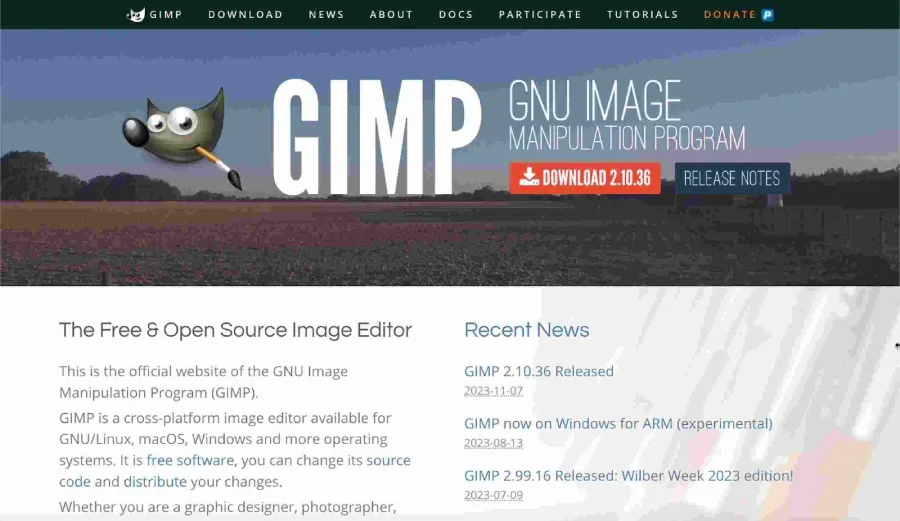
GIMP’s layout has been described by many people as clunky, especially for those who have been long-time users of Photoshop. It has a large set of tools located in the toolbox on the left, while on the right, you can find the layers and brushes.
Personally, I prefer a floating windows layout. If you do not prefer that, you could have a traditional layout in the menu bar, similar to Windows, and select the box next to single-window mode.
#3 Paint.net
Ranked at number three is Paint.net, a venerable tool that made its debut in 2004 and serves as a robust alternative to Microsoft Paint. Despite its age, this software remains a lightweight yet powerful option, boasting a plethora of features. Notably, it supports working with layers and offers a variety of special effects to transform the appearance of your images. Community-created plugins further enhance Paint.net’s functionality.

In recent years, Paint.net has undergone significant improvements, including the addition of a dark theme—a welcomed update. The essential tools are conveniently located in the toolbar on the left, while the menu bar at the top houses additional tools, including effects. A noteworthy feature is the oil painting effect, accessible through the “Artistic” category by selecting “Oil Painting.”
For assistance with the software, the forum serves as an excellent resource for getting answers to any questions you may have. It’s worth noting that Paint.net is exclusive to Windows users and can be obtained for free directly from the developer’s website, with the option to make a donation.
Alternatively, users can support the developer by purchasing it from the Microsoft Store for a one-time fee. Whether you’re an amateur or a seasoned user, Paint.net offers a versatile and user-friendly experience for image editing.
FAQs: Photo Editing Software – 2024
Photo editing software has made the work of many directors, influencers, and tech-savvy individuals much easier.
In the following, frequently asked questions about this topic are addressed.
Q1. How does the Photoleap Photo Editing Software Work?
Photoleap is an app for changing photos using smart computer tricks. With it, you can quickly change your pictures with cool effects, make text and turn sketches into images, make pictures move, take away backgrounds, and do other neat stuff.
Q2. How Does Photo Editing Software Work?
Image editing programs use a mathematical process where each pixel in a matrix represents specific data. If any data, like a pixel, is going to be changed, the cell of that matrix needs to go through certain formulas to meet the user’s demands while working with the photo editing software.
Therefore, by extrapolating the data automatically, these photo editing programs have developed over time to help us get more creative, avoiding the waste of time and energy.
Q3. Which photo editing software is the best?
The best photo editing software outside of pricey professional applications like Photoshop includes Photoleap, GIMP, and Paint.net. These options offer powerful features for enhancing and manipulating images at an affordable cost. Photoleap is notable for its diverse tools, GIMP for its open-source capabilities, and Paint.net for its user-friendly interface.
Whether you’re looking for motion effects, special effects, or a lightweight option, these software choices provide excellent alternatives for your photo editing needs.
Top Photo Editing Software – Conclusion
In conclusion, fixing up photos is super important today. Top photo editing apps are like magic, making pictures better for pros and anyone who loves playing with them. These tools are a must for photographers, designers, and anyone into pictures. Looking ahead to 2024, we’re excited about the cool features in photo editing apps like the AI art by Lightricks and others.
For influencers doing Instagram stuff every day, having a photo editing app is a must-have to be super creative and try new ideas easily. So, use these top-notch photo editing apps to make your pictures stand out online!
