

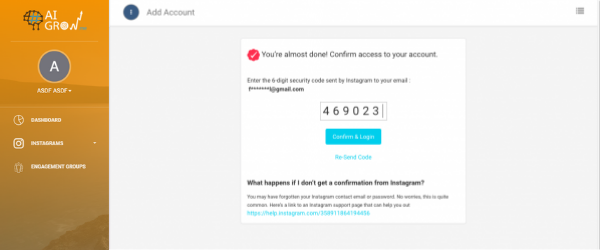
When trying to overcome a security checkpoint on AiGrow, you will be asked to provide the verification code sent to you by Instagram through email. The screen asking you will look like this:

If you are not receiving the email from Instagram with the required verification code, it’s likely that the email is being sent somewhere other than your primary inbox.
Follow the directions below to find the email.

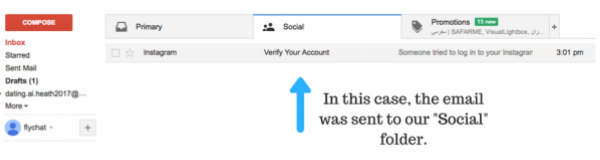
The same can be said if you are checking your email on mobile.


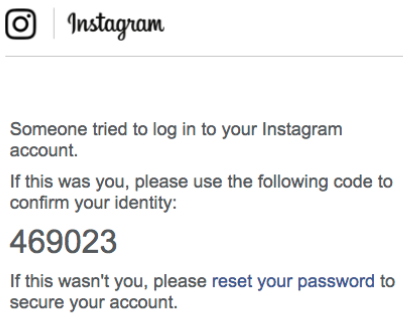
Once you have located your email, open it and look for the provided code. It should look like this:
Finally, take the code and use it to finish solving the checkpoint, as illustrated below:
If you have any more questions, please email us at support@aigrow.me
You can also visit our FAQ page which covers almost every question.
