

This week, the social media giant Meta introduced a new app called Threads. Mark Zuckerberg officially announced Threads as a Twitter-like app developed by Instagram.
This fresh addition to the app market aims to be a platform for users to share their thoughts through words rather than images. Although Threads is still in its early stages, you may want to know what it’s got for you.
Let’s explore the features Threads brings to the table for interested users!
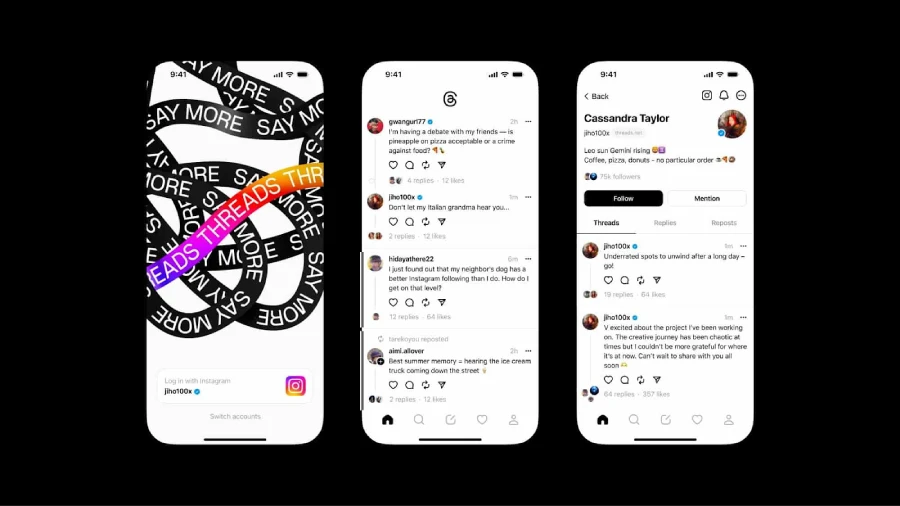
Source: Instagram
What Is Threads.net, How Does Threads Work?
Threads is Meta’s new app launched officially on July 6, 2023. It’s reported that since launching, there have been more than 30 million sign-ups.
Threads is an app to share texts and join public conversations. So, it’s much similar to its rival Twitter. You can also add photos, videos, and links to your posts.

Moreover, Threads allows you to share posts as long as 500 characters, which is more than Twitter’s new limitations.
Here, you can also reply to, repost, and quote from others. It’s important to note that your feed will display your followings’ posts plus recommended content.
How are Threads, Instagram, and Twitter different or similar?
As already discussed, Threads is a text-based app from Meta that is still in progress. In fact, Threads has a long way to go, but for now let’s make a comparison between this newly joined app, Instagram, and Twitter.
| Features | Threads | ||
| Android/iPhone/desktop | Not available on desktop | All | All |
| Character limit | 500 | 2200 | 280 |
| Android/iPhone/Desktop | yes | yes | No |
| Block/mute accounts | yes | yes | yes |
| Direct message | No | yes | yes |
| Having multiple accounts | yes | yes | yes |
| Edit posts | No | yes | yes |
| Private mode | yes | yes | yes |
How to Join Threads Instagram?
If you want to get Instagram Threads, go to Google Play or App Store, search for the app, and install it on your mobile device. it’s accessible to both Android and iOS users. Here, we’ll walk you through the steps to sign up on Threads.
- download the app from Google Play Store or App Store and log in with your Instagram account. Note that you can create as many accounts as you have on Instagram;
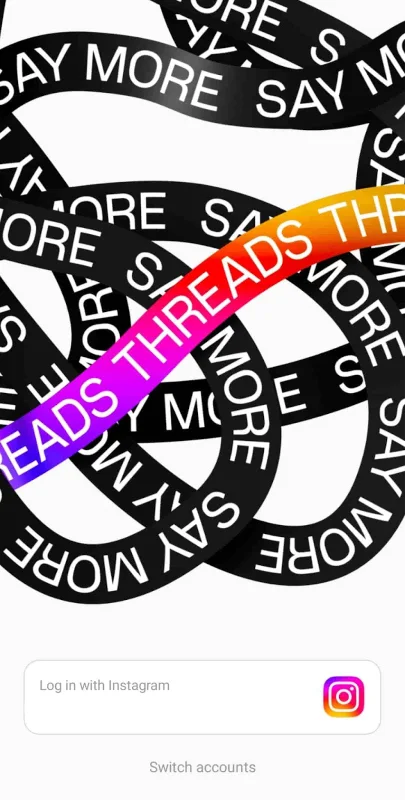
- Once you’re in, create your profile by adding your name, bio, and link;

- Now, you’ll be asked to import your friends from Instagram;

- Next, you can choose if you want to stay private or make your profile public;
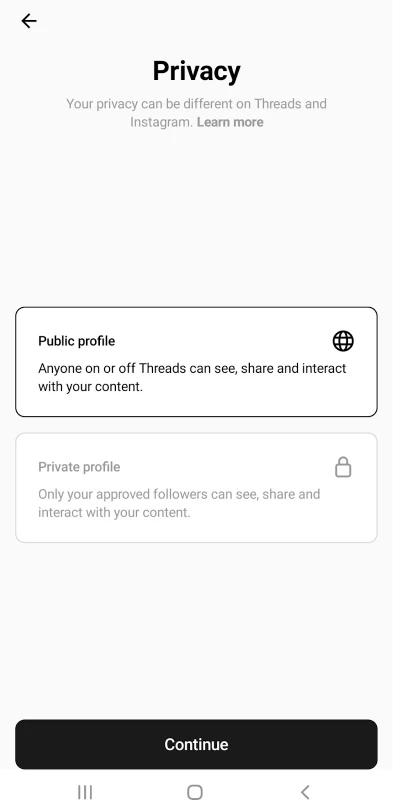
- And finally, if you’d like to keep your Instagram followers here, tap on “follow all”, otherwise you could head over to explore and type your preferred name.

How to follow all Instagram friends on Threads?
After you download the app, you’ll be signed in on Threads through your Instagram account.
Next, Instagram will ask you if you’d like to follow the same accounts you’re currently following on Instagram.
When your profile is set, you can change the settings and privacy.

Or, edit your profile; add your name and link, and write a bio.

If you’re wondering how to follow everyone on Threads, follow these quick steps:
- Jump into your profile and tap the two-line icon at the top right corner;

- Tap the first option on the top of the screen (Follow and invite friends);

- Threads lets you find your friends in multiple ways;

- If you want to select the first option, just tap it;
- Here, you can run through the list and follow one by one or tap the “Follow all” and follow all your Instagram accounts.
How to Get People to Follow You on Threads?
Buying Threads followers now, when the app is operating in sort of a testing mode and not that many people are using it, gives you a better chance of hitting it big.
Threads are still part of Instagram with similar algorithms and guidelines. So, it’s essential to keep your Instagram followers on your Threads account, too. There are a few ways to let them know you’re also active on Threads.
For example, you can put the link in your profile bio, and share it in a story, or a post. But this may not be time-efficient since people could miss your posts or ignore your profile bio. One effective way within a short time is by asking them to join via direct messages.
This requires sending mass invitations to your followers. To do so, it’s recommended to use a reliable and safe mass DM service. Aigrow allows you to send thousands of DMs in less than an hour. How?
- sign up for free on AiGrow and log into your account;
- Take some time and provide your information including your target audience, and competitors;
- After you added the information, go to packages and prices and select the plan that aligns with your goals;
- Then, it’s time to purchase your preferred plan;
- when the purchase is completed, connect your Instagram account to the platform and wait for your dedicated manager;
- After that, you’ll have an onboard meeting with your manager to discuss further details;
- AiGrow allows you to customize your DMs based on your target audience;
- To evaluate the results, you’ll be provided with clear and data-driven reports.

how to get more followers on your threads account?
Using AiGrow mass DMs is not the only way. If you could grow your Instagram account and get more followers, you’ll be able to entice them to stay with you on Threads. Here are the reasons why these are related:
- Once you increase your Instagram followers, you’ll grow your audience reach. This will drive more people to your Threads account;
- You can use cross-promote content to attract new followers to both accounts;
- More followers mean more engagement. So, when they engage with your content on Instagram, they’re more likely to like your threads.
That’s because using a professional Instagram growth plan would directly affect your Threads account.
And here, an all-in-one tool like AiGrow could help you make the most of both platforms. Why is Aigrow the best choice?
- Aigrow increases your followers organically without any automation tools;
- As the followers are real, the engagement rate will be real, too;
- It also offers content creation and post-scheduling plans;
- The process will be handled manually, by a dedicated account manager.
Want to Grow your Instagram and Threads seamlessly? Get started with AiGrow now!
Can I delete Threads account?
Unluckily, if you want to remove your account on Threads, you’ll have to delete your Instagram account as well. Although it turns out pretty freaky, it may change after a while.
That said, you can deactivate your account or just take a break for a couple of minutes. To do so,
- Open your profile and tap the two-line icon at the top right corner;
- Navigate down to Accounts and tap it;

- Go to take a break and schedule a reminder so that you’ll get notified if you spend this amount of time.

- To deactivate your account, tap the Deactivate Profile and click the dark button.

Note: deactivating your Threads profile won’t affect your Instagram account.
Can you have multiple Threads accounts?
Yes, as mentioned earlier, Threads account and Instagram account are connected together. Since you can own several accounts on Instagram, Threads multiple accounts are possible as well.
Does Threads have privacy issues?
Threads is part of the Instagram app and complies with the same privacy policies or guidelines defined by Instagram.
On Threads, you can set your own privacy settings, manage notifications, or block people. Similar to Instagram, you could also decide to mute specific users.
On the other hand, Meta has clearly identified the information they collect. These data include profile, activity, followers and connections, app, and more.
Simply put, the privacy policy and terms of use on Instagram and Threads are similar.
FAQs on Threads App
Threads is still a newborn with many upcoming features. Though, the questions below may have come into your mind, too.
Q1: Who created Threads app?
Threads is an app made by Meta company which owns Instagram, Facebook, and WhatsApp.
Q2: When did Threads launch?
Meta launches Threads on July 6, 2023.
Q3: Do you need Instagram for Threads?
As of today, only Instagram users can sign into Meta Threads app. It may change over time.
Q4: Can I switch between Instagram and Threads at the same time?
As Threads is integrated with Instagram, you can easily switch between these two. The only thing you need to do is tap the Instagram icon at the top right corner and go into your Instagram profile.
Q5: How do notifications work on Threads?
On Threads, you’ll get notifications from the followings:
- Likes
- Replies
- Mentions
- Reposts
- Quotes
- first threads
- follower requests
- accepted follow requests
- account suggestions
- and when a pre-followed user joins Threads
remember that within every section, you can turn the notifications on or off from your followers or anyone else.
Q6: Can I share Threads on my Instagram account?
Yes, you can share your Threads via Instagram stories or share Instagram post links on Threads.
Q7: Can I use Threads on pc?
At this moment, it’s not possible to use Threads on desktop. However, it might be available sooner or later.
Q8: Is Threads free?
Just like Instagram, Threads is free and you can download it from the Google Play Store and the App Store.
