

Hey, are you new to Instagram? Or have you made a whole new account and are looking for a way to find your contacts and follow them?
Either way, I’m here to help you find out how to see your contacts on Instagram. Let’s waste no more time and help you build your Instagram account from scratch!
How to See My Contacts on Instagram?
This is the way that Instagram itself has recommended to see your contacts on Instagram:
- Open the Instagram app on your phone.
- Tap on your profile picture to go to your profile.
- Find the “Discover people” section.
- Tap on “See All” to see all the suggested contacts.
- To connect with someone, just tap on “Follow.”
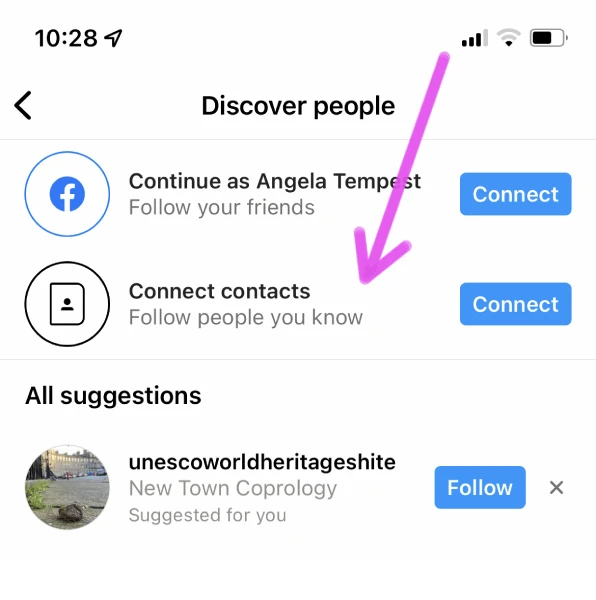
These steps are all the same on both IPhone and Android.
You may also like: How to find an Instagram ID with photo
How to sync contacts on Instagram?
Don’t forget that Instagram can help you find your phone contacts too. But if you want to stop Instagram from doing this, you can turn off the feature whenever you want. Here’s how:
- Go to your Instagram profile by tapping on your profile picture.
- Look for the three lines in the top-right corner of the screen and tap on them.
- From the menu that appears, select “Settings.”
- Inside the settings menu, choose “Account.”
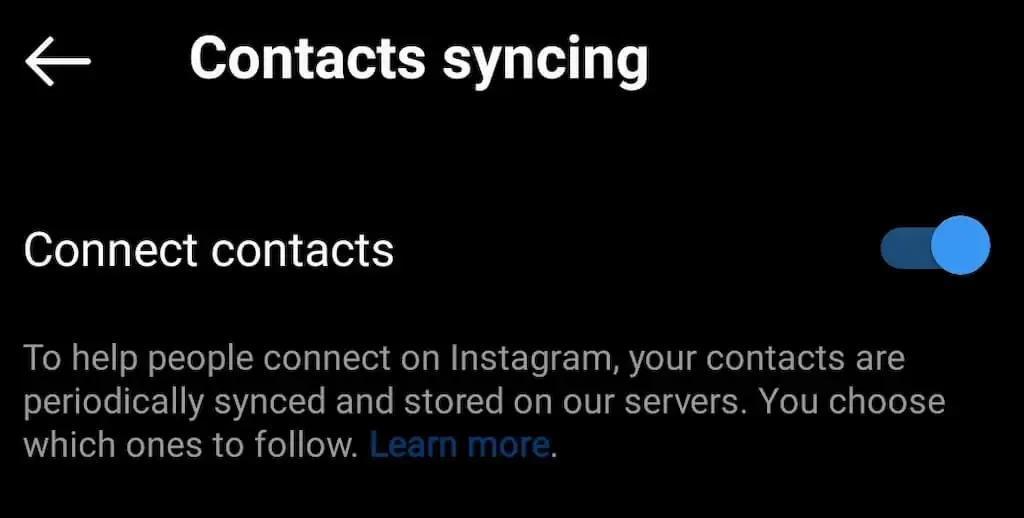
- You’ll see an option called “Contacts Syncing.” Tap on it.
- Now, you’ll see a toggle switch next to “Contacts Syncing.” Just flip it off to stop Instagram from syncing your contacts. That’s it!
Find your contacts through facebook
You can find friends from Facebook on Instagram too, since Instagram is owned by Meta, which was formerly known as Facebook. Here’s how you can do it:
- Tap on your profile picture at the bottom right corner of the app.
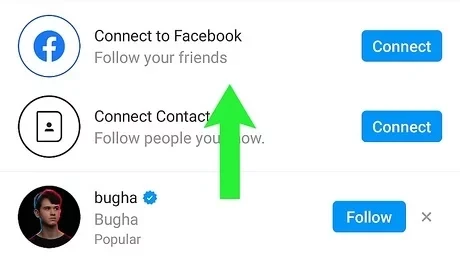
- Look for the “People you may know” section, which has a person icon with a plus sign.
- Tap on “Connect to Facebook” and follow the instructions to log in to your Facebook account. And link your Instagram to your facebook page.
- Instagram will then suggest friends from Facebook who are also on Instagram. You can decide if you want to follow them.
Apart from all these, you can also find people by typing their username directly into the search bar on Instagram.
Here are a couple of important points to remember:
Make sure to update your Instagram app to get all the newest features.
When you sync your contacts, it might upload them to Instagram’s servers. If you don’t want this to happen, you can turn it off in your settings.
Not Seeing Your Contacts on Instagram
Sometimes, you might not see all your contacts on Instagram. This could happen if the contact info is old, like an outdated phone number or address. Also, if a person hasn’t signed up for Instagram, you won’t find them there.
Instagram suggests people you might know based on your contacts. It only shows contacts that have an Instagram account linked to their info.
Instagram also checks Facebook info like phone numbers or emails to help you find people. So, some of your contacts might appear on the list to follow, but not all of them.
Read more: How to Transfer Instagram Followers to Threads?
Finding Instagram Contacts on Windows, Mac, or Chromebook
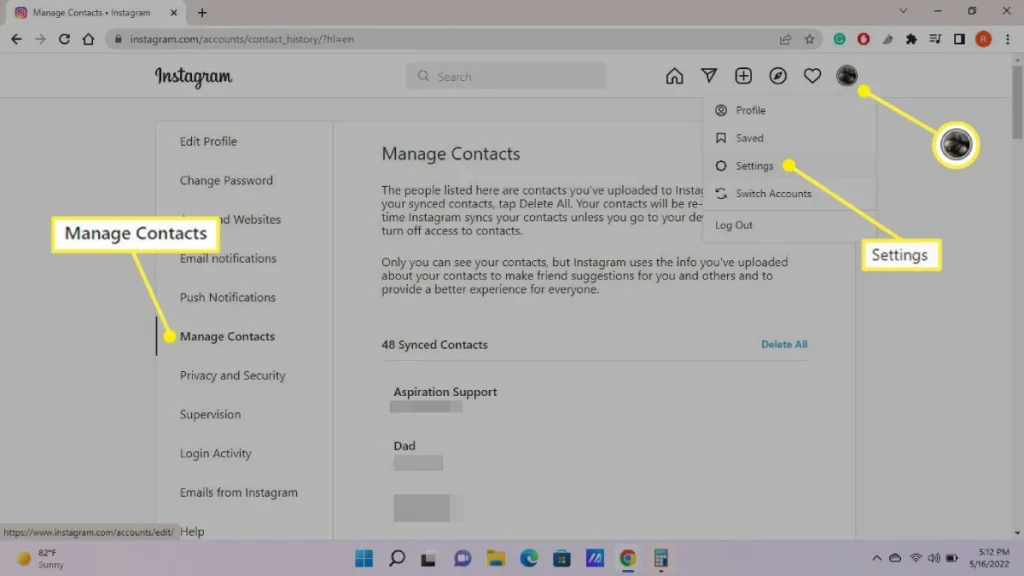
Unfortunately, on the Instagram website for Windows, Mac, or Chromebook, you can’t directly see your synced contacts or find people through contacts like you can on the mobile app. The web version of Instagram has limited features compared to the app.
Even though you can’t see contacts directly on the web app, there are still ways to find people on Instagram using a computer:
Search by Username: Simply type the username into the search bar on the web app.
Explore Suggested Users: Instagram suggests users even on the web app. These suggestions might include people you know, even without synced contacts.
Search by Interests: Look for hashtags related to your interests. People using those hashtags might show up in search results.
Check Mutual Friends’ Followers: If you have mutual friends, look at their follower list on the web app.
FAQs
Now let’s answer some frequently asked questions on this matter:
How do I find friends on Instagram by phone number?
There isn’t a direct search by phone number on Instagram, but you can use your phone contacts to suggest accounts. Here’s how:
- Sync your phone contacts: Go to your profile picture > “Discover People” (may show suggested users) > “See All.” Grant access to your contacts if prompted.
- Instagram will scan your contacts for users with linked phone numbers and suggest them to follow.
Why are my contacts not showing up on Instagram?
There are a few reasons why your contacts might not be showing up:
- Not enabled: Contacts syncing might be disabled. Go to profile picture > “Discover People” and check if “Connect Contacts” is on.
- Phone number not linked: The person might not have their phone number linked to their Instagram account.
- Privacy settings: Their account privacy settings might prevent discovery through contacts.
How can you find people on Instagram?
- Search by username
- Search by name
- Discover People suggestions
- Explore hashtags: Search for hashtags related to your interests. People who use those hashtags might show up in search results and could be potential friends.
- Look at mutual friends’ followers
Final Thoughts
In wrapping up, it’s good to remember that Instagram offers various ways to connect with friends and find new people.
Although, sometimes you might not see all your contacts, especially if their info is outdated or they haven’t joined Instagram yet.
Also, the web version of Instagram doesn’t have all the features of the mobile app, so finding contacts might be a bit limited there.
But don’t worry! You can still find people on Instagram using a computer by trying different things like searching by username, checking out suggested users, or looking at mutual friends’ followers.
So, keep exploring and connecting with others on Instagram, whether you’re on your phone or computer. There’s always a way to stay connected.

1 thought on “How to See Contacts on Instagram? 2024 Easy Guide”
Fantastic read! I was especially impressed by the depth provided on the topic, offering a perspective I hadn’t considered. Your insight adds significant value to the conversation. For future articles, it would be fascinating to explore more to dive deeper into this subject. Could you also clarify more about the topic? It caught my interest, and I’d love to understand more about it. Keep up the excellent work!
Comments are closed.