

Ever wondered that with the convenience of sharing content on Instagram comes the concern of privacy? So, one burning question that often arises is, ‘Does Instagram notify when you screenshot someone’s content?’
In this blog post, I’ll delve into this mystery, exploring whether Instagram sends notifications for story screenshots, post captures, profile snapshots, and DM screengrabs.
Ready to know more? Let’s uncover the facts together.
1. Does Instagram Notify When You Screenshot a DM?
Here’s where it gets interesting. The answer depends on the type of content you’re capturing. If someone sends you a regular message in DM, taking a screenshot won’t notify them. However, if they use Instagram vanish mode or send a disappearing photo or video, they’ll be notified when you take screenshots.
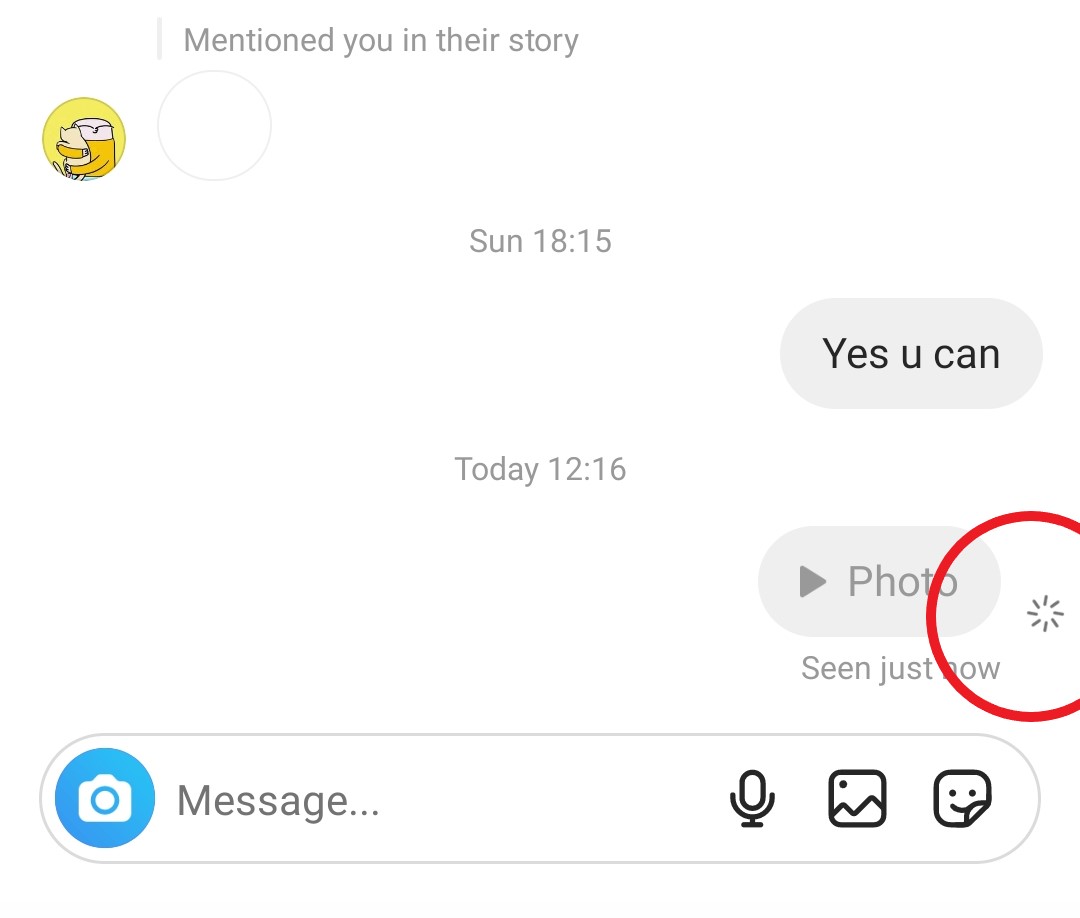
You can still screen record disappearing photos or videos, but be cautious because screen recording messages in vanish mode will definitely notify the other user.
2. Does Instagram Notify When You Screenshot a Story?
The anticipation is over – Instagram does not notify users when someone screenshots their story. You can also feel free to take screenshots from close friends’ stories without worrying about notifying the user.
3. Does Instagram Notify When You Screenshot a Profile?
No, Instagram does not notify users when you screenshot a profile. You can freely capture screenshots of someone’s profile without any concerns. If you wish to share a profile, you can use the “Share this profile” option or copy the profile URL to send it through various platforms like email or WhatsApp. Enjoy the flexibility without worrying about notifications!
4. Does Instagram Notify When You Screenshot a Post?
No, Instagram does not notify users when you screenshot a post. You can easily capture and save your favorite posts without triggering any notifications. Whether you want to keep them on the app or save them to your device’s gallery, a simple screenshot is all you need. Enjoy the freedom to capture and save posts without any concerns!
Also Read: Does Instagram Notify When You Delete A Comment?
Conclusion
In summary, Instagram may send a notification if you take a screenshot, especially when capturing a disappearing photo or video in a private DM or DMs sent in vanish mode. However, for other Instagram features like stories, reels, posts, and live videos, Instagram won’t alert users when you take a screenshot.
FAQs
Now that you know all about Instagram screenshot notifications, it’s time to answer some frequently asked questions.
1. Does Instagram Notify When You Screenshot A Story Highlight?
No, similar to capturing screenshots of Instagram stories, there is no notification when you screenshot story highlights. If you want to keep your highlights hidden from a specific person, you can use the same settings you applied for hiding stories.
2. Does Instagram Notify When You Screenshot A Story Of Close Friends?
Instagram does not notify users when someone takes a screenshot of their story, even if it’s from the Close Friends feature.
3. How To Prevent Others From Taking Screenshots Of Your Stories?
To avoid a particular individual from capturing screenshots of your stories, conceal your stories from them by following these steps:
Navigate to your account, select Settings and Privacy, scroll down to Hide Story and Live, and choose the person you wish to prevent from accessing your stories.
4. Why Doesn’t Instagram Notify Screenshots Of Stories?
Here are some possible reasons:
Emphasizing Privacy: Instagram aims to maintain a private and comfortable experience for its users.
Reduced Anxiety: The absence of constant screenshot alerts results in less stress for users.
Personal Freedom: The decision to capture and share moments is entirely yours.
Widespread Approach: This aligns with the common practices observed on many platforms.
Technical Constraints: It could be that detecting every screenshot is too resource-intensive for Instagram.
5. Why Do People Take Screenshots From Instagram Stories?
People take screenshots from Instagram stories for various reasons:
1. Memorable Content: Users may capture screenshots of stories to save or share content that they find memorable, interesting, or amusing.
2. Sharing Moments: Screenshotting allows users to share specific moments from someone else’s story with their followers or friends.
3. Reference or Reminder: Screenshots can serve as references or reminders for things like recommendations, addresses, or important information shared in stories.
4. Conversation Starters: Users may take screenshots to initiate conversations about specific content within a story.
5. Creativity and Inspiration: Screenshotting is common when users come across creative or inspirational content that they want to revisit or draw inspiration from later.
6. Documenting Interactions: People might capture screenshots of interactions, such as comments or reactions, as a form of documentation or to share in other conversations.
7. Expressing Support: Users may take screenshots to show support for friends or influencers by sharing their content on other platforms.
8. Offline Viewing: Screenshots provide a way to view content offline, especially for stories that might disappear after 24 hours.
It’s important to note that while screenshots are a common practice, respecting privacy and adhering to social media etiquette is crucial when sharing or using these captures.
