

Ever wanted to browse your social media accounts without anyone knowing you’re online? I’ve been in that situation, especially with Instagram. I found myself getting caught up in conversations and having to respond for hours because others could see when I was active on Instagram. To avoid potential issues, I looked for ways to disable active status, and now I’m here to share what I’ve discovered about how to turn off active status on Instagram. Interested in learning more? Let’s dive in.
How to Turn Off Active Status on Instagram? (Android and iOS)
Turning off Instagram’s online status is a straightforward process. Here’s how to do it:
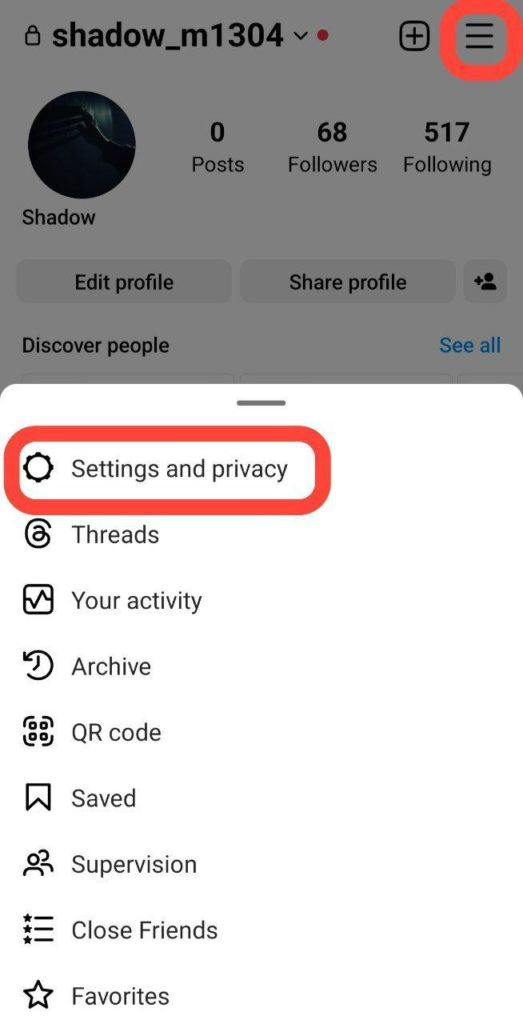
1. Open Instagram and go to your profile, where you’ll find the hamburger menu at the top right of the screen. Tap on ‘Settings and privacy.’
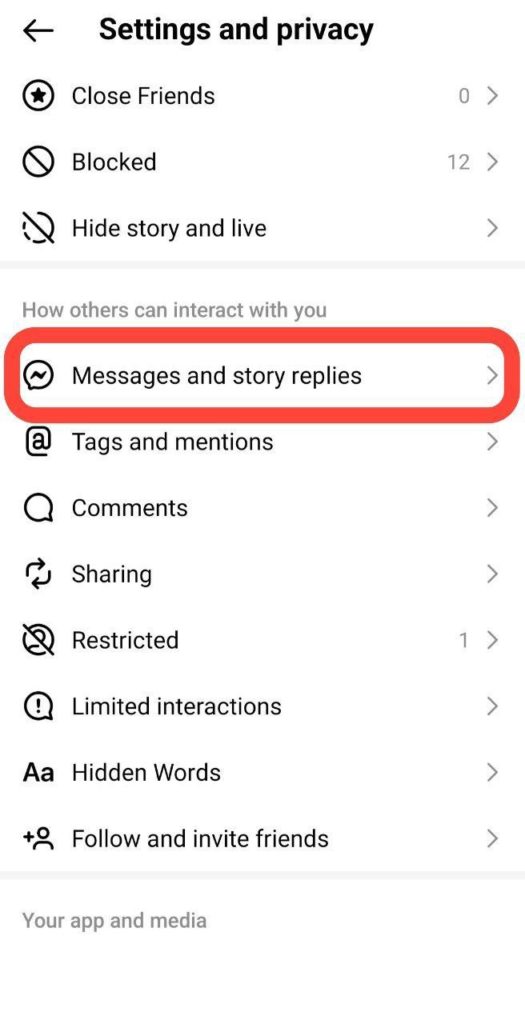
2. Then scroll down to locate “Messages and story replies” under the ‘How others can interact with you’ section.
3. Look for ‘Show activity status’ under ‘Who can see you’re online.’
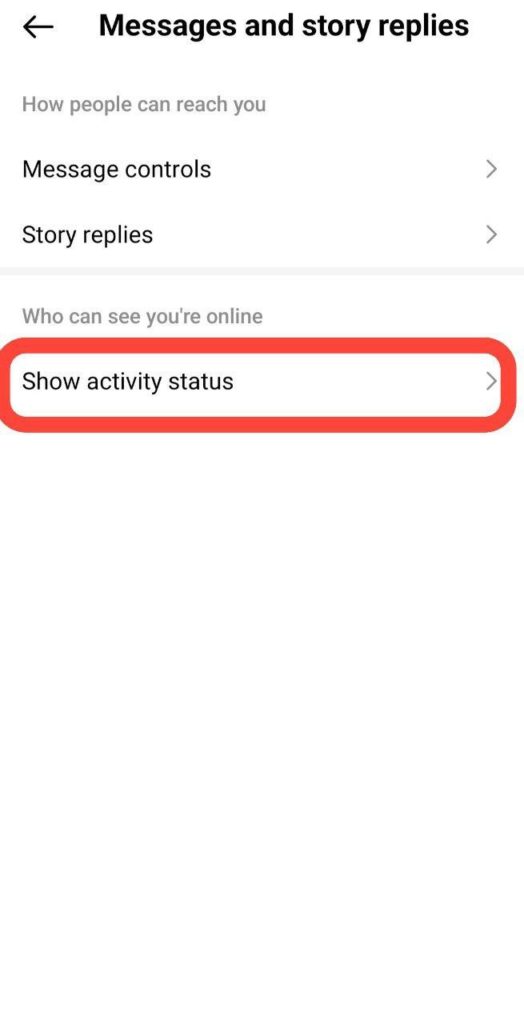
4. Toggle off ‘Show activity status,’ and you’re done.
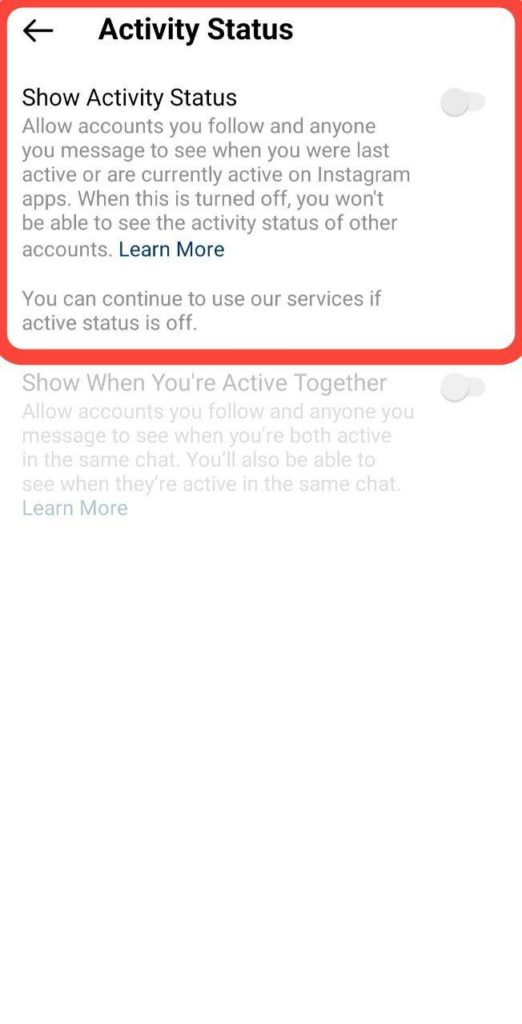
Note: When your activity status is enabled, a small green dot or a timestamp indicating your last active time will appear alongside your profile picture in Instagram DM.
Also Read: Instagram Quiet Mode: How to Turn It on & off
Remember that when you turn off your active status, you won’t be able to see others’ active status either.
How to Turn Off Active Status on Instagram? (PC)
To turn your Activity Status on or off:
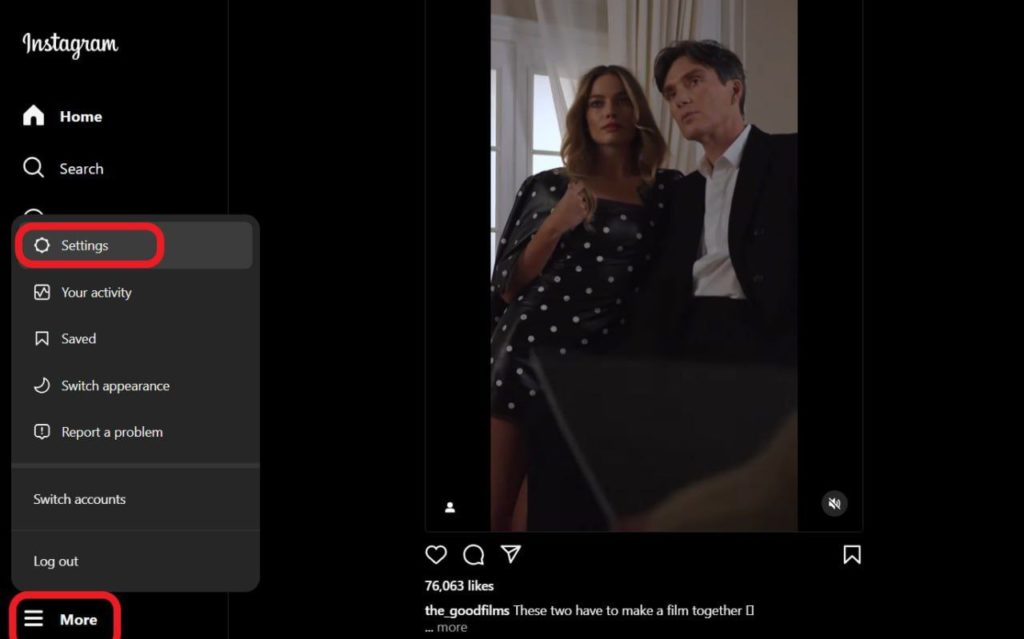
1. Select the ‘More’ option at the bottom left, then tap on ‘Settings.’
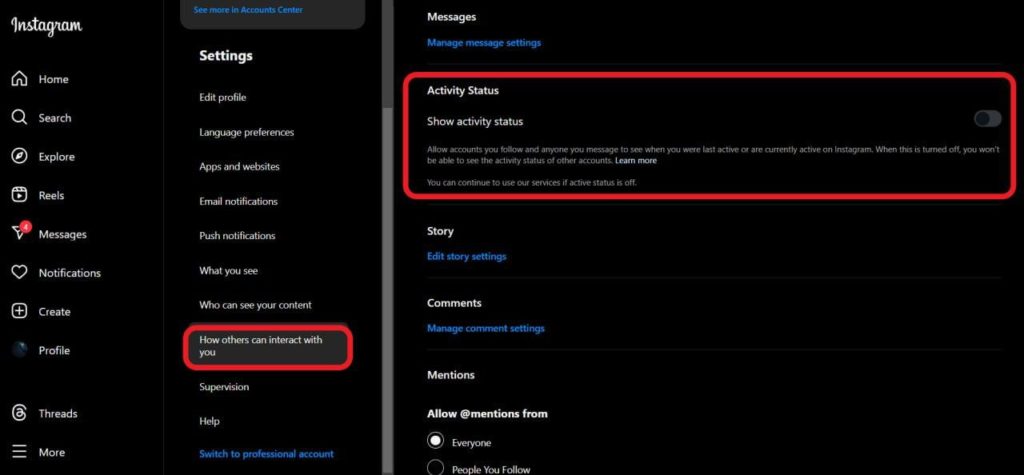
2. Go for ‘How others can interact with you,’ and toggle off the ‘Show Activity Status’ option.
Who Can See When You’re Active on Instagram?
When your Activity Status is enabled, users you follow and those with whom you exchange messages will be able to view the timestamp indicating when you were last active or currently online on Instagram.
Also Read: How to Stop Receiving Messages on Instagram Without Blocking
Useful Tips to Protect Your Privacy and Security on Instagram
If you’re eager to explore additional methods for enhancing your privacy and security, here’s how you can do it:
- Change passwords regularly, especially if prompted by Instagram or in case of suspected compromise.
- Log out of Instagram on shared devices and avoid using the “Remember me” option on public computers.
- Enable two-factor authentication for added security.
- Avoid sharing passwords with unknown or untrusted individuals.
- Exercise caution when authorizing third-party apps; refrain from sharing login information.
- Choose robust and unique passwords with a combination of at least six numbers, letters, and special characters.
- Secure email accounts with distinct passwords to prevent unauthorized access.
- Download a backup of your data by requesting it in a machine-readable HTML or JSON format.
FAQs
Now that you know how to turn active status off on Instagram, it’s time for some frequently asked questions regarding our topic.
1. How to Tell If Someone Is Online on Instagram?
Instagram allows users to see if someone is online by checking their active status. Here’s how you can check if someone is online on Instagram:
1. Direct Messages:
- Open your Instagram Direct Messages.
- Look for a small, green dot next to the person’s profile picture or their username.
- The green dot indicates that the person is currently online.
2. Activity Status:
- Go to your Direct Messages.
- Look for a timestamp (e.g., “Active 10 minutes ago”) next to the person’s name.
- This timestamp shows the last time they were active on Instagram.
2. How to Turn Off Active Status on Instagram for One Person?
To turn off your active status on Instagram for one person, you can restrict that individual. Here’s how to hide your online status on Instagram by restricting the user:
1. Open Instagram and go to your profile.
2. Navigate to the profile of the person you want to restrict.
3. Tap on the three dots (ellipsis) in the top right corner of their profile.
4. From the dropdown menu, select “Restrict.”
This action restricts the person, and as a result, they won’t be able to see your active status on Instagram.
3. How to See If Someone Is Online on Instagram If They Appear Offline?
There is no direct way to see if someone is online on Instagram if they have intentionally turned off their active status or appear offline. Instagram respects users’ privacy preferences, and if someone chooses to hide their online status, you won’t be able to view their activity easily.
However, users may still inadvertently reveal their online presence through other actions, such as liking, commenting, or posting on Instagram.
4. What Happens When You Turn off Activity Status on Instagram?
You won’t be able to view the activity status, recent activity, or current online status of accounts that follow you or with whom you have direct conversations in the same chat.
5. Why Do People Hide Online Status on Instagram?
People hide their online status on Instagram for privacy, to avoid distractions, to reduce social pressure, to prevent misinterpretation, and to maintain a more passive online presence.
